

A picture that used to take a designer a day now takes a sentence, and the sentence is the whole skill. The best text to image ai tools turn a line of plain language into a finished image, and the difference between them is not whether they work but what they are good at. One is best for art, one is best for text inside the image, and one is best for a hundred assets in one style.
Twelve tools made this list, and they split into four kinds. Chat tools like DALL-E 3 generate inside a conversation. Art tools like Midjourney produce the most beautiful images. Control tools like Leonardo AI hold one style across a series. Open models like Stable Diffusion and Flux suit a technical user who wants to self-host. The prices below were checked against vendor pages and November 2026 roundups, and where sources disagreed the draft says so rather than picking the friendlier number.
In this article
- How the Best Text to Image AI Tools Were Compared
- The Prompt Is the New Camera
- Twelve Generators, Judged on the Image
- The Generators Compared in One Table
- One Style Across Fifty Images
- Text Inside the Image Is Still the Hard Part
- Best Pick by Job
- Free Tiers Are Real, Until the Volume Arrives
- The Pick, Summed Up
- Commercial Rights, Read Before You Sell
- Questions About Text to Image Tools
- Before You Generate the First Image
How the Best Text to Image AI Tools Were Compared
Each tool in this guide was judged on five things that decide whether generated images get used. Image quality is first, because an image that looks wrong is never published. Text rendering is second, because a poster with a misspelled headline is worse than no poster. Style control is third, because a brand needs fifty images that look like one brand. Price is fourth, measured as the cost of a month of steady use. Ease is fifth, because a generator that needs a manual will not get used.
The tools in this guide all generate real images, and every tool here has a free plan or a free trial except the ones that say otherwise. The comparison below names the limit of each tool plainly, because a tool bought for the wrong half of the job wastes more than its subscription. It wastes the images it was bought to make.
The speed test is the queue, because a generator that takes ten minutes per image will not get used daily, while a generator that returns four versions in a minute will. Midjourney and Leonardo AI both return results fast on paid plans, while free tiers queue behind paying users, so the free plan is a classroom rather than a production line.
The Prompt Is the New Camera
The best text to image ai tools reward a specific prompt, because a vague sentence produces a vague image. A prompt with a subject, a setting, a light and a style will beat a prompt with a subject alone, and the difference shows in the first generation. The tools that help most are the ones that show the prompt alongside the image, so the creator learns what each word does.
The second skill is iteration, because the first image is rarely the one. A creator who generates four versions, picks the best, and refines the prompt from what worked will reach a finished image in minutes, while a creator who writes one prompt and accepts the result will settle for average. The tools in this guide all support fast iteration, and the fast ones are the ones that get used daily.
The style test is a series, because one beautiful image proves nothing and ten images in one style prove everything. Generate the same subject in ten different settings, and look at whether the style holds. When it does, the tool can carry a brand. When it drifts, the tool is a toy rather than a production tool, and the brand will notice.
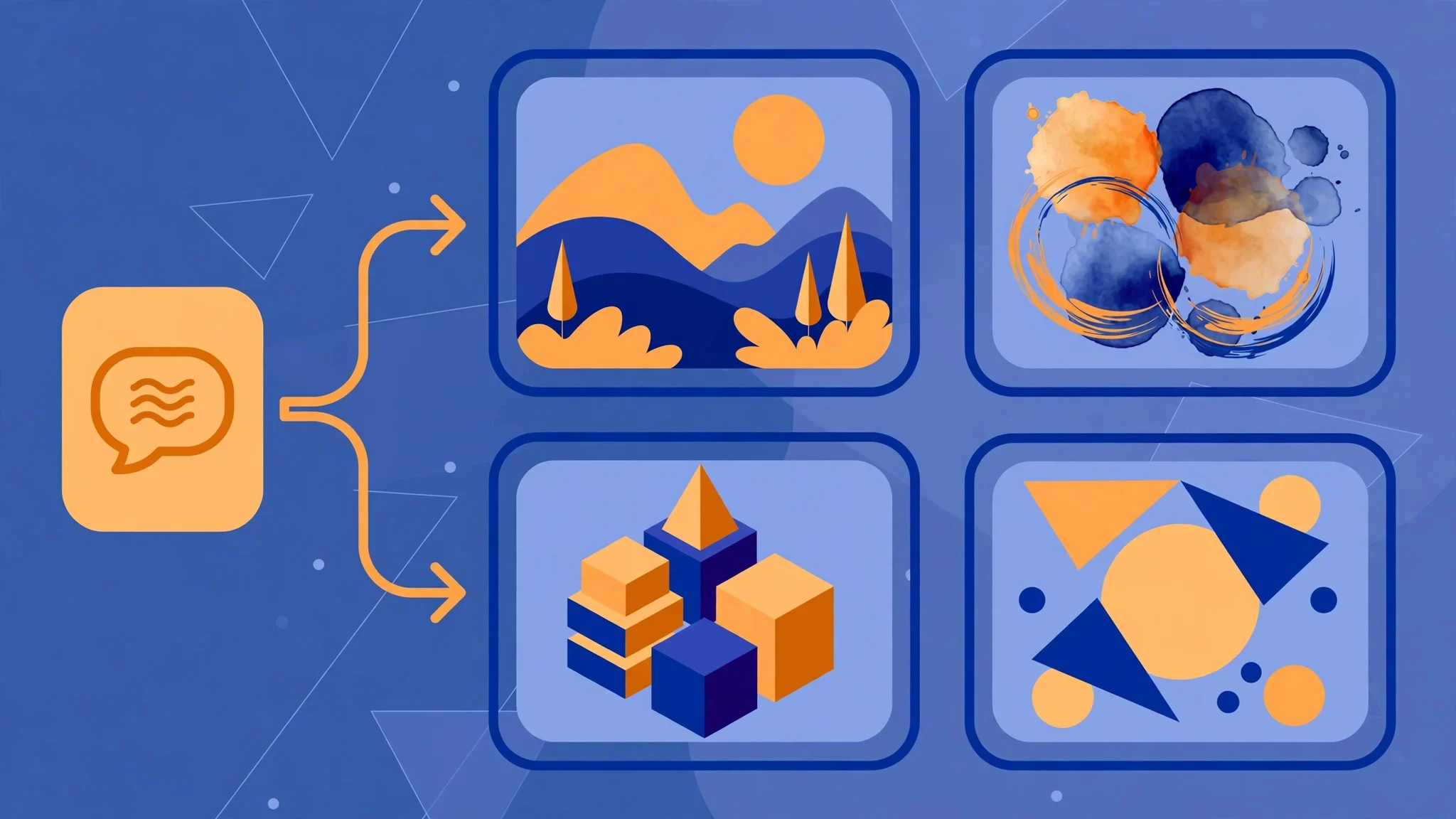
Twelve Generators, Judged on the Image
1. Midjourney
Best for Artistic and stylised images. Price Basic $10 a month. Free plan No free plan.
Midjourney is still the generator other generators are measured against, because its images look like art rather than renders. The current default model renders native 2K images and handles text far better than the versions that made Midjourney famous for beautiful but garbled words, and the style controls let a creator hold one look across a whole set.
Basic costs $10 a month for 200 fast GPU minutes, Standard costs $30 a month with 15 hours of fast time plus unlimited relaxed images, Pro costs $60 and Mega costs $120. Annual billing saves about twenty percent. There is no free tier, so the cheapest way in is the Basic plan.
Pick it when the image has to look like art, because the quality is the benchmark. Skip it when the budget is zero, because there is no free plan to fall back on.
Watch out. The Basic plan buys only 3.3 hours of fast generation a month, so heavy use needs Standard.
2. DALL-E 3
Best for Easiest image creation inside chat. Price ChatGPT Plus $20 a month. Free plan Free plan, limited images.
DALL-E 3 is the easiest image generator to use, because it lives inside ChatGPT and the user never has to learn prompt engineering. A picture is described in plain conversation, the model interprets it, and the result can be refined by talking back, which suits a person who wants a draft fast rather than a specialist who wants control.
It is free with limits inside ChatGPT, and ChatGPT Plus costs $20 a month and raises the limits with priority during peak hours. The standalone DALL-E product page no longer exists, because the model retired from its API in May 2026, so the choice is ChatGPT image creation or a separate generator.
Pick it when the image is one step in a wider chat workflow, because the conversation is the interface. Skip it when the work needs a dedicated studio, because ChatGPT is a chat app first.
Watch out. The free plan limits image creation, so a busy day of generating will hit the cap.
3. Leonardo AI
Best for Game art and trained custom styles. Price Apprentice $12 a month. Free plan Free plan, 150 tokens a day.
Leonardo AI started as a game-asset generator and grew into the most creator-friendly image studio in this list, with trained custom styles, consistent characters and control over the output that the chat tools do not offer. A creator who needs fifty assets in one style will find Leonardo faster than any rival, because the style stays put once it is trained.
The free tier gives 150 tokens a day, then Apprentice costs $12 a month with 8,500 fast tokens, Artisan costs $30 and Maestro costs $60, with commercial rights included on paid tiers. Annual billing brings Apprentice to $10 a month, which is cheap for the control it buys.
Pick it when the work needs consistent assets in volume, because the custom styles are the point. Skip it when one image is the whole job, because the studio is built for series work.
Watch out. The daily free tokens reset and do not roll over, so a free user cannot save them up.
4. Ideogram
Best for Images with readable text and logos. Price Plus $20 a month. Free plan Free plan, 30 credits a week.
Ideogram is the exception to the rule that AI cannot spell, because it renders legible, correctly spelled text inside images far better than general-purpose generators. That makes it the default for posters, social ads, book covers and simple logos, where the text is the point, and its 4.0 model outputs native 2K images with structured prompts for layout and placement.
The free plan gives 30 usage units a week when signing in with Google, Apple or Microsoft, and Plus costs $20 a month or $15 a month billed annually at $180 a year, with 2,400 priority credits a month and private generation. Pro costs $60 a month with 7,500 priority credits.
Pick it when the image needs words in it, because no other tool here spells as well. Skip it when the image has no text, because Midjourney or Leonardo will do it better.
Watch out. Email sign-ups do not get free usage units, so sign in with Google, Apple or Microsoft for the free tier.
5. Stable Diffusion
Best for Open models, self-hosting and API use. Price See website. Free plan Free open models.
Stable Diffusion is the open model behind much of this category, and it suits a technical user who wants to self-host, fine-tune or call an API rather than use a polished studio. The models are free, the community builds on them openly, and a brand can train a style on its own images and keep the result private.
Pricing is per image or per credit on the hosted services, from about $0.03 an image, and the open models themselves cost nothing to download. The trade is effort, because self-hosting needs a strong computer and some setup, while the hosted services charge for convenience.
Pick it when the work needs an open model or a private fine-tune, because nothing else here is as open. Skip it when the user wants a polished studio, because the open tools are built for builders.
Watch out. The quality depends on the model and the settings chosen, so a first attempt will need tuning.
6. NightCafe
Best for Community gallery and daily free credits. Price See website. Free plan Free plan, daily credits.
NightCafe is the community generator in this list, with a gallery where creators share prompts and results, daily free credits, and a friendly interface that suits a beginner. It runs several models under one roof, so a user can compare styles without opening five accounts, and the challenges and collections make it a place to learn as well as to generate.
The free plan gives daily credits, and the paid plans add more credits and faster generation, with the price shown on the vendor page. The trade is depth, because NightCafe is a gallery and a studio rather than a production pipeline, and a creator who needs consistent brand assets will want Leonardo instead.
Pick it when the goal is to learn and explore, because the community is the teacher. Skip it when the work needs volume, because the credits run out fast.
Watch out. The daily credits do not roll over, so a free user should generate every day or lose them.
7. Playground AI
Best for Free canvas for trying image styles. Price See website. Free plan Free plan.
Playground AI is the free canvas in this list, with a generous free plan, a simple editor and a wide model choice that lets a creator try styles without paying. It suits a person who is still deciding which generator to commit to, because the same prompt can be run across models and the results compared side by side.
The free plan covers a real amount of daily generation, and the paid plans add more images, faster queues and commercial use, with the price shown on the vendor page. The trade is control, because Playground is a canvas rather than a studio, and a creator who needs trained styles will outgrow it.
Pick it when the budget is zero and the style is undecided, because the free canvas is the cheapest way to learn. Skip it when the work needs a consistent brand style, because that needs a trained model.
Watch out. The free plan limits commercial use, so check the terms before selling an image made on it.
8. Magnific
Best for Creative upscaling with fine detail. Price Premium $20 a month. Free plan Free plan.
Magnific, formerly Freepik AI, is the creative upscaler in this list, with generative upscaling that adds fine detail rather than just enlarging pixels. It suits an image that needs to go from a small draft to a large print, and the Premium plan gives 20,000 usage units a month, which covers a busy creator.
Premium costs $20 a month, and the free plan covers a small number of generations. The trade is scope, because Magnific is an upscaler and enhancer rather than a text-to-image generator, and it works best on an image that already exists.
Pick it when a small image must become a large one without going soft, because the detail work is the point. Skip it when the image still needs to be created, because a generator does that job.
Watch out. The usage units are spent per generation, so a large batch will use the monthly allowance fast.
9. Artbreeder
Best for Blending images into new characters and scenes. Price See website. Free plan Free plan.
Artbreeder takes a different route from the prompt tools, because it blends existing images into new ones, which suits character design, portraits and concept art. A creator can take two faces, mix them, and steer the result with sliders, which is a hands-on way of working that the text tools do not offer.
The free plan covers casual blending, and the paid plans add more uploads, faster generation and private images, with the price shown on the vendor page. The trade is range, because Artbreeder is strongest on faces and characters and weaker on scenes and objects.
Pick it when the work is character design, because the blending is unique. Skip it when the work needs a scene from a sentence, because a prompt tool does that better.
Watch out. The blended images inherit the look of their parents, so the output is only as good as the inputs.
10. Runway
Best for Image generation inside a video studio. Price See website. Free plan Free plan.
Runway is the video studio in this list, and its image generation sits inside a wider creative suite that covers video, motion and editing. A creator who makes images as frames for a video will find the workflow natural, because the image, the motion and the edit live in one place.
The free plan covers a small number of generations, and the paid plans add more credits and faster generation, with the price shown on the vendor page. The trade is focus, because Runway is a video tool first, and a creator who only needs still images will find a cheaper specialist.
Pick it when the image is a step toward a video, because the studio is the point. Skip it when the work is still images only, because a dedicated generator is cheaper.
Watch out. The credits are shared across image and video tools, so a video project will eat the image allowance.
11. Flux
Best for Open-weight models with strong prompt following. Price See website. Free plan Free plan via partners.
Flux, from Black Forest Labs, is the open-weight model family that many hosted services now run, and it is known for strong prompt following and realistic detail. It suits a technical user who wants a modern model through an API or a hosted playground, with the freedom to choose the provider and the price.
Pricing depends on the host, with per-image rates on the hosted services and free access through some partners. The trade is polish, because Flux is a model rather than a studio, and the interface comes from the host rather than the maker.
Pick it when the work needs a modern open model with strong prompt following, because the quality is high. Skip it when the user wants a finished studio, because Flux needs a host.
Watch out. The price and the limits change with the host, so compare hosts before committing.
12. Canva Magic Media
Best for Image generation inside a design tool. Price Pro $12 a month billed annually. Free plan Free plan, 50 credits.
Canva Magic Media brings image generation into the design tool where the poster, the post or the presentation is already being made, which saves a round trip. A creator can generate an image, drop it into a layout, and export, all without leaving Canva, and the free plan includes 50 credits to try it.
Pro costs $12 a month when billed annually, or $144 a year for one person, and $18 a month on monthly billing. The free plan covers 50 credits, while Pro adds premium templates, background removal and a larger credit allowance.
Pick it when the image belongs in a Canva design, because the workflow is the point. Skip it when the image is the whole job, because a dedicated generator offers more control.
Watch out. The credit allowance is shared with other Canva AI tools, so heavy use will run through it fast.
The Generators Compared in One Table
This table compares the best text to image ai tools on the facts that decide a purchase. Prices are in US dollars and change by country and promotion, so check the vendor page before you buy.
| Tool | Price | Free plan | Best for |
|---|---|---|---|
| Midjourney | Basic $10 a month | No free plan | Artistic and stylised images |
| DALL-E 3 | ChatGPT Plus $20 a month | Free plan, limited images | Easiest image creation inside chat |
| Leonardo AI | Apprentice $12 a month | Free plan, 150 tokens a day | Game art and trained custom styles |
| Ideogram | Plus $20 a month | Free plan, 30 credits a week | Images with readable text and logos |
| Stable Diffusion | See website | Free open models | Open models, self-hosting and API use |
| NightCafe | See website | Free plan, daily credits | Community gallery and daily free credits |
| Playground AI | See website | Free plan | Free canvas for trying image styles |
| Magnific | Premium $20 a month | Free plan | Creative upscaling with fine detail |
| Artbreeder | See website | Free plan | Blending images into new characters and scenes |
| Runway | See website | Free plan | Image generation inside a video studio |
| Flux | See website | Free plan via partners | Open-weight models with strong prompt following |
| Canva Magic Media | Pro $12 a month billed annually | Free plan, 50 credits | Image generation inside a design tool |
One Style Across Fifty Images
The best text to image ai tools for a brand are the ones that hold one style across a series, because a social feed with fifty images in fifty styles looks like fifty brands. Leonardo AI trains custom styles that stay put, Midjourney holds a look with style controls, and the chat tools struggle here, because each generation starts fresh.
The workflow is to train or fix the style first, then generate the series. A creator who spends an hour on the style will save ten hours on the series, because every image after the first needs only a new subject. The tools in this guide that support trained styles are the ones a brand should pay for, and the ones that do not are the ones a casual user should use free.
The reference image is the shortcut to consistency, because a generator that accepts an image as a starting point can hold a character, a product or a place across a series. Leonardo AI and Midjourney both support reference images, and the workflow is to lock the reference first, then change only the scene. A series built this way looks like one shoot rather than fifty guesses.
Text Inside the Image Is Still the Hard Part
Most generators garble words, and the best text to image ai tools for posters and logos are the ones that do not. Ideogram renders legible, correctly spelled text inside images far better than general-purpose generators, which makes it the default for posters, social ads, book covers and simple logos, where the text is the point. Midjourney has improved a lot, but a headline with more than a few words still needs a check.
The test is simple. Generate a poster with a five-word headline, read it at full size, and count the misspellings. When the words are right, the tool passes. When they are not, the image needs a text overlay added by hand in a design tool, which is slower but honest. A generator that spells well saves an hour on every poster.
The logo test is the hardest in this category, because a logo needs exact letters, exact spacing and a transparent background, and no generator here does all three reliably. Ideogram comes closest on the letters, but a real logo still belongs in a vector tool, and the generator is best used for the concept rather than the final file.

Best Pick by Job
Different situations need different tools, so the best pick changes with the job. This table matches the common situations to the tool that handles each one best. The best text to image ai tools in this guide cover all of these jobs between them.
| Job | Pick | Why |
|---|---|---|
| Image has to look like art | Midjourney | Basic $10 a month, the quality benchmark |
| Easiest start, no learning | DALL-E 3 | Free with limits, ChatGPT Plus $20 a month |
| Fifty assets in one style | Leonardo AI | Free 150 tokens a day, Apprentice $12 a month |
| Words inside the image | Ideogram | Free 30 credits a week, Plus $20 a month |
| Open models and self-hosting | Stable Diffusion | Free open models, hosted from $0.03 an image |
| Image inside a design | Canva Magic Media | Free 50 credits, Pro $12 a month billed annually |
Free Tiers Are Real, Until the Volume Arrives
The best text to image ai tools for a beginner are the free ones, because the skill is learned by generating, and a free tier with daily credits is a classroom. Leonardo AI gives 150 tokens a day, Ideogram gives 30 credits a week, DALL-E 3 gives limited images inside ChatGPT, and Playground AI gives a free canvas. Any of the four teaches the craft without a card.
The paid plans start to matter when the volume arrives, because a creator who generates fifty images a day will burn a free tier before lunch. Midjourney Basic at $10 a month is the cheapest paid route to quality, Leonardo Apprentice at $12 is the cheapest route to control, and Ideogram Plus at $20 is the cheapest route to readable text. Match the plan to the job, not to the brand.
The Pick, Summed Up
Start with Midjourney when the image has to look like art, because the quality is the benchmark. Start with DALL-E 3 when the image is one step in a chat workflow, because the conversation is the interface. Start with Leonardo AI when the work needs fifty assets in one style, and start with Ideogram when the image needs words in it. The best text to image ai tools in this guide all generate real images, and the difference between them is which second job they do well, so name the second job first and the tool follows.
Commercial Rights, Read Before You Sell
An image made by a generator is not automatically an image that can be sold, and the terms differ by tool and by plan. Paid tiers usually include commercial rights, free tiers often do not, and the difference matters the moment an image goes on a product or in an advertisement. Leonardo AI includes commercial rights on paid tiers, Playground AI limits commercial use on its free plan, and the open models carry their own licences.
Questions About Text to Image Tools
Which text to image tool is best for beginners?
DALL-E 3 inside ChatGPT is the easiest, because the image is described in plain conversation with no prompt engineering to learn. Leonardo AI and Playground AI are the best free starting points for a creator who wants a studio, with daily free credits and a friendly interface.
Can AI image generators spell words correctly?
Ideogram is the best at it, because it renders legible, correctly spelled text inside images far better than general-purpose generators. Midjourney has improved a lot, but a headline with more than a few words still needs a check at full size before it is published.
Are AI generated images free to use commercially?
It depends on the tool and the plan. Paid tiers usually include commercial rights, while free tiers often limit commercial use, so check the terms on the plan being used before selling an image or putting it in an advertisement. Leonardo AI includes commercial rights on paid tiers.
How much does Midjourney cost?
Basic costs $10 a month for 200 fast GPU minutes, Standard costs $30 a month with 15 hours of fast time plus unlimited relaxed images, Pro costs $60 and Mega costs $120. Annual billing saves about twenty percent, and there is no free tier.
What is the difference between Midjourney and DALL-E 3?
Midjourney produces the most artistic images and is best when the image has to look like art, while DALL-E 3 lives inside ChatGPT and is best when the image is one step in a chat workflow. Midjourney has no free tier, while DALL-E 3 gives limited images free inside ChatGPT.
Before You Generate the First Image
Write the prompt with a subject, a setting, a light and a style, generate four versions, and pick the best before refining. Check any text at full size, check the commercial rights on the plan being used, and save the prompt alongside the image, because the prompt is the recipe. The best text to image ai tools in this guide all reward a specific prompt, and the specific prompt is the skill that matters most.