

A recruiter spends six seconds on a CV, and the design decides whether those six seconds turn into a read or a delete, because a visual CV that is clear, modern and well structured will hold the eye, while a plain wall of text will not. The best visual cv design tools build a CV that looks designed without breaking the software that reads it first.
Ten tools made this list, and they split into three kinds. Platforms like Canva and Visme offer thousands of templates and deep design control. CV builders like Novoresume, Zety, Enhancv, Kickresume, Resume.io and MyPerfectResume guide the job seeker through the sections. Infographic tools like Venngage build timelines and visual stories. The prices below were checked against vendor pages and November 2026 roundups, and where a price was not published the draft says so rather than guessing.
In this article
- Six Seconds Decide Whether the CV Is Read
- How the Best Visual CV Design Tools Were Compared
- Visual CV Tools Compared in One Table
- Ten Builders, One CV Each
- The ATS Check Is the Price of Looking Good
- Templates Decide the First Impression
- Best Pick by Job
- The Visual CV Verdict
- Infographic CVs Belong in Creative Roles Only
- Free Builders Cover Most Job Seekers
- Questions About Visual CV Design Tools
- Before You Build the Next CV
Six Seconds Decide Whether the CV Is Read
The best visual cv design tools start with the six seconds, because a recruiter will decide in that time whether to read on, and the design is what holds the eye. A clear hierarchy, a modern font, and a layout that leads the eye from the name to the experience will earn the read, while a cluttered template will earn a delete, and the tools in this list build the clear version without a designer.
The second job is the parse, because a CV that looks designed can confuse the ATS, and the tools that check the parse will save the application. Novoresume builds clean CVs that parse well, Canva offers thousands of templates that need an ATS check, and the job seeker who checks the plain-text version before sending will know which one they have.
The hierarchy test is the eye, because a recruiter scans a CV in seconds, and the layout must lead the eye from the name to the experience. A tool whose templates offer a clear hierarchy will produce CVs that earn reads, while one whose templates offer clutter will produce CVs that earn deletes.
The six-second test is the scan, because a recruiter will decide in six seconds whether to read on, and the design is what holds the eye. A job seeker should ask a friend to scan the CV for six seconds and say what they remember, because the answer is what the recruiter will see.

How the Best Visual CV Design Tools Were Compared
Each tool in this guide was judged on five things that decide whether a visual CV gets built. Templates are first, because a good template saves hours. Ease is second, because a builder that needs a designer will not get used. ATS safety is third, because a CV that does not parse will not be read. Price is fourth, measured as the cost of a month of steady use. Export is fifth, because a CV that cannot leave as a clean PDF is a trap.
The tools in this guide all build real CVs, and every tool here has a free plan or a free trial except the ones that say otherwise. The comparison below names the limit of each tool plainly, because a tool bought for the wrong half of the job wastes more than its subscription. It wastes the applications it was bought to win.
The export test is the PDF, because a CV that cannot leave as a clean PDF is a trap, and the tools that export well will produce a PDF that looks the same as the editor. A job seeker should open the exported PDF and check it, because the PDF is what the recruiter will see.
The font test is the read, because a CV in a clear font will be read, while one in a fancy font will be skimmed. A job seeker should use a clean sans-serif font, because the readability is what matters.
Visual CV Tools Compared in One Table
This table compares the best visual cv design tools on the facts that decide a purchase. Prices are in US dollars and change by country and promotion, so check the vendor page before you buy.
| Tool | Price | Free plan | Best for |
|---|---|---|---|
| Canva | Pro $12 a month billed annually | Free plan | Every template, free to start |
| Novoresume | See website | Free plan | Clean one-page CVs that parse well |
| Zety | See website | Free trial | Templates with a built-in builder |
| Enhancv | See website | Free plan | Modern templates with a human feel |
| Kickresume | $24 a month | Free plan | CVs, cover letters and a website in one |
| Resume.io | See website | Free trial | Guided builder with clean templates |
| Visme | Starter $12.25 a month | Free plan | Infographic CVs for creative roles |
| Venngage | See website | Free plan | Visual timelines and infographic resumes |
| FlowCV | Free | Free plan | Free, clean CVs with no paywall |
| MyPerfectResume | See website | Free trial | Guided builder with expert tips |
The price spread in this list runs from free to $24 a month, because a free builder and a full package solve different problems. The free tools build a clean CV, the $12 plans serve a job seeker who wants more templates, and the $24 plan serves one who wants the whole package. Match the tool to the need, and the price will make sense.
Ten Builders, One CV Each
1. Canva
Best for Every template, free to start. Price Pro $12 a month billed annually. Free plan Free plan.
Canva is the biggest design platform in this list, with thousands of resume templates, a drag-and-drop editor, and a free plan that covers most needs. It suits a job seeker who wants a visual CV without a designer, because the templates are ready, the editor is fast, and the result can be exported as a PDF that looks professional.
Pro costs $12 a month billed annually, or $18 a month billed monthly, with a free plan for the core templates. The trade is ATS, because a visual template can confuse the ATS, and a job seeker who applies through a portal should check that the template parses cleanly.
Pick it when the CV must look designed and be built fast, because the templates are the point. Skip it when the ATS is the whole concern, because a plain template parses better.
Watch out. The visual template needs an ATS check, because a pretty CV that the ATS cannot read will be ignored.
2. Novoresume
Best for Clean one-page CVs that parse well. Price See website. Free plan Free plan.
Novoresume builds clean one-page CVs that parse well, which suits a job seeker who wants a visual CV that the ATS can still read. The templates are modern, the builder is guided, and the result is a CV that looks designed without breaking the parse, which is the balance a job seeker needs.
Pricing is shown on the vendor page, with a free plan for a limited number of CVs and paid plans for more. The trade is depth, because Novoresume is a CV builder rather than a full design platform, and a job seeker who needs a full portfolio will find Canva broader.
Pick it when the CV must look designed and still parse, because the balance is the point. Skip it when the CV needs a full portfolio, because Canva does that better.
Watch out. The one-page format suits most roles, but a senior hire with twenty years of experience may need two pages.
3. Zety
Best for Templates with a built-in builder. Price See website. Free plan Free trial.
Zety offers templates with a built-in builder, which suits a job seeker who wants a good-looking CV without a designer. The templates are clean, the builder is fast, and the result is a CV that looks professional, with the sections in the right order and the formatting consistent.
Pricing is shown on the vendor page, with a free trial to test the builder before paying. The trade is ATS, because a visual template can confuse the ATS, and a job seeker who applies through a portal should check that the template parses cleanly.
Pick it when the CV must look professional and be built fast, because the templates are the point. Skip it when the ATS is the whole concern, because Novoresume parses better.
Watch out. The visual template needs an ATS check, because a pretty CV that the ATS cannot read will be ignored.
4. Enhancv
Best for Modern templates with a human feel. Price See website. Free plan Free plan.
Enhancv builds modern CVs with a human feel, using templates that show personality without breaking the ATS, and a builder that suggests content based on the role. It suits a job seeker who wants a CV that stands out without looking gimmicky, because the templates are modern and the sections are flexible.
Pricing is shown on the vendor page, with a free plan for a limited number of CVs and paid plans for more. The trade is ATS, because a modern template can still confuse a strict ATS, and a job seeker who applies through a portal should check the parse.
Pick it when the CV must stand out and still parse, because the balance is the point. Skip it when the ATS is the whole concern, because Novoresume parses better.
Watch out. The modern template needs an ATS check, because a design that breaks the parse will be ignored.
5. Kickresume
Best for CVs, cover letters and a website in one. Price $24 a month. Free plan Free plan.
Kickresume builds CVs, cover letters and a personal website in one account, which suits a job seeker who wants the whole application package. The templates are clean, the cover letter builder matches the CV, and the website gives the recruiter a place to see more, so the application feels complete.
It costs $24 a month, with a free plan for a limited number of documents. The trade is scope, because Kickresume covers the package rather than specialising, and a job seeker who needs a visual CV alone will find Canva faster.
Pick it when the CV, the cover letter and the website must match, because the package is the point. Skip it when the CV alone is the need, because Canva does that faster.
Watch out. The website is a bonus, so check whether it is included in the plan before building it.
6. Resume.io
Best for Guided builder with clean templates. Price See website. Free plan Free trial.
Resume.io is the guided builder in this list, walking a job seeker through each section with prompts and examples, which suits someone building a visual CV for the first time. The templates are clean, the builder is fast, and the result is a CV that looks professional without a designer.
Pricing is shown on the vendor page, with a free trial to test the builder before paying. The trade is ATS, because a visual template can confuse the ATS, and a job seeker who applies through a portal should check that the template parses cleanly.
Pick it when the CV is the first one, because the guidance is the point. Skip it when the ATS is the whole concern, because Novoresume parses better.
Watch out. The builder is a starting point, so review the result before sending it.
7. Visme
Best for Infographic CVs for creative roles. Price Starter $12.25 a month. Free plan Free plan.
Visme builds infographic CVs for creative roles, with charts, icons and visual timelines that show a career at a glance. It suits a designer, a marketer or a creative who wants the CV to show the work, because the visuals communicate faster than a paragraph, and the result stands out in a pile of plain resumes.
Starter costs $12.25 a month, with a free plan for a limited number of projects. The trade is ATS, because an infographic CV will confuse most applicant tracking systems, and a creative who applies through a portal should send a plain version as well.
Pick it when the role is creative and the CV must show the work, because the visuals are the point. Skip it when the application goes through an ATS, because a plain CV parses better.
Watch out. The infographic CV needs a plain version for the ATS, so build both.
8. Venngage
Best for Visual timelines and infographic resumes. Price See website. Free plan Free plan.
Venngage builds visual timelines and infographic resumes, which suits a job seeker who wants to show a career as a story rather than a list. The templates are visual, the editor is drag-and-drop, and the result is a CV that a recruiter will remember, because the timeline shows the progression at a glance.
Pricing is shown on the vendor page, with a free plan for a limited number of designs and paid plans for more. The trade is ATS, because a visual timeline will confuse most applicant tracking systems, and a job seeker who applies through a portal should send a plain version as well.
Pick it when the career must be shown as a story, because the timeline is the point. Skip it when the application goes through an ATS, because a plain CV parses better.
Watch out. The visual CV needs a plain version for the ATS, so build both.
9. FlowCV
Best for Free, clean CVs with no paywall. Price Free. Free plan Free plan.
FlowCV is the free CV builder in this list, with clean templates, no paywall on the core features, and a PDF export that looks professional. It suits a job seeker on a budget who wants a clean CV without paying, because the templates are modern and the builder is fast, and the result costs nothing.
It costs nothing for the core features, which makes it the cheapest route to a clean CV. The trade is depth, because FlowCV is a simple builder rather than a suite, and a job seeker who needs ATS scoring or a website will need a second tool.
Pick it when the budget is zero and the CV must be clean, because the price is the point. Skip it when the CV needs ATS scoring, because FlowCV does not score.
Watch out. The free plan covers the core, so check whether the template you want is included.
10. MyPerfectResume
Best for Guided builder with expert tips. Price See website. Free plan Free trial.
MyPerfectResume is the guided builder with expert tips, walking a job seeker through each section with advice from hiring experts. It suits someone who wants guidance as well as templates, because the tips explain why each section matters, and the result is a CV that follows what recruiters expect.
Pricing is shown on the vendor page, with a free trial to test the builder before paying. The trade is ATS, because a visual template can confuse the ATS, and a job seeker who applies through a portal should check that the template parses cleanly.
Pick it when the CV needs guidance as well as templates, because the tips are the point. Skip it when the ATS is the whole concern, because Novoresume parses better.
Watch out. The trial needs a check on the billing, because some trials convert to a paid plan automatically.
The ATS Check Is the Price of Looking Good
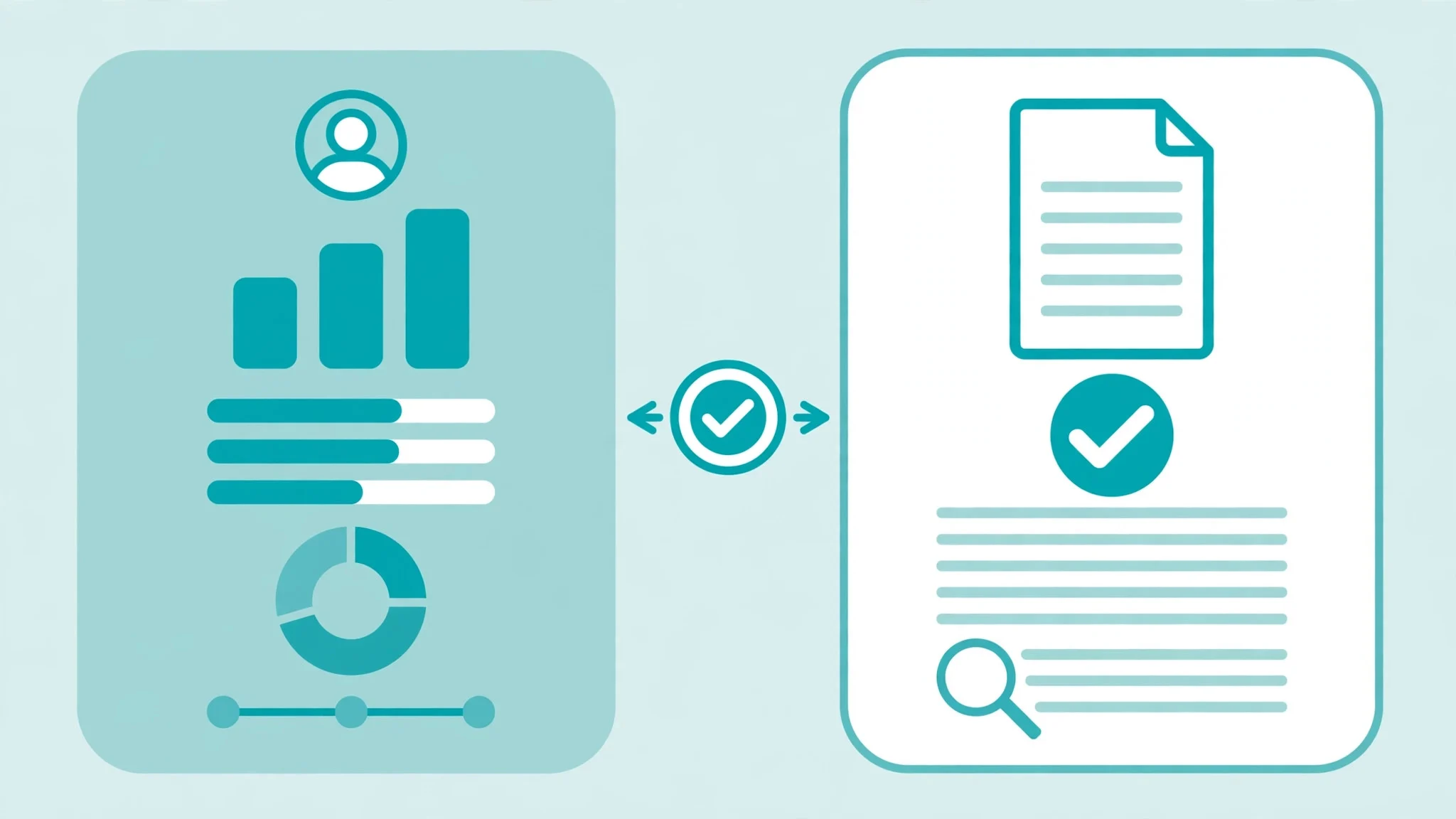
The best visual cv design tools for ATS safety are the ones that build templates that parse, because a CV that looks designed can confuse the software, and the review should catch it before the application goes out. Novoresume builds clean one-page CVs that parse well, Enhancv balances modern design with a clean parse, and the job seeker who copies the CV into plain text and reads it will know whether it parses.
The trap is skipping the check, because a job seeker who sends a visual CV without checking the parse will discover the problem from silence, and the silence will cost more than the check. A job seeker who applies through a portal should always check the plain-text version, and the tool that makes the check easy is the one that will get used.
The plain-text test is the parse, because a CV that parses will produce a clean plain-text version, while one that does not will produce a jumble. A job seeker should copy the CV into plain text and read it, because the jumble is what the ATS sees.
The photo test is the role, because a photo on a CV is expected in some countries and frowned upon in others, and the job seeker should check the norm for the country they apply in. A tool that offers a photo block should be used only where a photo is expected.
The section test is the order, because a CV with the sections in the right order will read better than one that buries the experience. A job seeker should put the most relevant section first, because the recruiter reads the top half.
Templates Decide the First Impression
A template is the fastest way to a good CV, because a job seeker who starts from a tested template will send a better CV in less time than one who starts from a blank page. The best visual cv design tools for templates are the ones with hundreds of them, covering every role and style, and Canva offers thousands, with the templates built to look professional without a designer.
The test is the match, because a template that fits the role will need only a name, a photo and the experience, while a template that does not fit will need rebuilding. A job seeker should pick a tool whose templates match the roles they apply for, because the match is what saves the time.
The role test is the template, because a template that fits a designer will not fit an accountant, and the tool with hundreds of templates will have one for each. A job seeker should pick a tool whose templates match the roles they apply for, because the match is what saves the time.
The colour test is the restraint, because a CV with one accent colour will look professional, while one with five will look like a poster. A job seeker should pick one colour and use it sparingly, because the restraint is what looks professional.
Best Pick by Job
Different situations need different tools, so the best pick changes with the job. This table matches the common situations to the tool that handles each one best. The best visual cv design tools in this guide cover all of these jobs between them.
| Job | Pick | Why |
|---|---|---|
| CV must look designed, fast | Canva | Pro $12 a month annual, thousands of templates |
| CV must look good and still parse | Novoresume | Free plan, clean one-page CVs that parse well |
| Creative role, CV must show work | Visme | Starter $12.25 a month, infographic CVs |
| Career shown as a visual story | Venngage | Free plan, visual timelines and infographics |
| Budget is zero | FlowCV | Free, clean CVs with no paywall |
| CV, cover letter and website together | Kickresume | $24 a month, whole application package |
A job seeker who is unsure should build the same CV in the two tools at the top of the shortlist, export both as PDFs, and show them to a friend who hires. The CV that gets the read is the tool to keep, and the test costs two builds.
The Visual CV Verdict
Start with Canva when the CV must look designed and be built fast, because the templates are the point. Start with Novoresume when the CV must look designed and still parse, because the balance is the point. Start with Visme or Venngage when the role is creative and the CV must show the work, because the visuals are the point, and start with FlowCV when the budget is zero. The best visual cv design tools in this guide all do the core job, and the difference between them is which second job they do well, so name the second job first and the tool follows.
Infographic CVs Belong in Creative Roles Only
The best visual cv design tools for creative roles are the infographic builders, because a designer, a marketer or a creative who wants the CV to show the work will use charts, icons and timelines to communicate faster than a paragraph. Visme builds infographic CVs with charts and visual timelines, Venngage builds visual stories, and the result stands out in a pile of plain resumes.
The limit is the portal, because an infographic CV will confuse most applicant tracking systems, and a creative who applies through a portal should send a plain version as well. A job seeker should build both, because the visual version is for the person and the plain version is for the software, and the pair covers both readers.
The chart test is the number, because a chart that shows a result will communicate faster than a paragraph, and Visme builds charts into the CV. A creative who shows a result in a chart will be remembered, because the visual is what the recruiter sees.
The timeline test is the story, because a timeline that shows a career as a progression will read better than a list, and Venngage builds visual timelines. A job seeker who shows the progression will be remembered, because the story is what the recruiter sees.
The portfolio test is the link, because a CV that links to a portfolio will prove more than one that does not, and Kickresume builds a website in the same account. A job seeker with a portfolio should link it, because the work is the proof.
Free Builders Cover Most Job Seekers
A job seeker on a budget does not need to pay, because FlowCV builds clean CVs for free, Canva offers a free plan that covers most templates, and the result can be exported as a PDF that looks professional. The paid plans add more templates and features, but the free ones cover the core, and for a first CV the free builder is enough.
The free test is the core, because a free plan that covers the core will build a good CV, while one that locks the good templates will not. FlowCV covers the core for free, and Canva covers most templates for free, so a job seeker on a budget should start there.
The paid test is the template, because a paid plan that unlocks more templates will help a job seeker who needs a specific look, and Canva Pro unlocks thousands. A job seeker who needs one template should check whether it is free before paying.
Questions About Visual CV Design Tools
Which visual CV tool is best overall?
Canva is the best for templates, with thousands of designs and a free plan that covers most needs, while Novoresume is the best for a CV that looks designed and still parses cleanly. A creative who wants the CV to show the work should start with Visme or Venngage instead.
How much does Canva Pro cost?
Pro costs $12 a month billed annually, or $18 a month billed monthly, with a free plan for the core templates. The trade is ATS, because a visual template can confuse the ATS, so check that the template parses cleanly before sending.
Will a visual CV pass the ATS?
A visual CV can pass the ATS when the template parses cleanly, and Novoresume, Rezi and Enhancv all build templates that parse. A job seeker should copy the CV into plain text and read it, because a jumble is what the ATS sees, and a pretty CV that the ATS cannot read will be ignored.
Should I use an infographic CV?
An infographic CV suits a creative role, because a designer or a marketer who wants the CV to show the work will use charts and timelines to communicate faster than a paragraph. A job seeker who applies through a portal should send a plain version as well, because the infographic will confuse most applicant tracking systems.
Is there a free visual CV builder?
Yes, because FlowCV builds clean CVs for free with no paywall on the core features, and Canva offers a free plan that covers most templates. The paid plans add more templates and features, but the free ones cover the core, and for a first CV the free builder is enough.
Which visual CV tool is best for a designer?
For a designer, Visme is the strongest pick, because it builds infographic CVs with charts, icons and visual timelines that show the work at a glance. The best visual cv design tools for a designer are the ones that show the work, because the visuals communicate faster than a paragraph.
Before You Build the Next CV
Pick the template that matches the role, build the CV, check the plain-text parse, and export a clean PDF, because the four steps are the workflow that produces a CV that gets read. Keep a plain version for the portal and a visual version for the person, because the two readers need different CVs. The best visual cv design tools in this guide all reward a job seeker who checks the parse, and the check is the cheapest quality control in a job search.