

Zapier connects more than 7,000 apps, Make connects over 3,000, and n8n raised $180 million at a $2.5 billion valuation in October 2025. Automation is no longer a side project for small businesses. It is the difference between a team that spends its day copying data between apps and a team that does the work itself. This guide ranks the best workflow automation tools for small businesses on value, features and ease of use, and names the pick we would buy first.
Entry prices here run from free to about $37 a month, and the three leaders charge in completely different ways. Zapier counts tasks, Make counts credits, and n8n counts whole workflow executions, so the same five-step workflow can cost five Zapier tasks, five Make credits or one n8n execution. The meter matters more than the headline price.
We compared twelve tools on the things that decide whether automation saves time or creates new work. App coverage, how complex logic is built, what the meter actually counts, how errors are handled, and the monthly cost at 500, 5,000 and 50,000 runs. The prices quoted below come from published pages checked in October 2026.
In this article
- The 12 Tools at a Glance
- Why the Best Workflow Automation Tools for Small Businesses Save Hours, Not Minutes
- How We Judged Workflow Automation Tools
- Best Pick by Job
- The 12 Tools in Detail
- Automation at 500, 5,000 and 50,000 Runs a Month
- One Automation, Three Tools, Three Bills
- Where Small Teams Actually Start
- Automation Mistakes That Create More Work
- Eight Steps to Your First Working Automation
- Frequently Asked Questions
- The Automation Stack We Would Run
The 12 Tools at a Glance
The table below gives the whole best workflow automation tools for small businesses field in one view. Prices are the lowest paid tier, and the meter column names what you actually pay for. The ranking below weighs overall value for small businesses, not price alone.
| Tool | Starting price | Best for | Standout strength |
|---|---|---|---|
| Zapier | about $19.99 a month billed annually | easiest start and largest app library | It is the easiest tool here to get a first automation running, and the free plan covers 100 tasks a month with two-step Zaps |
| Make | about $9 a month billed annually | complex branching flows at a low price | It handles branching that would take several separate Zaps, and the Core plan covers 10,000 credits a month |
| n8n | about 20 euros a month for Starter | high volume and self-hosting | A 20-step workflow that runs 500 times a month uses 500 executions, and the self-hosted edition costs only a server |
| Microsoft Power Automate | about $15 per user a month paid yearly | Microsoft 365 shops | It fits naturally where a business already lives in Microsoft apps, and the per-user price is predictable |
| Bardeen | about $10 a month | browser-based automation | It is quick to set up for personal productivity tasks, and the entry price is low |
| Gumloop | about $37 a month | AI agents for data-heavy work | It handles data work that simple triggers cannot, and the agent approach suits research and enrichment tasks |
| Activepieces | about $20 a month | open source self-hosting | The self-hosted edition is free, and the visual builder is approachable for non-developers |
| Lindy | about $29.99 a month | AI agents for calls and email | It covers voice and email work that other automation tools ignore, and the agents handle routine calls well |
| IFTTT | pricing on the vendor site | simple personal automation | It is the simplest tool here, and it works well for personal and smart-home automation |
| Integrately | pricing on the vendor site | one-click ready workflows | The template library gets a workflow running fast, and the one-click setup suits beginners |
| Pabbly Connect | pricing on the vendor site | budget automation with many tasks | It is known for generous task limits, which suits teams with steady volume |
| Workato | quote-based pricing | enterprise-grade automation | Large teams get the governance and audit features that small-business tools lack |
Why the Best Workflow Automation Tools for Small Businesses Save Hours, Not Minutes
A small business runs on copy-paste. A new order in the shop becomes a row in a spreadsheet, a message in Slack, an invoice in the accounting app and a label in the warehouse. Each step takes a minute, each minute is a chance for a typo, and across a month those minutes add up to days of work that nobody planned for.
Automation removes the copying, and the saving is larger than it looks. A five-step workflow that runs 500 times a month saves about 40 hours of manual work, and it also removes the errors that come with tired hands at the end of a long day. The tools in this guide do that work for $9 to $37 a month, which is less than one hour of staff time in most cities.
How We Judged Workflow Automation Tools
We scored every tool on five things. How many apps it connects to, how complex logic is built and debugged, what the billing meter actually counts, how it handles errors and retries, and the monthly cost at realistic volume. A tool that hides its meter or charges for failed runs scored lower, because a small business cannot budget what it cannot predict.
Best Pick by Job
Different teams need different tools. The table below matches each situation to the automation platform that handles it best. Every tool in the best workflow automation tools for small businesses shortlist below earned its row by handling one job better than the rest.
| Job | Pick | Why it wins |
|---|---|---|
| Easiest first automation | Zapier | Largest app library and gentlest learning curve |
| Complex branching flows | Make | Visual canvas with routers and iterators |
| High volume or self-hosting | n8n | One execution per run, no matter the steps |
| Microsoft 365 shops | Microsoft Power Automate | Native inside the Microsoft stack |
| AI agents for data work | Gumloop | Agents that handle data-heavy workflows |
| Simple personal automation | IFTTT | Applets for everyday connected tasks |
| Open source and self-hosted | Activepieces | Free self-hosted option with a visual builder |
| Voice and phone workflows | Lindy | AI agents that handle calls and email |
The 12 Tools in Detail
1. Zapier
Zapier connects more than 7,000 apps with a simple step-by-step builder that turns a trigger into actions. It is the easiest tool here to get a first automation running, and the free plan covers 100 tasks a month with two-step Zaps. For Zapier, paid plans start at about $19.99 a month billed annually.
Each action step counts as a task, so a five-step workflow burns five tasks per run, and the price climbs fast with volume. It suits non-technical teams that need a niche app integration and keep volume low.
Worth noting for anyone comparing Zapier with the rest of the field, the deciding factor for easiest start and largest app library is rarely the feature list. Zapier earns its place when it fits the way you already work, the volume you actually run, and the budget you can defend every month. Zapier rewards buyers who test it on real work before they pay, and that test takes an afternoon, not a sales call.
2. Make
Make builds multi-step scenarios on a visual canvas with routers, iterators and aggregators for branching logic. It handles branching that would take several separate Zaps, and the Core plan covers 10,000 credits a month. For Make, paid plans start at about $9 a month billed annually.
The visual canvas takes longer to learn than a linear Zap, and some AI-backed actions cost extra credits. It suits operators building multi-step flows who want the lowest monthly bill.
Worth noting for anyone comparing Make with the rest of the field, the deciding factor for complex branching flows at a low price is rarely the feature list. Make earns its place when it fits the way you already work, the volume you actually run, and the budget you can defend every month. Make rewards buyers who test it on real work before they pay, and that test takes an afternoon, not a sales call.
3. n8n
n8n counts one execution per complete workflow run, no matter how many steps it has, and offers a free self-hosted edition. A 20-step workflow that runs 500 times a month uses 500 executions, and the self-hosted edition costs only a server. For n8n, paid plans start at about 20 euros a month for Starter.
It needs technical skill to set up and maintain, and the cloud plans are priced in euros. It suits technical teams that run high-volume or AI-heavy workflows and want data control.
Worth noting for anyone comparing n8n with the rest of the field, the deciding factor for high volume and self-hosting is rarely the feature list. n8n earns its place when it fits the way you already work, the volume you actually run, and the budget you can defend every month. n8n rewards buyers who test it on real work before they pay, and that test takes an afternoon, not a sales call.
4. Microsoft Power Automate
Microsoft Power Automate automates workflows natively inside Microsoft 365 with deep connections to Outlook, Teams, SharePoint and Excel. It fits naturally where a business already lives in Microsoft apps, and the per-user price is predictable. For Microsoft Power Automate, paid plans start at about $15 per user a month paid yearly.
It is a poor fit for teams on Google Workspace, where the integrations are thinner. It suits businesses already running on Microsoft 365 who want automation inside the stack.
Worth noting for anyone comparing Microsoft Power Automate with the rest of the field, the deciding factor for Microsoft 365 shops is rarely the feature list. Microsoft Power Automate earns its place when it fits the way you already work, the volume you actually run, and the budget you can defend every month. Microsoft Power Automate rewards buyers who test it on real work before they pay, and that test takes an afternoon, not a sales call.
5. Bardeen
Bardeen automates repetitive browser and app tasks with AI assistance, aimed at individuals and small teams. It is quick to set up for personal productivity tasks, and the entry price is low. For Bardeen, paid plans start at about $10 a month.
It suits individual workflows better than company-wide systems, and the app coverage is narrower than Zapier. It suits small teams automating browser-heavy personal tasks.
Worth noting for anyone comparing Bardeen with the rest of the field, the deciding factor for browser-based automation is rarely the feature list. Bardeen earns its place when it fits the way you already work, the volume you actually run, and the budget you can defend every month. Bardeen rewards buyers who test it on real work before they pay, and that test takes an afternoon, not a sales call.
6. Gumloop
Gumloop runs AI agents that handle data-heavy workflows, scraping, enrichment and multi-step reasoning. It handles data work that simple triggers cannot, and the agent approach suits research and enrichment tasks. For Gumloop, paid plans start at about $37 a month.
The entry price is the highest among the small-business tools here, and it needs clear instructions to work well. It suits teams with data-heavy workflows that need AI reasoning, not just triggers.
Worth noting for anyone comparing Gumloop with the rest of the field, the deciding factor for AI agents for data-heavy work is rarely the feature list. Gumloop earns its place when it fits the way you already work, the volume you actually run, and the budget you can defend every month. Gumloop rewards buyers who test it on real work before they pay, and that test takes an afternoon, not a sales call.
7. Activepieces
Activepieces offers a visual automation builder with a free self-hosted edition and a growing app library. The self-hosted edition is free, and the visual builder is approachable for non-developers. For Activepieces, paid plans start at about $20 a month.
The app library is smaller than Zapier or Make, so niche integrations may need custom work. It suits cost-conscious teams with technical help who want an open source option.
Worth noting for anyone comparing Activepieces with the rest of the field, the deciding factor for open source self-hosting is rarely the feature list. Activepieces earns its place when it fits the way you already work, the volume you actually run, and the budget you can defend every month. Activepieces rewards buyers who test it on real work before they pay, and that test takes an afternoon, not a sales call.
8. Lindy
Lindy runs AI agents that handle phone calls, email triage and meeting follow-up for small teams. It covers voice and email work that other automation tools ignore, and the agents handle routine calls well. For Lindy, paid plans start at about $29.99 a month.
The price is higher than simple trigger tools, and it suits a narrower set of jobs. It suits teams drowning in calls and email who want an agent to handle the routine work.
Worth noting for anyone comparing Lindy with the rest of the field, the deciding factor for AI agents for calls and email is rarely the feature list. Lindy earns its place when it fits the way you already work, the volume you actually run, and the budget you can defend every month. Lindy rewards buyers who test it on real work before they pay, and that test takes an afternoon, not a sales call.
9. IFTTT
IFTTT connects apps and smart devices with simple applets for everyday tasks. It is the simplest tool here, and it works well for personal and smart-home automation. Pricing is on the vendor site.
Its tiers are built for consumer use, not the business-system integrations a small company needs. It suits individuals automating personal tasks rather than business systems.
Worth noting for anyone comparing IFTTT with the rest of the field, the deciding factor for simple personal automation is rarely the feature list. IFTTT earns its place when it fits the way you already work, the volume you actually run, and the budget you can defend every month. IFTTT rewards buyers who test it on real work before they pay, and that test takes an afternoon, not a sales call.
10. Integrately
Integrately offers a large library of one-click automation templates between popular business apps. The template library gets a workflow running fast, and the one-click setup suits beginners. Pricing is on the vendor site.
Pricing for Integrately is not published on a simple page, so the cost needs a check before budgeting. It suits small businesses that want ready-made workflows without building from scratch.
Worth noting for anyone comparing Integrately with the rest of the field, the deciding factor for one-click ready workflows is rarely the feature list. Integrately earns its place when it fits the way you already work, the volume you actually run, and the budget you can defend every month. Integrately rewards buyers who test it on real work before they pay, and that test takes an afternoon, not a sales call.
11. Pabbly Connect
Pabbly Connect offers workflow automation with generous task allowances on its paid plans. It is known for generous task limits, which suits teams with steady volume. Pricing is on the vendor site.
The interface is less polished than Zapier or Make, and the app library is smaller. It suits budget-conscious teams that need many tasks per month.
Worth noting for anyone comparing Pabbly Connect with the rest of the field, the deciding factor for budget automation with many tasks is rarely the feature list. Pabbly Connect earns its place when it fits the way you already work, the volume you actually run, and the budget you can defend every month. Pabbly Connect rewards buyers who test it on real work before they pay, and that test takes an afternoon, not a sales call.
12. Workato
Workato runs enterprise automation with strong governance, security and recipe management. Large teams get the governance and audit features that small-business tools lack. For Workato, paid plans start at quote-based pricing.
Pricing is quote-based and built for enterprise budgets, so small businesses should look elsewhere. It suits larger companies that need enterprise governance rather than a small-business tool.
Worth noting for anyone comparing Workato with the rest of the field, the deciding factor for enterprise-grade automation is rarely the feature list. Workato earns its place when it fits the way you already work, the volume you actually run, and the budget you can defend every month. Workato rewards buyers who test it on real work before they pay, and that test takes an afternoon, not a sales call.
Automation at 500, 5,000 and 50,000 Runs a Month
The table below prices the same five-step workflow at three volumes. Zapier counts five tasks per run, Make counts about five credits per run, and n8n counts one execution per run, so the gap between the platforms grows fast as volume rises. The best workflow automation tools for small businesses cost picture below uses published prices, and anything quote-based is marked as such.
| Tool | Entry price | Cost driver | Note |
|---|---|---|---|
| Zapier | About $19.99 a month | About $49 to $60 a month | Enterprise pricing |
| Make | About $9 a month | About $9 a month | About $21 a month |
| n8n | About 20 euros a month | About 20 euros a month | About 50 euros a month |
| Microsoft Power Automate | About $15 per user a month | About $15 per user a month | About $15 per user a month |
| Bardeen | About $10 a month | About $10 a month | Pricing on the vendor site |
| Gumloop | About $37 a month | About $37 a month | Pricing on the vendor site |
| Activepieces | About $20 a month | About $20 a month | Pricing on the vendor site |
| Lindy | About $29.99 a month | About $29.99 a month | Pricing on the vendor site |
| IFTTT | Pricing on the vendor site | Pricing on the vendor site | Pricing on the vendor site |
| Integrately | Pricing on the vendor site | Pricing on the vendor site | Pricing on the vendor site |
| Pabbly Connect | Pricing on the vendor site | Pricing on the vendor site | Pricing on the vendor site |
| Workato | Quote-based | Quote-based | Quote-based |
At 500 runs a month, the cheapest honest option is Make at about $9 a month. At 50,000 runs, n8n self-hosted costs little more than a server, while a per-task platform can cost hundreds. Volume is the whole decision, so model your real run count before you pick.
One Automation, Three Tools, Three Bills
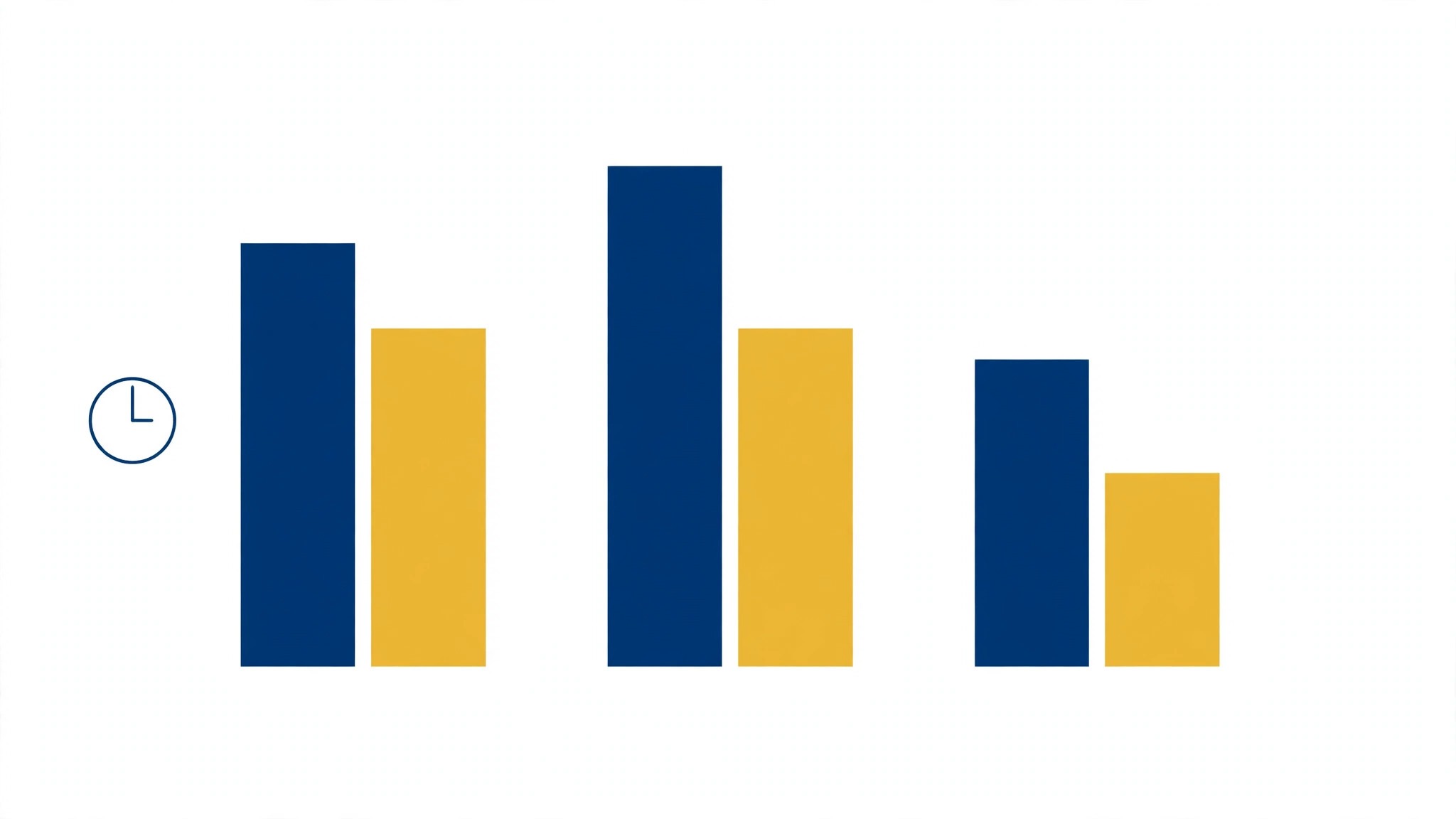
Take the same job on three platforms. A new order arrives in the shop, and the workflow creates an invoice, messages the warehouse, updates the spreadsheet and sends the customer a confirmation. On Zapier, that job costs five tasks per order, because each action step counts. On Make, it costs about five credits per order. On n8n, it costs one execution per order, no matter how many steps sit inside it. The job is identical, and the bills are not.
At a hundred orders a month, the difference is small. Zapier costs about 20 dollars a month for the volume, Make costs about 9 dollars, and n8n costs about 20 euros. Any of the three works, and the founder should pick the one that is easiest to build on. At a thousand orders a month, the gap widens sharply. Zapier needs a higher tier, Make still sits on its Core plan, and n8n still counts one execution per order. The volume decides, and the founder who models it early saves real money.
The hidden cost is not the subscription. It is the overage. Zapier charges 2.5 times the rate for monthly overage, Make adds a 25 percent surcharge, and n8n charges for extra executions on cloud plans. A workflow that runs twice as often as expected can double the bill on the wrong platform, and the surprise usually arrives in a month with a big sale. Reading the overage terms takes ten minutes, and it is the most valuable ten minutes in this whole decision.
Error handling is the other hidden cost. A workflow that fails silently for a week creates a backlog that takes longer to clear than the automation ever saved. Zapier, Make and n8n all offer error routes and alerts, but they must be built deliberately. The founder who adds an alert on day one sleeps well. The founder who discovers the failure from an angry customer does not, and the difference is one afternoon of setup.
Where Small Teams Actually Start
The best first automation is the task the team does five times a week and hates. Invoicing, order confirmation, lead follow-up and appointment reminders are the usual candidates, and each one takes an hour to automate and saves an hour a week forever. The return is immediate, and the team learns the tool on a job that matters.
The second automation should be the one that stops errors, not the one that saves the most time. A workflow that checks an address, validates a payment or confirms a booking prevents the mistakes that cost customers. Time saved is easy to measure, but an error prevented is worth more, because a lost customer costs far more than an hour of staff time.
The third step is the run log. Every workflow should be checked weekly, and the failures fixed the same day. A workflow that nobody owns will rot quietly, and a year later the business will be paying for automations that stopped working months ago. Ownership is a name on a document, and the document takes five minutes to write.
Automation Mistakes That Create More Work
Most buyers in the best workflow automation tools for small businesses market make the same few mistakes, and each one costs money or time. The five below are the ones we see most often in the best workflow automation tools for small businesses market.
Automating a broken process. Automation makes a bad process run faster, not better. Fix the process first, then automate it, or the workflow will faithfully repeat the same mistake a thousand times a month.
No error handling. APIs fail, fields go missing and vendors change formats. A workflow without error handling and alerts will fail silently for days before anyone notices, and the backlog will be painful to clear.
Counting only the subscription. The subscription is the smallest part of the cost. Overage charges, premium connectors and AI usage can double the bill, and Zapier charges 2.5 times the rate for monthly overage, so read the overage terms.
Building one giant workflow. A single workflow with fifty steps is impossible to debug. Split the work into small workflows with clear names, so one failure does not stop everything and one fix does not break the rest.
Never checking the run log. Workflows drift as apps change. Check the run log weekly, fix the failures, and delete the workflows nobody uses, or the automation will quietly rot.
Eight Steps to Your First Working Automation
Eight steps take a manual task from a sticky note to a working automation that runs itself. The best workflow automation tools for small businesses checklist below keeps the first week simple and avoids the common traps.
- Pick one task you do at least five times a week, and write down every step exactly as you do it.
- Time the task for a week, so you know how many hours the automation actually saves.
- Draw the workflow on paper first, including what happens when a step fails.
- Build it on the free tier, and test it with real data, not test data.
- Add error handling and an alert, so a failure reaches a human instead of vanishing.
- Run it side by side with the manual process for one week, and compare the results.
- Turn off the manual process only when the automation has run clean for a full week.
- Write down what the automation does, who owns it and where the run log lives, so someone else can fix it.
Frequently Asked Questions
Is Zapier still the best workflow automation tool for a small business?
For most small businesses, yes, because it is the easiest to start with more than 7,000 connected apps and two-step Zaps free. The Professional plan costs about $19.99 a month billed annually for 750 tasks, and the trade-off is price per task once volume grows, since each action step counts as a task.
Why is Make cheaper than Zapier at the same volume?
Make counts credits, and most actions cost one credit, while Zapier counts every action step as a task. A five-step workflow costs five Zapier tasks but about five Make credits too, yet Make Core costs about $9 a month for 10,000 credits against Zapier at about $19.99 a month for 750 tasks, so the same work costs far less on Make. That answer holds across the best workflow automation tools for small businesses field, not just for this one tool.
Can n8n really save money at high volume?
Yes. n8n counts one execution per complete workflow run, no matter how many steps it has, so a 20-step workflow that runs 500 times a month uses 500 executions on n8n Cloud. The same workflow on Zapier would consume 10,000 tasks, and the self-hosted community edition is free apart from server costs.
Do small businesses need Microsoft Power Automate?
Only if they already run on Microsoft 365. Power Automate costs about $15 per user a month paid yearly and fits naturally inside the Microsoft stack, with deep connections to Outlook, Teams, SharePoint and Excel. A team on Google Workspace will get more from Zapier or Make.
What is the cheapest workflow automation tool for a small business?
Make, at about $9 a month billed annually for 10,000 credits, is the cheapest honest option for most small businesses. Bardeen starts at about $10 a month, and n8n self-hosted costs only a server, but both need more setup than Make.
How do I stop an automation from failing silently?
Add error handling and alerts to every workflow, and check the run log weekly. Most tools can send a message or email when a run fails, and a workflow that fails silently for a week creates a backlog that takes longer to clear than the automation ever saved.
The Automation Stack We Would Run
Zapier leads the best workflow automation tools for small businesses ranking as our first pick for most small businesses, because it connects the most apps with the gentlest learning curve and a free tier that covers the first automation. Make is the better choice when workflows branch and volume grows, and n8n wins for technical teams that run high-volume or AI-heavy work.
Start with one task you do five times a week, build it on a free tier, and measure the hours it saves before adding a second workflow. Automation earns its subscription when the hours it saves exceed the hours it costs to maintain, and that test takes a week, not a demo.