


OpusClip is the pick for most creators, because a long recording becomes short clips with the least effort. The best ai tools for content repurposing are the ones that find the moments worth posting, and OpusClip scores them before it cuts, so the afternoon of scrubbing disappears. A two-hour podcast becomes a week of clips, and the creator only reviews the winners.
Ten tools made the list, and they split into three kinds. Clippers cut long video into short clips. Distributors move finished content to every network. Writers turn audio and video into blog posts, newsletters and social posts. The prices below were checked against vendor pages and November 2026 roundups, and where sources disagreed the draft says so rather than picking the friendlier number.
In this article
One Recording Should Feed a Week of Content
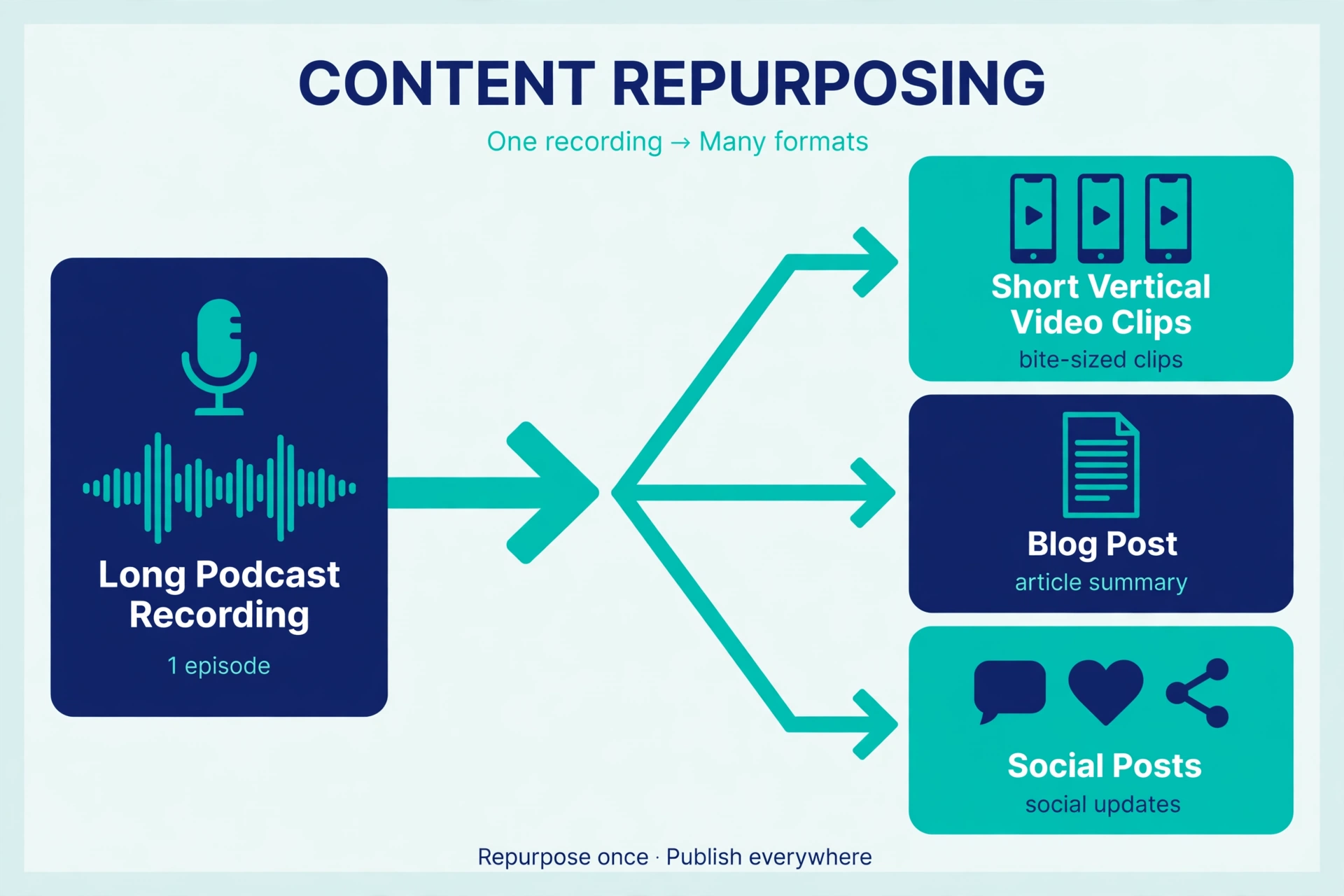
A single long recording holds far more content than one post. A podcast episode contains a blog post, a newsletter, a dozen social posts and several short clips, and a webinar holds the same. The work that stops most creators is not the recording, it is the repurposing, because each format takes its own edit, and the hours add up faster than the audience does.
The best ai tools for content repurposing attack that bottleneck from different angles. A clipper finds the moments, a distributor moves the finished pieces, and a writer turns the transcript into text. The right buy depends on which bottleneck is yours, because a creator who never finishes clips needs a different tool from a creator who finishes them and never posts them.
The archive matters too, because a creator with a year of long recordings owns a year of clips that were never cut. A clipper turns that archive into a posting schedule, and the oldest recordings are often the best source, because the ideas were strong and the audience never saw them in short form.
How the Best AI Tools for Content Repurposing Were Compared
Each of the best ai tools for content repurposing was judged on five things that decide whether a recording actually becomes content. Clipping quality is first, because a tool that picks dull moments wastes the recording. Distribution is second, because clips that never reach a network help nobody. Writing quality is third, because a blog draft that reads like a transcript still needs a full rewrite. Price is fourth, measured as the cost of one finished week of content and as the cost of a year of publishing. Ease is fifth, because a tool that needs a training course will sit unused.
The tools in this guide all handle real recordings, and every tool here has a free plan or a free trial except the ones that say otherwise. The comparison below names the limit of each tool plainly, because a tool bought for the wrong half of the workflow wastes more than its subscription. It wastes the recording it was bought to save.
The prices in this guide were checked in November 2026, and they will move, because this category reprices often. A tool that costs $15 a month today may cost $19 next quarter, and the credit allowances change with the price. Check the vendor page at checkout, and treat any roundup older than a few months as a starting point rather than a quote.
The 10 Tools in Detail
1. OpusClip
Best for Long video into short clips. Price Starter $15 a month. Free plan Free plan, 60 credits a month.
A two-hour podcast holds maybe four clips worth posting, and finding them by hand means watching the whole recording again. OpusClip does the watching for you. It scans the upload, ranks the segments by how likely they are to hold attention, and turns the winners into vertical clips with captions and reframing already applied. The credit math is simple, because one credit buys one minute of source video, so a 60 minute episode costs 60 credits no matter how many clips come out of it.
Try it free before paying anything. The free plan hands over 60 credits a month, 1080p exports, auto-reframe and captions, with a watermark on the output and uploads that vanish after three days. Starter at $15 a month takes the watermark away and adds the editor, the virality score and direct posting to YouTube, TikTok and Instagram. Pro at $29 a month adds scheduling and a Premiere Pro export for editors who finish their clips in a timeline.
Pick OpusClip when the raw material is a long recording and the deliverable is short clips, because the scoring step is what saves the afternoon. Look elsewhere when the clips already exist and the job is distribution, because OpusClip cuts rather than posts, and Repurpose.io owns that second half.
Watch out. Free uploads are deleted after three days, so export anything worth keeping on the same day you make it.
2. Vizard
Best for Clips plus post scheduling. Price Creator $14.50 a month on annual billing. Free plan Free plan, 60 credits a month.
The clip is only half the job. The other half is getting it posted, and that is where clips die in a folder. Vizard keeps both halves in one dashboard. It finds the highlights in a long video, cuts them, and then schedules them out to social channels without asking you to open a second tool. A creator who posts every day will feel the difference, because the handoff between two apps is where a clip gets forgotten.
The free plan is a fair test. It gives 60 credits a month, 720p exports and three-day storage, which is enough to judge whether the highlight picks match your taste. Creator is $14.50 a month on annual billing, or $29 billed monthly, and lifts the resolution and storage caps. Side by side with OpusClip, the clipping quality is close, so the real question is whether you want the scheduler built in.
Pick Vizard when clipping and scheduling should live under one subscription, because one bill and one dashboard beat two. Keep your current scheduler when you already like it, because a dedicated clipper plus the scheduler you know may cost less than moving everything.
Watch out. Free exports stop at 720p, so check the resolution before a clip goes anywhere that rewards sharp video.
3. Repurpose.io
Best for Auto-posting to every network. Price Starter $35 a month. Free plan 14-day free trial, no free plan.
Repurpose.io does not cut a single clip, and understanding that saves a bad purchase. What it does is watch a source, a YouTube channel, a podcast feed or a TikTok account, and send every new upload to the other networks automatically, TikTok watermark removed on the way. Set the workflow once and every new video fans out to Instagram, Facebook, LinkedIn and Pinterest while you do something else.
Starter is $35 a month, or $349 a year, and links up to three accounts per network with 5,000 published videos a month. Pro at $79 a month raises that to ten accounts per network with unlimited publishing, and Agency at $179 a month covers 25 accounts per network for multi-client work. There is no free plan, though every plan carries a 14-day trial and the pricing page offers ten free video publishes with no card.
Pick it when you already publish in one place and want the same video everywhere else without re-uploading by hand. Skip it when you need someone to find the highlights, because Repurpose.io moves finished content only, and it works best behind a clipper that picks the moments first.
Watch out. Automation multiplies whatever you feed it, so a weak source video becomes a weak clip on every network at the same time.
4. Pictory
Best for Scripts and articles into video. Price Starter $25 a month on annual billing. Free plan Free trial, no free plan.
Most repurposing tools start with a video. Pictory starts with words. Hand it a script, a blog post link or a long recording, and it assembles a captioned video from stock footage, AI narration and your brand kit. It also runs the other way, pulling highlight moments out of a webinar or podcast, so one account covers both directions, text into video and long video into short.
Starter is $25 a month billed annually, or $29 billed monthly, and buys 30 video minutes a month, 1080p exports and one brand kit. Professional is $35 a month billed annually and stretches to 600 minutes and five brand kits. There is no free plan, and the 14-day trial covers three video projects at 720p with Pictory branding on the exports.
Pick it when the raw material is a script or a written article, because no clipper handles that starting point as well. Skip it when the raw material is a long video that needs highlight scoring, because Pictory is built to create videos rather than to find the best minute inside one.
Watch out. Stock footage can look generic, so leave time to swap your own clips into the moments that carry the message.
5. Descript
Best for Editing video by editing text. Price Creator $24 a month on annual billing. Free plan Free plan.
Descript turns a recording into a transcript, and then the transcript becomes the edit. Delete a sentence from the text and the matching video disappears. That one idea is what makes repurposing fast here, because trimming a 60 minute podcast to a 60 second clip becomes a matter of highlighting words instead of scrubbing a timeline frame by frame.
Creator is $24 a month on annual billing, or $35 billed monthly, and adds the full editing suite, Overdub voice cloning and higher export quality. The free plan covers the basics with limited transcription time, which is enough to learn the workflow. The catch is that Descript is an editor first and a clipper second, so it finds fewer automatic highlights than a tool built only for clipping.
Pick it when you want control over every cut, because no automatic clipper matches a human edit on a clip that has to land exactly right. Skip it when you want the tool to find the highlights for you, because Descript expects you to choose the moments yourself.
Watch out. Transcription hours are the meter that matters, so a long back catalogue can burn through the monthly allowance fast.
6. Castmagic
Best for Audio into written content. Price Paid plans on the vendor site. Free plan Free trial available.
A podcast episode is more than audio. It is a blog post, a newsletter, a dozen social posts and a handful of quotes that most podcasters never write, because the writing takes longer than the recording. Castmagic closes that gap. Upload the episode and it returns show notes, a blog draft, a newsletter, social posts and quotes, all drawn from the transcript.
Published prices have shifted during 2026 and the figures conflict, so the vendor site is the only reliable source for the current number. The free trial covers a small number of uploads, which is enough to test whether the written output sounds like you or like a generic summary. Paid tiers are metered on transcription hours, so a show with long episodes costs more than a show with short ones.
Pick it when writing is the bottleneck, because Castmagic produces the blog post and the newsletter that most podcasters never get round to. Skip it when video is the bottleneck, because Castmagic works in text and leaves the clipping to another tool.
Watch out. AI summaries can flatten a strong opinion into a bland one, so read every draft before it goes out under your name.
7. Munch
Best for Long video for heavy publishers. Price Creator $49 a month. Free plan Free plan.
One long video a week is a hobby. Five a week is a pipeline, and pipelines need a tool built for volume. Munch is that tool. Feed it a webinar, a lecture, a sermon or a show, and it finds the moments with the strongest engagement potential, cuts them into platform-ready clips and matches captions and aspect ratios on its own. Everything about the workflow is tuned for throughput rather than for one perfect clip.
Creator is $49 a month with 200 video minutes included, which makes it the priciest entry point in this list, and the price only makes sense when the volume justifies it. The free plan lets you test the highlight picks before paying. A creator publishing one long video a week will get less from Munch than a channel publishing daily, so count your output before you count the cost.
Pick it when long-form output is constant and the clip pipeline has to keep up without a dedicated editor. Skip it when you publish one long video a month, because a cheaper clipper covers that volume and the $49 a month buys little extra.
Watch out. The highlight engine favours energetic moments, so quiet but important segments can be skipped entirely.
8. quso.ai
Best for Clips, scheduling and analytics. Price Lite $19 a month on annual billing. Free plan Free plan, 75 credits a month.
Most clippers stop at the export. quso.ai, formerly Vidyo.ai, keeps going, because it adds scheduling and analytics to the clipping. Upload a long video, get the AI-cut clips with captions, schedule them across social channels, and then see which ones actually performed, all inside one dashboard. That breadth suits a small team that wants one subscription for the whole short-form loop.
Lite is $19 a month billed annually, or $29 billed monthly, with 100 credits included. The free plan gives 75 credits a month with 720p exports, a watermark and seven-day data retention. Higher tiers add more credits, more channels and longer analytics history. The clipping is solid, and the analytics are the part other clippers leave out.
Pick it when you want to know which clips worked, because the built-in analytics close the loop between publishing and the next recording. Skip it when you only need clips, because a simpler clipper costs less and the scheduling and analytics would go unused.
Watch out. Free exports are watermarked and capped at 720p, so the free tier works as a trial rather than a publishing plan.
9. Lately
Best for Social posts from long content. Price Paid plans on the vendor site. Free plan Free trial available.
A marketer with three years of published posts owns something most tools cannot buy, a voice. Lately learns from it. Feed it a long blog post, a podcast or a video transcript, and it turns that one piece into dozens of social posts written the way you write, because it has studied which of your phrases and formats your audience actually responds to.
No public pricing page could be verified for this list, so the vendor site is the place to check the current figure. The free trial is the right way to test it, because the whole value depends on how well the voice matching works for your brand. A thin archive gives it little to learn from, and the output shows it.
Pick it when you have months of published content for the tool to learn from, because the voice matching improves with every post it studies. Skip it when you are starting from scratch, because a new account has no voice for Lately to copy.
Watch out. AI-drafted posts still need a human read, because a learned voice can repeat your worst habits as faithfully as your best ones.
10. ContentStudio
Best for Planning, creation and publishing. Price Paid plans on the vendor site. Free plan 14-day free trial.
ContentStudio tries to be the whole social department in one login, from planning and content discovery through AI writing to scheduling and analytics. The repurposing angle sits in the composer, which takes a blog post or a video and drafts the social versions for each channel, images and hashtags matched to the platform. A team running several channels can replace two or three subscriptions with it.
No public pricing could be verified for this list, so the vendor site carries the current figure. The 14-day trial covers the full workflow, which is enough to test whether the team actually uses the planning and discovery features or only the scheduler. The tool is at its best when the whole team works inside it, and at its weakest when only one person does.
Pick it when social is a team job with a calendar, approvals and several channels, because the planning layer is what you are paying for. Skip it when you only need clips from a video, because a dedicated clipper does that job better for less.
Watch out. A broad tool can become a cluttered one, so turn off the modules the team does not use rather than paying for all of them.
What to Check Before You Pay
The best ai tools for content repurposing all quote a monthly price, and the monthly price hides the real cost, which is credits. A clipper that charges per minute of source video costs more for a two-hour podcast than for a ten-minute video, and a tool that charges per published clip costs more for a creator who posts daily. Read the meter before the price, because the meter decides the bill.
Watermarks are the second thing to check, because a watermarked clip cannot be posted anywhere that matters. The free plans here all watermark or limit exports, and the paid tier is what removes it. A creator who tests on the free plan should judge the clipping quality, not the output, because the watermark disappears on the first paid month.
Storage limits are the third check. OpusClip deletes free uploads after three days, Vizard keeps them for three days, and quso.ai keeps free data for seven days. A creator who records on Monday and edits on Friday will lose the upload on the free plan, so the workflow must match the storage window or the paid tier must be bought.
Export formats are the fourth check. A clip that exports only as a vertical video cannot become a blog embed, and a tool that exports only to social cannot feed an editor. Check that the export matches the destination before the subscription, because a clip in the wrong format is a clip that must be rebuilt.
The 10 Tools at a Glance
The table below lines up the ten tools by entry price and free access, so the shortlist takes a minute to build.
| Tool | Price | Free plan | Best for |
|---|---|---|---|
| OpusClip | Starter $15 a month | Free plan, 60 credits a month | Long video into short clips |
| Vizard | Creator $14.50 a month on annual billing | Free plan, 60 credits a month | Clips plus post scheduling |
| Repurpose.io | Starter $35 a month | 14-day free trial, no free plan | Auto-posting to every network |
| Pictory | Starter $25 a month on annual billing | Free trial, no free plan | Scripts and articles into video |
| Descript | Creator $24 a month on annual billing | Free plan | Editing video by editing text |
| Castmagic | Paid plans on the vendor site | Free trial available | Audio into written content |
| Munch | Creator $49 a month | Free plan | Long video for heavy publishers |
| quso.ai | Lite $19 a month on annual billing | Free plan, 75 credits a month | Clips, scheduling and analytics |
| Lately | Paid plans on the vendor site | Free trial available | Social posts from long content |
| ContentStudio | Paid plans on the vendor site | 14-day free trial | Planning, creation and publishing |
Read the price column against the meter, not just the headline, because a cheap plan with a tight credit limit costs more than a dearer plan with room to grow.
Clipping, Distributing or Writing
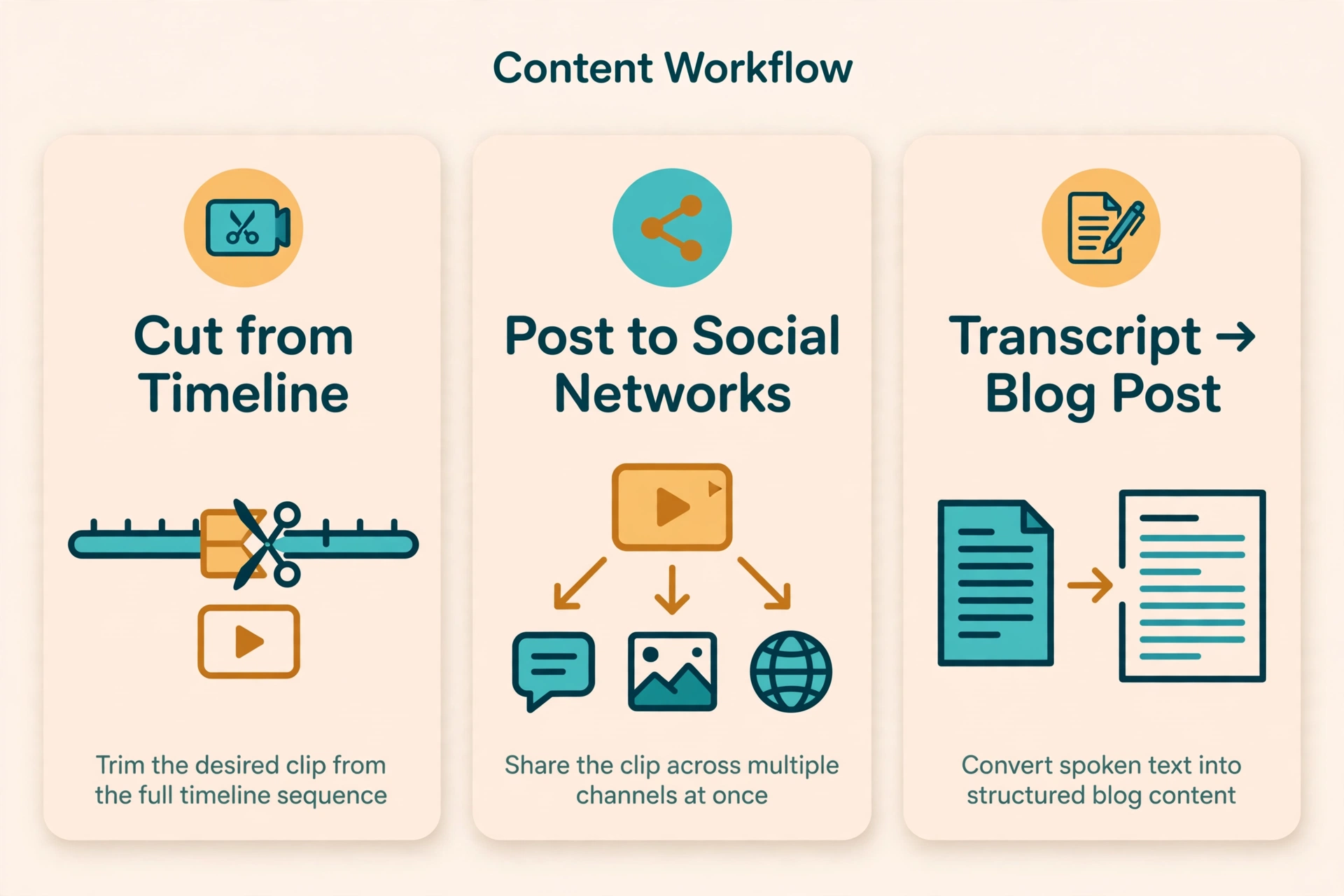
The three kinds of tool solve three different problems, and buying the wrong kind is the most common mistake in this category. A clipper solves the finding problem, because it watches the long video and picks the moments. A distributor solves the posting problem, because it moves finished content to every network without a manual upload. A writer solves the text problem, because it turns a transcript into a blog post and a newsletter.
The practical rule is simple. If the recording sits unedited, buy a clipper. If the clips sit unpublished, buy a distributor. If the blog and the newsletter never get written, buy a writer. Most creators need two of the three, and the cheapest pair is usually a clipper plus a distributor, because the writing can wait until the video workflow is working.
The writing half deserves the same discipline as the video half. A blog post generated from a transcript still needs a human edit, because the AI will flatten the opinions that make the original worth reading. Budget the same ten minutes per written piece as per clip, and the output will sound like you rather than like a summary.
Best Pick by Job
The right pick depends on the bottleneck, so match the job to the tool rather than buying the biggest name.
| Job | Pick | Why |
|---|---|---|
| Long video into short clips | OpusClip | Highlight scoring, $15 a month |
| Clips plus scheduling | Vizard | One dashboard for clips and posts |
| Auto-posting everywhere | Repurpose.io | Set once, publishes forever |
| Scripts into video | Pictory | Text to video both ways |
| Editing by transcript | Descript | Cut video by editing words |
| Audio into written content | Castmagic | Blog and newsletter from audio |
| Heavy publishing volume | Munch | 200 minutes a month included |
| Clips plus analytics | quso.ai | Know which clips worked |
| Social posts from archives | Lately | Learns your voice |
| Full social workflow | ContentStudio | Planning to publishing |
When two tools tie, pick the one with the free plan that matches your volume, because the trial month is the cheapest way to learn whether the highlight picks suit your taste.
The best ai tools for content repurposing earn their price in recovered hours, and the pick that fits your bottleneck is the right one. OpusClip leads for most creators, Vizard for those who want scheduling built in, and Descript for those who want control over every cut.
A Simple First Week With Your Pick
The best ai tools for content repurposing repay a structured first week, and the structure is simple. Day one is the test, upload one long recording to the free plan and judge the highlight picks against your own taste. Day two is the edit, take the best three clips and fix the captions, the framing and the opening second by hand.
Day three is the post, publish the three clips to the channels where the audience actually lives, and watch which one gets the response. Day four is the decision, because three clips are enough to know whether the highlight scoring matches your judgement. Day five is the subscription, bought only if the test earned it.
A creator who follows that week will know the tool before paying for it, and the subscription will be a decision rather than a hope. The worst outcome is a tool bought on a demo and abandoned in a month, which is what the free plan exists to prevent.
Frequently Asked Questions
How many clips should one long video produce?
A 60 minute recording usually yields three to eight usable clips, depending on how much of it is strong material. A clipper that returns twenty clips from one episode is probably returning weak ones, so judge the tool on the quality of the best three, not on the count.
Can I repurpose content without paying for a tool?
Yes, and the free plans here cover a real test. OpusClip, Vizard, Descript, Munch and quso.ai all offer free plans with monthly credits, and the trials on the paid tools cover a full workflow. A creator posting once a week can often stay on a free plan for months.
What is the difference between a clipper and a distributor?
A clipper finds moments inside a long video and cuts them into short clips. A distributor takes finished clips and posts them to every network automatically. OpusClip and Vizard clip, Repurpose.io distributes, and the best workflow pairs one of each.
Do AI clips need editing before posting?
Almost always, yes. The highlight scoring finds strong moments, but the captions, the framing and the opening second usually need a human pass. Budget ten minutes per clip for review and fixes, and the workflow stays fast without looking automated.
Which tool is best for podcasters?
Descript suits podcasters who want control, because the transcript edit is the fastest way to cut a show. Castmagic suits podcasters who need the written assets, because it turns one episode into a blog post, a newsletter and social posts in a single pass.
How do I repurpose a podcast without video?
Start with the audio tools, because a podcast is audio first. Descript cuts the audio by editing the transcript, Castmagic turns the episode into show notes, a blog draft and social posts, and the clips can wait until the written assets exist. A podcast without video still holds a week of written content, and the video clips are a bonus rather than the starting point.