
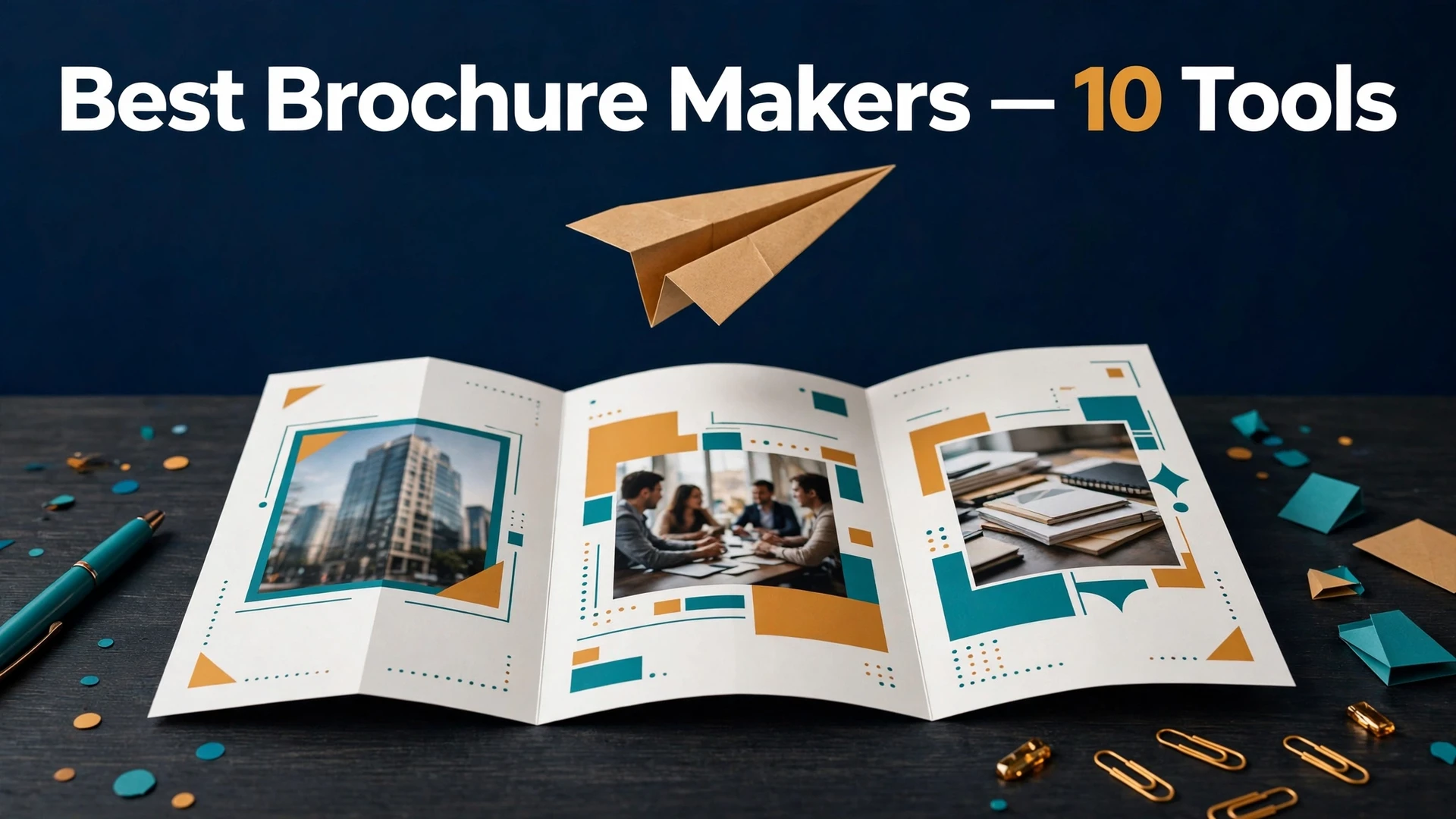

Canva is the pick for most businesses, because a brochure should exist this week, not next quarter. The best brochure makers are the ones that start from a layout a reader already understands, a tri-fold that opens in the right order, a headline where the eye lands first, and a call to action that survives the fold. A brochure that fights its own layout is a brochure that gets binned.
Ten tools made the list, and they split into three kinds. Template tools build the brochure fast. Data tools carry charts and information cleanly. Print tools handle bleeds, colour and the press. The prices below were checked against vendor pages and November 2026 roundups, and where sources disagreed the draft says so rather than picking the friendlier number.
In this article
The Fold Decides the Layout
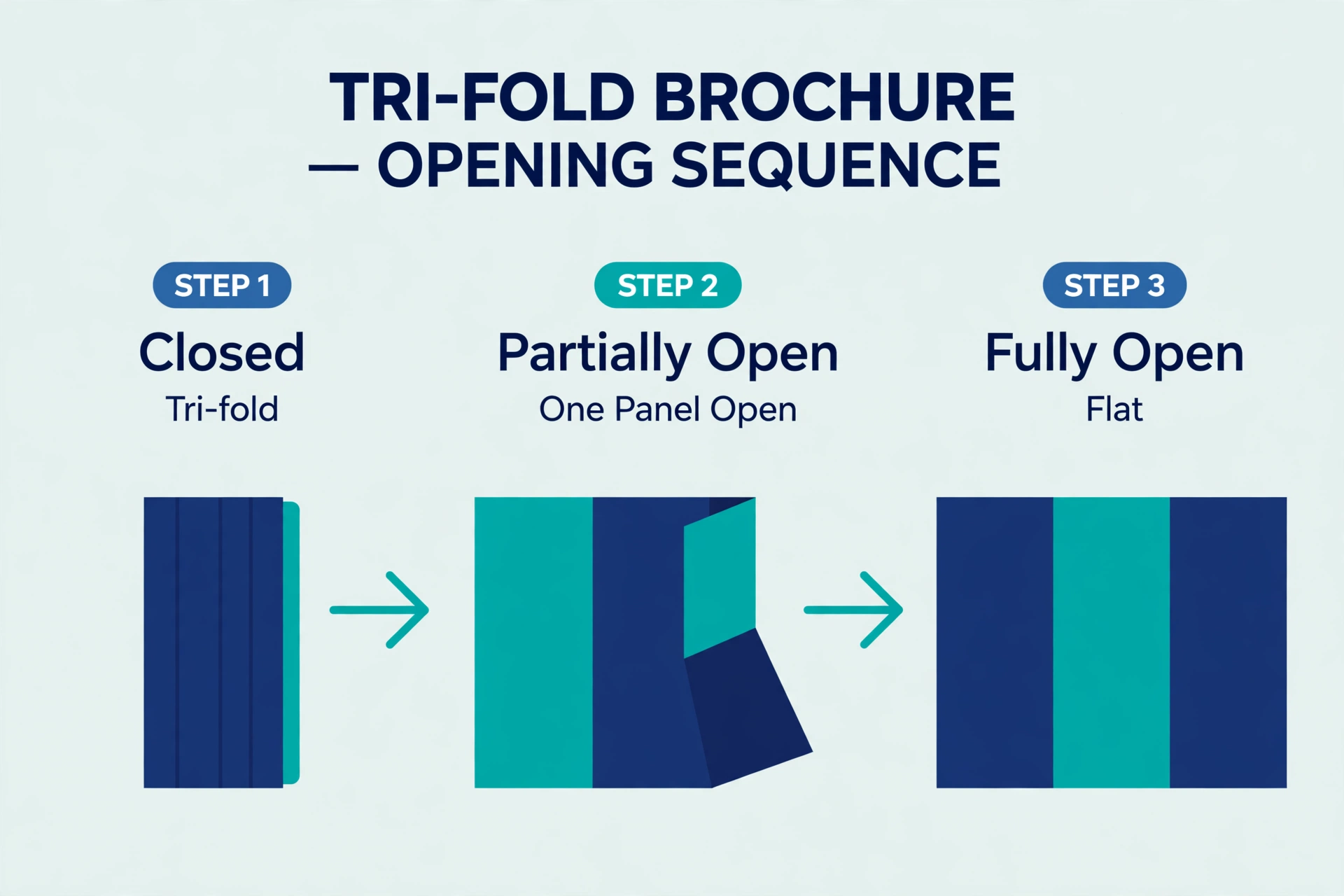
A tri-fold brochure is read in an order the designer does not control, because the reader opens the panels in whatever sequence feels natural. The headline must survive the fold, the contact details must sit where the hand lands, and the inside spread must make sense even when the reader opens it last. A layout that ignores the fold is a layout that hides its own message.
The best brochure makers respect the fold from the start. Their templates place the headline, the images and the call to action where the format allows, and the export keeps the panels in the right order. A tool that treats a brochure like a poster will produce a poster that folds badly.
The call to action deserves the best panel, because a brochure without a clear next step is a leaflet. Put the phone number, the website and the offer where the hand lands when the brochure is closed, not buried on the inside spread.
The test copy is the cheapest quality control in print, because a brochure folded by hand reveals the problems the screen hides. Print one, fold it, read it as a stranger, and fix what the paper shows before the run.
How the Best Brochure Makers Were Compared
Each of the best brochure makers was judged on five things that decide whether a brochure gets read. Templates are first, because a layout that starts right finishes right. Print control is second, because bleeds and colour profiles decide whether the press accepts the file. Data handling is third, because a brochure with prices or charts needs clean tables. Price is fourth, measured as the cost of one brochure and as the cost of a year of marketing. Ease is fifth, because a brochure that needs a designer will not get made.
The tools in this guide all produce real brochures, and every tool here has a free plan or a free trial except the ones that say otherwise. The comparison below names the limit of each tool plainly, because a tool bought for the wrong half of the job wastes more than its subscription. It wastes the brochure it was bought to make.
The prices in this guide were checked in November 2026, and they move, because the category reprices often. Check the vendor page at checkout, and treat any roundup older than a few months as a starting point rather than a quote, especially on the per-person plans.
The comparison behind this guide weighted templates first, because a layout that starts right finishes right, and print control second, because bleeds and colour profiles decide whether the press accepts the file.
The 10 Tools in Detail
1. Canva
Best for Templates and brand kit for brochures. Price Pro $120 to $144 a year. Free plan Free plan.
Canva holds the largest brochure template library in this list, with tri-fold, bi-fold and booklet layouts that already place the headline, the images and the call to action where a reader expects them. A small business can pick a layout, swap the photos, change the text and export a print-ready PDF in an afternoon, without hiring a designer.
Pro is $120 to $144 a year on annual billing, depending on the region, and the free plan covers a large template set with watermark-free exports. Pro adds premium templates, the background remover, a million-plus premium stock photos and the brand kit, which keeps the brochure, the social posts and the website consistent. The print service can also print and deliver the brochures directly.
Buy it when the brochure needs to exist this week, because the templates are the fastest route. Skip it when the layout needs precise print control, because InDesign does that job better.
Watch out. The templates are shared with millions of users, so a brochure built from one will look familiar.
2. Adobe Express
Best for Adobe polish for print and digital. Price Premium $9.99 a month. Free plan Free plan.
Adobe Express brings Adobe fonts and stock to brochure design, with templates that look polished on screen and in print. The editor is clean, the brand kit carries across from the rest of the Adobe work, and Adobe Firefly can generate brochure imagery on a free tier, with paid plans from $9.99 a month.
Premium is $9.99 a month, and the free plan covers a solid template set with no watermark on most exports. Premium adds the full template library, premium stock, the brand kit and background removal. The trade-off is print precision, because Express is a quick design tool rather than a pre-press tool, and the PDF export is good rather than exact.
Buy it when the brochure needs Adobe polish fast, because the fonts and stock show on the page. Skip it when the print shop needs precise bleeds and colour profiles, because InDesign handles those.
Watch out. Check the PDF export settings with the printer before a large print run.
3. Visme
Best for Brochures with data and charts. Price Starter $12.25 a month. Free plan Free Basic plan.
Visme suits a brochure that has to carry information as well as a headline, such as a service brochure with prices, a report with charts, or a product sheet with specifications. The editor is built around document design, so a brochure with a table, a chart or a statistic is laid out cleanly, with alignment and spacing tools the template tools do not offer.
Starter is $12.25 a month per person on annual billing, which is $147 a year, or $29 a month on monthly billing. The free Basic plan covers standard templates with 500 MB of storage but no downloads, which makes it a preview rather than a working plan. Starter unlocks JPG, PNG and PDF downloads, the full template library, a brand kit and 200 AI credits a month.
Buy it when the brochure carries data, because the charts and tables are built in. Skip it when the brochure is purely visual, because Canva is faster for that job.
Watch out. The monthly billing price is more than double the annual rate, so a single month is an expensive way to buy a brochure.
4. Marq
Best for Brand-locked brochures for teams. Price Pro $10 a month on annual billing. Free plan Free plan.
Marq, formerly Lucidpress, is built for teams that need every brochure on-brand. The brand kit locks the colours, fonts and logos, so a regional office can build its own brochure without breaking the brand, and the templates keep the layout consistent across a hundred locations. That control is the feature, because a franchise with fifty brochures needs them all to match.
Pro is $10 a month on annual billing, or $15 monthly. The free plan covers the basics with limits. The trade-off is that Marq is a team tool, and a solo designer gets less from the locking features than a distributed team does.
Buy it when many people make brochures for one brand, because the brand locking is the point. Skip it when one person designs, because Canva is cheaper and faster.
Watch out. The locking features only help if the brand kit is set up properly first, so invest the hour in the setup.
5. Venngage
Best for Infographic-led brochures. Price Premium $10 a month on annual billing. Free plan Free plan, 5 designs.
Venngage builds brochures the way it builds infographics, with data visualisations, icons and charts woven into the layout. A brochure that needs to explain a process, compare options or present numbers will look better here than in a pure template tool, because the visual language is built for information rather than decoration.
Premium is $10 a month on annual billing, or $19 monthly, and the free plan allows five designs with six image uploads. Business is $49 a month and adds team features and brand controls. The trade-off is breadth, because Venngage is strongest on data-led documents and weaker on photo-led ones.
Buy it when the brochure explains something, because the charts and icons carry the message. Skip it when the brochure is a photo showcase, because a photo tool does that better.
Watch out. The free plan allows only five designs, so plan the brochure before starting it.
6. Adobe InDesign
Best for Precise print layout. Price $22.99 a month on annual billing. Free plan 7-day free trial, no free plan.
InDesign is the professional print tool, and a brochure that needs exact bleeds, colour profiles, master pages and pre-press control belongs here. Magazines, catalogues and corporate brochures are laid out in InDesign because the precision is unmatched, and a print shop will accept its files without a conversion step.
It costs $22.99 a month on annual billing, or $34.49 month-to-month, with a seven-day trial and no free plan. The trade-off is the learning curve, because InDesign is a professional tool with a professional interface, and a first brochure will take longer than in Canva. The precision is the reason to pay it.
Buy it when the print shop demands precision, because the pre-press control is the product. Skip it when the brochure is digital-only, because a template tool is faster and cheaper.
Watch out. The monthly billing price is far higher than the annual rate, so commit to the year if the tool will be used regularly.
7. Flipsnack
Best for Digital flipbook brochures. Price Starter $14 a month. Free plan Free plan.
Flipsnack turns a PDF brochure into a digital flipbook that reads like a magazine on screen, with page-turn animation, links and tracking. A business that emails brochures or embeds them on a website gets a reading experience a flat PDF cannot match, and the analytics show which pages were actually read.
Starter is $14 a month, with higher tiers for more publications and more analytics. The free plan covers a small number of flipbooks with limits. The trade-off is print, because Flipsnack is a digital tool, and a brochure that needs to be printed belongs in Canva or InDesign first.
Buy it when the brochure lives online, because the flipbook format reads better than a PDF. Skip it when the brochure is printed, because the flipbook adds nothing to paper.
Watch out. The analytics need the paid tier to be useful, so check the reporting before relying on it.
8. Vistaprint
Best for Design plus printing in one order. Price Paid per order. Free plan Free design tool.
Vistaprint pairs a design tool with its own printing, so a business can design a brochure and order the print run in the same session. The templates are simple, the paper options are clear, and the delivery is handled, which suits a business that wants the finished brochures in hand without dealing with a separate print shop.
Pricing is per order, depending on the paper, the size and the quantity, so the design tool is free and the print is the cost. The trade-off is design depth, because the templates are simpler than Canva and the editor is plainer, so a brochure that needs a distinctive look will feel constrained.
Buy it when the brochures need printing and delivery without a separate print shop, because the one-order workflow is the point. Skip it when the design needs to stand out, because the templates are plain.
Watch out. The per-order price climbs with premium paper, so compare the paper options before ordering.
9. PicMonkey
Best for Photo-led brochure design. Price Pro $12.99 a month. Free plan Free plan.
PicMonkey is the photo editor in this list, and it suits a brochure built around photography, such as a travel brochure, a property brochure or a portfolio. The editor opens with the photograph, the touch-up and colour tools shape it, and the headline goes on in a large font library with effects the template tools do not offer.
Pro is $12.99 a month, or $120 a year, and Basic is $7.99 a month or $72 a year. Basic covers full photo editing, effects and templates but no background remover, Smart Resize or brand kit. Pro adds those, plus animation and the premium stock library. A seven-day trial is available.
Buy it when the brochure is photo-led, because the editing and text tools are built for exactly that. Skip it when the brochure is data-led, because Visme handles information better.
Watch out. There is no true brochure template set, so the layout starts from a blank canvas more often.
10. Design.com
Best for Brand, brochure and site from one place. Price Free to start. Free plan Free plan.
Design.com fits a business that has no brand yet and wants the brochure, the logo and the website to come from one set of colours in a single sitting. A business can shape a simple mark first, then let the brochure, the social profiles and the website follow it, without hiring a designer or learning a design app.
Starting costs nothing, and the paid options add a custom domain and premium features, so the business should confirm the checkout figure before paying, since the plans shift. The trade-off is depth, because the brochure templates are clean and the editor is quick, but the range is narrower than Canva, and there is no advanced print control.
Buy it when the business is new and wants one visual identity across the brochure, the website and the social profiles. Skip it when the brochure needs precise print control, because InDesign does that job better.
Watch out. The free plan covers the start only, so check what the paid options add before building a whole campaign on it.
Print Mistakes That Cost a Run
The best brochure makers all export a PDF, and the PDF is only as good as the settings behind it. A brochure built at the wrong size will be rejected by the print shop or cropped by the folder, so confirm the size, the bleed and the colour profile with the printer before designing rather than after. A tri-fold on Letter paper folds differently from a tri-fold on A4, and the panels must be planned for the sheet.
The second mistake is the image resolution. A photograph that looks sharp on screen at 72 dots per inch will look soft in print at 300, because print needs four times the pixels. Build from photographs at least as large as the print size, and check the resolution before the file goes to press.
The third mistake is the colour. A screen shows RGB and a press prints CMYK, and the bright teal on the monitor can turn muddy on paper. Ask the printer for a proof, or export in CMYK from the start, because the screen is a poor judge of print colour.
The fourth mistake is the fold. A headline that crosses the fold line will be hidden when the brochure is closed, and a call to action on the inside flap will be missed by a reader who never opens it fully. Print a test copy, fold it by hand, and read it as a stranger would.
The paper is the last decision, because a glossy sheet suits a luxury brochure and a matte sheet suits a report. Order a sample pack before the run, feel the papers in the hand, and the brochure will feel right before it is printed, because the hand notices what the screen cannot show.
The 10 Tools at a Glance
The table below lines up the ten tools by entry price and free access, so the shortlist takes a minute to build.
| Tool | Price | Free plan | Best for |
|---|---|---|---|
| Canva | Pro $120 to $144 a year | Free plan | Templates and brand kit for brochures |
| Adobe Express | Premium $9.99 a month | Free plan | Adobe polish for print and digital |
| Visme | Starter $12.25 a month | Free Basic plan | Brochures with data and charts |
| Marq | Pro $10 a month on annual billing | Free plan | Brand-locked brochures for teams |
| Venngage | Premium $10 a month on annual billing | Free plan, 5 designs | Infographic-led brochures |
| Adobe InDesign | $22.99 a month on annual billing | 7-day free trial, no free plan | Precise print layout |
| Flipsnack | Starter $14 a month | Free plan | Digital flipbook brochures |
| Vistaprint | Paid per order | Free design tool | Design plus printing in one order |
| PicMonkey | Pro $12.99 a month | Free plan | Photo-led brochure design |
| Design.com | Free to start | Free plan | Brand, brochure and site from one place |
Read the price column against the print run, because the design tool is usually cheaper than the printing it produces.
Print or Digital First
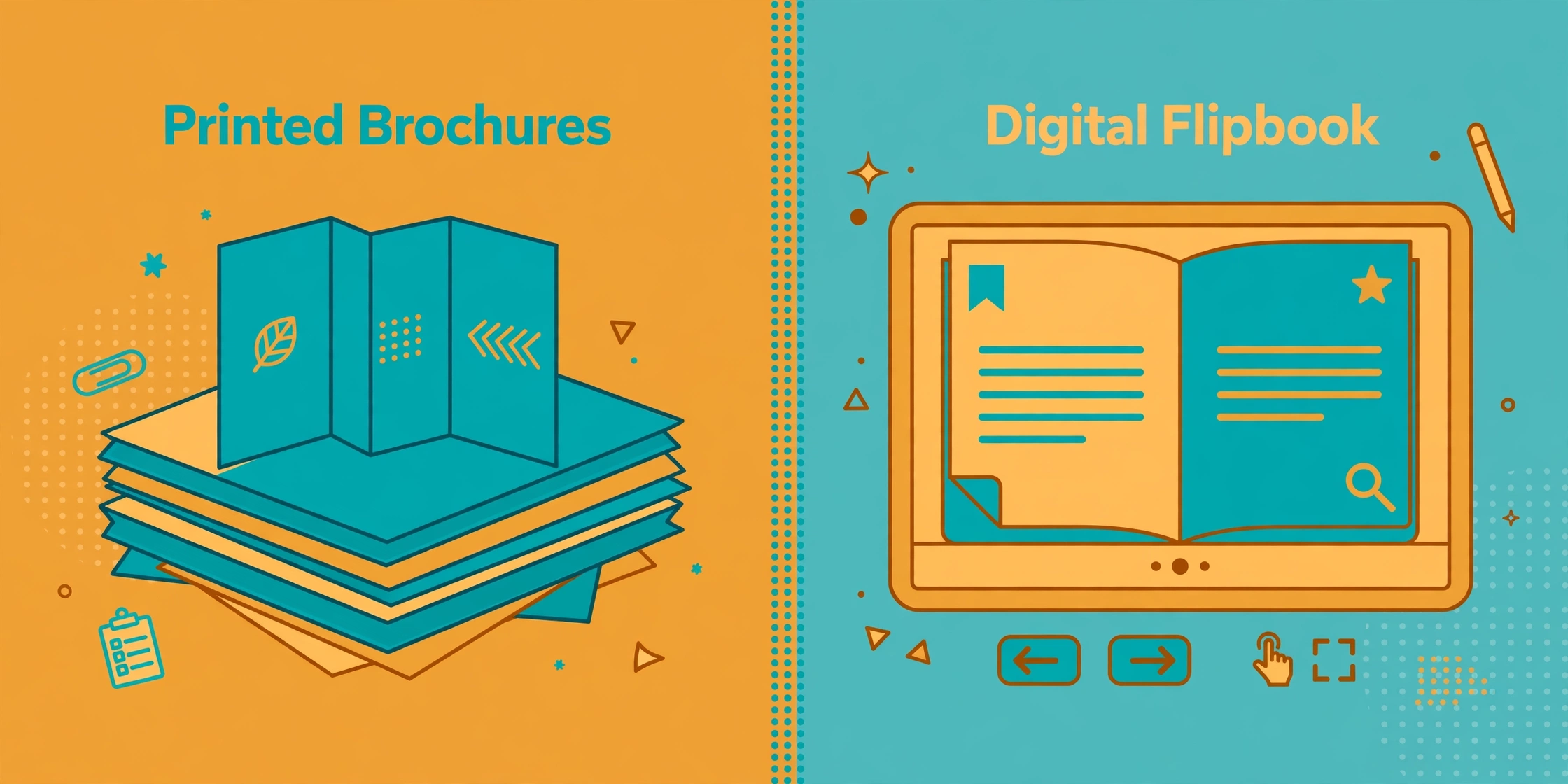
A brochure that will be printed and a brochure that will be emailed need different tools, and the mistake is buying one for the other. A printed brochure needs bleeds, colour profiles and a press-ready PDF, so InDesign or Canva wins. A digital brochure needs links, tracking and a reading experience, so Flipsnack wins. A brochure that must do both needs a template tool first and a flipbook second.
The practical rule is simple. Decide the distribution before the tool. If the brochure goes to a print shop, buy print control. If it goes by email, buy the flipbook. If it goes both ways, build it in Canva and convert it in Flipsnack, because the pair costs less than a tool that does both badly.
The print shop deserves a call before the design starts, because the shop knows the paper, the size and the bleed better than any template. A five-minute call saves a reprint, and the printer will tell you the exact settings the file needs.
Best Pick by Job
The right pick depends on the brochure, so match the job to the tool rather than buying the biggest name.
| Job | Pick | Why |
|---|---|---|
| Fastest brochure | Canva | Templates, brand kit, print service |
| Adobe polish | Adobe Express | Fonts, stock and Firefly art |
| Data-led brochure | Visme | Charts and tables built in |
| Team brand control | Marq | Brand locking, $10 a month annual |
| Explanatory brochure | Venngage | Infographic style, $10 a month annual |
| Precise print layout | Adobe InDesign | Pre-press control, $22.99 a month |
| Digital flipbook | Flipsnack | Page-turn reading, $14 a month |
| Design plus printing | Vistaprint | One order, delivered |
| Photo-led brochure | PicMonkey | Best text and photo tools |
| New business brand | Design.com | Brochure, site and logo together |
When two tools tie, pick the one whose templates respect the fold, because a layout that ignores the fold hides its own message.
The best brochure makers start from a layout a reader already understands, and the pick that fits your brochure is the right one. Canva leads for speed, InDesign for print precision, and Flipsnack for digital.
A Simple First Brochure
The best brochure makers repay a simple first brochure, and the simplicity starts with the story. One page, one message, one call to action, because a brochure that tries to say everything says nothing. Write the headline first, then the three points that support it, then the contact details, and the layout will follow the words.
Step two is the template, pick a tri-fold or bi-fold layout in Canva and swap the photos, because the template has already solved the fold. Step three is the proof, print one copy on the office printer, fold it, and read it as a customer would, because the screen hides the fold and the paper reveals it.
Step four is the printer, send the PDF with the bleed and the colour profile the shop asked for, and order a small run first. A run of fifty that reads well is worth more than a run of five hundred that does not, because the reprint costs more than the patience.
Keep the brochure to one story, because a customer who reads three panels and remembers one message is a customer who will call. The brochure that says everything is the brochure that gets binned.
A brochure earns its keep when the reader keeps it, because a brochure thrown away is a brochure never read. The design that earns a place on the fridge is the one with a clear next step, because a reader who knows what to do next will keep the paper that tells them how.
Free Tools That Make a Real Brochure
The best brochure makers include free plans that make a real brochure without a subscription. Canva free exports without a watermark, Adobe Express free covers a solid template set, and Visme free previews the workflow, though it blocks downloads. A business that needs one brochure can make it for nothing, and the paid tiers add the brand kit and the premium templates.
A free brochure follows a simple pattern. Pick a tri-fold template in Canva, swap the photos, write the headline and the three supporting points, and export the PDF. Print one copy on the office printer, fold it by hand, and read it as a customer would, because the paper reveals what the screen hides.
The free limits bite in different places. Canva free covers the design but not the print service, Express free covers the templates but not the brand kit, and Visme free blocks downloads entirely, which makes it a preview rather than a working plan. A business that hits a limit should pay for the tool whose limit blocked the brochure.
Start free for the first brochure, and let the run decide the purchase. The tool whose free plan made a brochure worth printing is the tool the business should keep, and the subscription that follows is a decision rather than a guess.
Frequently Asked Questions
How much does a brochure cost to make?
A brochure costs nothing on the free plan of Canva, Adobe Express or Visme, and a paid subscription costs $10 to $23 a month depending on the tool. Printing is the real cost, and a print run of a few hundred tri-folds usually costs more than a year of the design tool.
What size should a brochure be?
A tri-fold brochure is usually built on Letter or A4 paper, folded into three panels, and a bi-fold uses the same sheet folded once. The print shop will confirm the exact size and the bleed, so check with the printer before designing rather than after.
Can I make a brochure in Canva?
Yes, and it is the fastest route for most businesses. Pick a tri-fold or bi-fold template, swap the photos, change the text, and export a print-ready PDF. The free plan exports without a watermark, which is enough for a single brochure.
What is the difference between a brochure and a flyer?
A brochure folds, and a flyer does not. The fold gives a brochure panels, so the story can unfold in order, while a flyer is a single flat sheet that must say everything at once. A brochure suits a business with a story to tell, and a flyer suits a single offer.
Should my brochure be printed or digital?
It depends on where the customer meets you. A printed brochure suits events, shops and mail, because the customer holds it. A digital flipbook suits email and websites, because the links work and the reading is tracked. Many businesses need both, and the same design can serve both.
Can I print brochures at home?
Yes, for a small run, because a home printer handles a few dozen tri-folds well enough for a test. A large run belongs at a print shop, because the paper, the colour and the folding are better, and the cost per brochure falls with the quantity. Print fifty at home to test the layout, then order the big run from a shop.
How many brochures should I print first?
Fifty, not five hundred, because the first run is a test. Print fifty, hand them out, watch which panel gets read and which gets skipped, and fix the layout before the big run. A small test run costs little and teaches a lot.
The Bottom Line
The best brochure makers start from a layout a reader already understands, and the business that prints a test copy before the big run will save a reprint. Start free, fold the proof by hand, and let the reader decide the layout.