

A page ranks because of what is on it, and the on-page work is the most direct SEO a site owner can do, because the title, the headings, the internal links and the content are all in the owner’s hands. The best on page seo tools score the page, build the brief, and check the work as it is written, so the page that goes live is the page that deserves to rank.
Eleven tools made this list, and they split into three kinds. Scorers like Surfer, Clearscope and Frase grade the content against the top results. WordPress plugins like Yoast SEO and Rank Math check the page inside the editor. Suite checkers like Semrush and SE Ranking score pages inside a wider platform. The prices below were checked against vendor pages and November 2026 roundups, and where sources disagreed the draft says so rather than picking the friendlier number.
In this article
- The Page Is the Unit of Ranking
- How the Best On Page SEO Tools Were Compared
- On-Page Tools Compared in One Table
- Eleven Tools, One Page Each
- Scores Guide, They Do Not Decide
- The Brief Comes Before the Draft
- Best Pick by Job
- The On-Page Shortlist, Decided
- WordPress Plugins Check Where the Writing Happens
- Internal Links Are the Cheapest On-Page Win
- Questions About On-Page SEO Tools
- Before You Publish the Next Page
The Page Is the Unit of Ranking
The best on page seo tools treat the page as the unit, because a site does not rank, a page does, and the work that matters is the work on the page. A title that matches the search, headings that structure the answer, internal links that connect the page to the site, and content that covers the topic will move a page, while a site-wide fix that touches no page will not.
The second difference is the brief, because a page that starts from a researched brief will cover the topic better than one that starts from a blank page. Frase, Clearscope and MarketMuse all build briefs from what already ranks, and the writer who follows the brief will produce a page that answers the search rather than a page that talks around it.
The title test is the search, because a title that matches the search will earn the click, while a title that does not will be ignored. A writer should check the title against the top results, and the tools that score the page will flag a title that misses the keyword, because the title is what the search result shows.
How the Best On Page SEO Tools Were Compared
Each tool in this guide was judged on five things that decide whether on-page work gets done. Scoring is first, because a page needs a number to improve against. Briefs are second, because a page needs a structure before it needs words. Integration is third, because a check inside the editor beats a check in a separate app. Price is fourth, measured as the cost of a month of steady use. Ease is fifth, because a tool that needs a specialist will not get used by a writer.
The tools in this guide all improve real pages, and every tool here has a free plan or a free trial except the ones that say otherwise. The comparison below names the limit of each tool plainly, because a tool bought for the wrong half of the job wastes more than its subscription. It wastes the pages it was bought to improve.
The heading test is the structure, because headings that structure the answer will help the reader and the ranking, while headings that repeat the title will not. A page with a clear H1, a logical H2 flow, and a conclusion will read better than a page with a wall of text, and the plugins flag the structure as it is written.
On-Page Tools Compared in One Table
This table compares the best on page seo tools on the facts that decide a purchase. Prices are in US dollars and change by country and promotion, so check the vendor page before you buy.
| Tool | Price | Free plan | Best for |
|---|---|---|---|
| Surfer | See website | Free trial | Content scores against the top results |
| Clearscope | See website | Free trial | Content briefs from top-ranking pages |
| Frase | See website | Free trial | SEO briefs and outlines for long content |
| Yoast SEO | Premium $99 a year | Free plugin | On-page checks inside WordPress |
| Rank Math | Pro $59 a year | Free plugin | WordPress SEO with a generous free tier |
| MarketMuse | See website | Free plan | Content strategy from topic authority |
| PageOptimizer Pro | See website | Free trial | Page-level optimisation with clear tasks |
| SE Ranking | Core $129 a month | 14-day trial, no card | On-page checker inside a full suite |
| Semrush | SEO $139 a month | Free account, 7-day trial | On-page checker with SEO writing assistant |
| Dashword | See website | Free trial | Briefs and optimisation for small teams |
| Ink | See website | Free plan | Writing assistant with SEO scoring |
The price spread in this list runs from free to $139 a month, because a WordPress plugin and a content suite solve different problems. The free plugins check a WordPress page well, the scorers serve a content team, and the suites serve a team that uses the platform daily. Match the tool to the pages written in a month, and the price will make sense.
Eleven Tools, One Page Each
1. Surfer
Best for Content scores against the top results. Price See website. Free plan Free trial.
Surfer scores each page against the top results for its keyword, showing which terms, headings and structures are missing, and the score moves as the page improves. It suits a team that fixes content first, because the audit tells the writer exactly what to add, and the content editor drafts alongside the score.
Pricing is shown on the vendor page, with a free trial to test the scoring before paying. The trade is scope, because Surfer audits content rather than technical issues, and a site with crawl errors needs a crawler as well.
Pick it when the page must rank for a keyword, because the scoring is the point. Skip it when the audit is about crawl errors, because Surfer does not crawl for those.
Watch out. The score is a guide rather than a ranking factor, so use it to improve the page rather than to chase a number.
2. Clearscope
Best for Content briefs from top-ranking pages. Price See website. Free plan Free trial.
Clearscope builds a content brief from the top-ranking pages for a keyword, showing the terms, questions and headings the page should cover, and grades the draft as it is written. It suits a team that writes long content that must rank, because the brief is built from what already ranks, and the draft follows the brief.
Pricing is shown on the vendor page, with a free trial to test the briefs before paying. The trade is price, because Clearscope is a premium tool, and a small team may find Surfer cheaper for the same job.
Pick it when the content is long and must rank, because the brief is the point. Skip it when the budget is tight, because Surfer covers similar ground for less.
Watch out. The brief is a starting point rather than a draft, so the writing still needs a human.
3. Frase
Best for SEO briefs and outlines for long content. Price See website. Free plan Free trial.
Frase builds SEO briefs and outlines for long content, researching the top results for a topic and turning them into a structure, then drafting from that structure. It suits a writer who needs a long article that ranks, because the brief is built from what already ranks, and the draft follows the brief.
Pricing is shown on the vendor page, with a free trial to test the briefs before paying. The trade is scope, because Frase is built for SEO content, and a writer who needs general drafting should look at Jasper or Copy.ai.
Pick it when the article must rank, because the brief is the point. Skip it when the outline already exists, because a drafting tool is faster.
Watch out. The brief is a starting point rather than a draft, so the writing still needs a human.
4. Yoast SEO
Best for On-page checks inside WordPress. Price Premium $99 a year. Free plan Free plugin.
Yoast SEO is the on-page plugin for WordPress, checking titles, meta descriptions, headings, internal links and readability as the writer types, with a traffic-light score that shows what to fix. It suits a WordPress site, because the checks run inside the editor where the page is written, and the fix is one click away.
Premium costs $99 a year, and the free plugin covers the core checks. The trade is scope, because Yoast SEO checks the page rather than the site, and a site with technical issues needs a crawler as well.
Pick it when the site runs on WordPress and the pages need checking, because the integration is the point. Skip it when the site is not WordPress, because Yoast SEO does not run elsewhere.
Watch out. The traffic light is a guide rather than a ranking factor, so use it to improve the page rather than to chase green.
5. Rank Math
Best for WordPress SEO with a generous free tier. Price Pro $59 a year. Free plan Free plugin.
Rank Math is the WordPress SEO plugin with the most generous free tier, covering titles, meta descriptions, schema, internal links and readability, with Pro adding advanced schema, rank tracking and analytics. It suits a WordPress site that wants more free features than Yoast SEO offers, because the free plugin covers what Yoast SEO charges for.
Pro costs $59 a year, and the free plugin covers the core checks and much more. The trade is learning curve, because Rank Math offers more settings, and a beginner may find Yoast SEO simpler.
Pick it when the site runs on WordPress and the free tier matters, because the value is the point. Skip it when the team wants the simplest plugin, because Yoast SEO is plainer.
Watch out. The extra settings need care, because a wrong setting can hurt the site, so read the docs before changing them.
6. MarketMuse
Best for Content strategy from topic authority. Price See website. Free plan Free plan.
MarketMuse builds a content strategy from topic authority, showing which topics the site should cover, which pages need depth, and where the gaps are. It suits a team that plans content at scale, because the strategy is built from data rather than guesses, and the briefs tell the writers exactly what to cover.
Pricing is shown on the vendor page, with a free plan for a limited number of queries and paid plans for more. The trade is price, because MarketMuse is a premium strategy tool, and a small team may find Surfer cheaper for single pages.
Pick it when the content plan needs a strategy, because the authority data is the point. Skip it when the job is one page, because Surfer covers a single page better.
Watch out. The strategy needs a site with existing content to analyse, so a new site will get less from it.
7. PageOptimizer Pro
Best for Page-level optimisation with clear tasks. Price See website. Free plan Free trial.
PageOptimizer Pro gives page-level optimisation tasks, showing exactly what to change on a page to rank for its keyword, with a clear list rather than a score. It suits a writer who wants instructions rather than a number, because the task list tells the writer what to do, and the page improves as the tasks are done.
Pricing is shown on the vendor page, with a free trial to test the tasks before paying. The trade is scope, because PageOptimizer Pro optimises pages rather than auditing sites, and a site with technical issues needs a crawler as well.
Pick it when the page needs a task list, because the clarity is the point. Skip it when the audit is about the site, because a crawler does that better.
Watch out. The task list is a guide rather than a guarantee, so the ranking still depends on the content and the links.
8. SE Ranking
Best for On-page checker inside a full suite. Price Core $129 a month. Free plan 14-day trial, no card.
SE Ranking includes an on-page checker inside a full suite, with rank tracking, site audits, keyword research and backlink monitoring, and the checker scores each page and shows what to fix. It suits a team that wants on-page checks inside the suite they already use, because the findings link straight to the keywords and the rankings.
Core costs $129 a month, or $103.20 a month billed yearly, and Growth costs $279 a month. The fourteen-day trial needs no card. The trade is depth, because the checker is one feature among many, and a specialist like Surfer scores content deeper.
Pick it when the team already uses SE Ranking, because the checker is already there. Skip it when the job is content alone, because Surfer scores it deeper.
Watch out. Only one manager seat is included on Core, so a team needs Growth for more seats.
9. Semrush
Best for On-page checker with SEO writing assistant. Price SEO $139 a month. Free plan Free account, 7-day trial.
Semrush includes an on-page SEO checker and an SEO writing assistant, scoring each page against the top results and suggesting what to add as the writer types. It suits a team that writes inside the suite, because the checker and the writer sit next to the keywords and the rankings.
The SEO plan costs $139 a month, or $117.33 a month billed annually. The free account gives ten reports a day, and a seven-day trial covers the full suite. The trade is price, because $139 a month is dear for on-page checks alone.
Pick it when the team already uses Semrush, because the checker is already there. Skip it when the job is content alone, because Surfer is cheaper.
Watch out. The checker is one feature among many, so a team that only needs on-page checks will pay for tools they do not use.
10. Dashword
Best for Briefs and optimisation for small teams. Price See website. Free plan Free trial.
Dashword builds content briefs and optimises pages for small teams, with a simple interface, a content score, and a brief that tells the writer what to cover. It suits a small team that wants Surfer-style scoring without the premium price, because the tool is built for teams that write a few articles a month.
Pricing is shown on the vendor page, with a free trial to test the briefs before paying. The trade is depth, because Dashword is a simpler tool than Surfer or Clearscope, and a team that needs deep analysis will find it light.
Pick it when the team is small and the budget is tight, because the simplicity is the point. Skip it when the content needs deep analysis, because Surfer scores it deeper.
Watch out. The simpler scoring means fewer signals, so check the brief against the top results as well.
11. Ink
Best for Writing assistant with SEO scoring. Price See website. Free plan Free plan.
Ink pairs a writing assistant with SEO scoring, so a writer can draft and optimise in one place, with the score updating as the draft improves. It suits a writer who wants the draft and the optimisation together, because the tool shows the score while the writing happens, rather than after it is done.
Pricing is shown on the vendor page, with a free plan for a limited number of generations and paid plans for more. The trade is depth, because Ink is a writer first and a scorer second, and a team that needs deep analysis will find Surfer stronger.
Pick it when the draft and the optimisation must happen together, because the combination is the point. Skip it when the job is analysis alone, because a specialist scorer is better.
Watch out. The score is a guide rather than a ranking factor, so use it to improve the draft rather than to chase a number.
Scores Guide, They Do Not Decide
The best on page seo tools for scoring are the ones that show what to add, because a score without guidance is a number to chase, while a score with a task list is a plan. Surfer shows which terms, headings and structures are missing, PageOptimizer Pro gives a clear task list rather than a score, and the score moves as the page improves, which is the point.
The trap is chasing the number, because a page with a perfect score and thin content will not rank, while a page with a good score and real depth will. A writer should use the score to improve the page, add the missing terms, fix the headings, and stop when the page answers the search, because the answer is the ranking factor and the score is only a guide.
The term test is the coverage, because a page that misses the terms the top results use will look thin, while a page that covers them will look complete. Surfer shows which terms are missing, and the writer should add them naturally rather than stuffing them, because the coverage is the point and the stuffing is the penalty.
The length test is the topic, because a page that is too short will miss the answer, while a page that is too long will bury it. A writer should check the length against the top results, and the brief will show how long the page should be, because the topic decides the length rather than a fixed number.

The Brief Comes Before the Draft
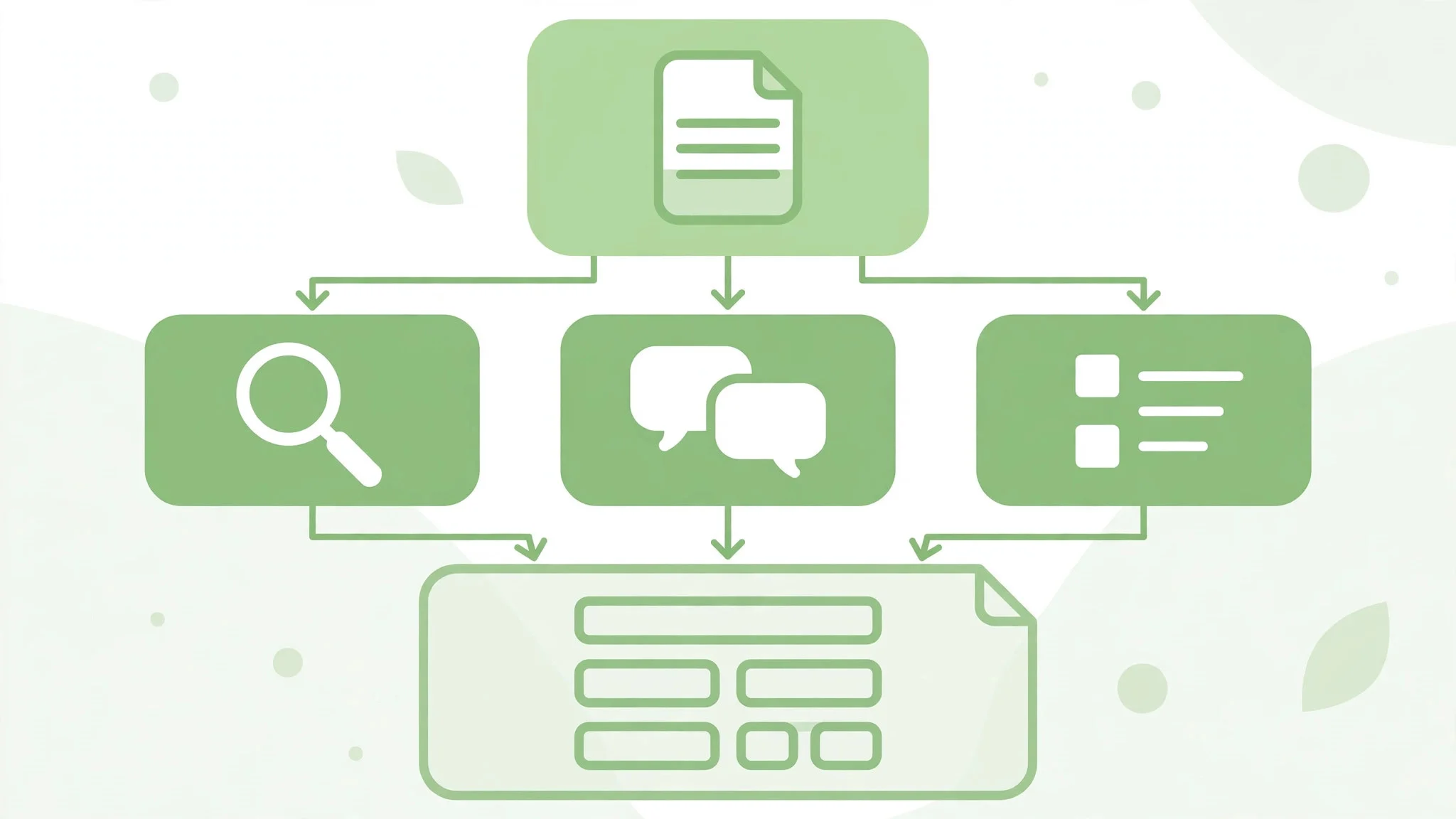
A page that starts from a researched brief will cover the topic better than one that starts from a blank page, and the best on page seo tools for briefs are the ones that build them from what already ranks. Frase researches the top results and turns them into a structure, Clearscope builds a brief from the terms and questions the page should cover, and MarketMuse builds a strategy from topic authority.
The test is the coverage, because a brief that lists the terms, the questions and the headings the page should cover will produce a page that answers the search, while a brief that lists only the keyword will produce a page that talks around it. A writer who follows the brief will write a better page in less time, because the research is already done.
The question test is the brief, because a brief that lists the questions the page should answer will produce a page that answers the search, while a brief that lists only the keyword will produce a page that talks around it. Clearscope builds the brief from the questions people ask, and the writer who answers them will rank.
Best Pick by Job
Different situations need different tools, so the best pick changes with the job. This table matches the common situations to the tool that handles each one best. The best on page seo tools in this guide cover all of these jobs between them.
| Job | Pick | Why |
|---|---|---|
| Content must rank for a keyword | Surfer | Free trial, scores pages against top results |
| Researched outline first | Frase | Free trial, SEO briefs and outlines for long content |
| WordPress, simplest plugin | Yoast SEO | Free plugin, Premium $99 a year, checks inside the editor |
| WordPress, most generous free tier | Rank Math | Free plugin, Pro $59 a year, schema and tracking |
| Page needs a task list | PageOptimizer Pro | Free trial, clear tasks rather than a score |
| On-page checks inside a suite | SE Ranking | Core $129 a month, checker plus tracking and audits |
A writer who is unsure should optimise the same page in the two tools at the top of the shortlist, publish both versions on different days, and compare the rankings after a month. The page that moves is the page to keep, and the test costs two optimisations.
The On-Page Shortlist, Decided
Start with Surfer when the page must rank for a keyword, because the scoring is the point. Start with Frase when the article needs a researched outline, because the brief is the point. Start with Yoast SEO or Rank Math when the site runs on WordPress, because the check runs where the writing happens, and start with Semrush or SE Ranking when the team already uses the suite. The best on page seo tools in this guide all do the core job, and the difference between them is which second job they do well, so name the second job first and the tool follows.
WordPress Plugins Check Where the Writing Happens
The best on page seo tools for a WordPress site are the plugins, because the check runs inside the editor where the page is written, and the fix is one click away. Yoast SEO checks titles, meta descriptions, headings, internal links and readability with a traffic-light score, while Rank Math covers the same ground with a more generous free tier and Pro at $59 a year.
The trade is scope, because a plugin checks the page rather than the site, and a site with technical issues needs a crawler as well. A WordPress site should use a plugin for the pages and a crawler for the site, because the two jobs need different tools, and the pair will cost less than a suite that does neither well.
The schema test is the result, because a page with schema can earn rich results, while a page without it cannot. Rank Math covers schema in the free plugin, Yoast SEO covers it on Premium, and a writer who adds schema will see the search result improve without changing the content.
Internal Links Are the Cheapest On-Page Win
A page with no internal links will rarely be crawled, and the best on page seo tools for internal links flag the orphans. Yoast SEO and Rank Math both check internal links inside the editor, and a writer who links each new page to two older pages will see the new page indexed within weeks, because the links are what the crawler follows.
The orphan test is the link, because a page with no internal links will rarely be crawled, and the audit should flag every orphan page. A writer who links each new page to two older pages will see the new page indexed within weeks, and the fix is a link rather than a rewrite.
The anchor test is the text, because an internal link with a descriptive anchor will help the ranking, while a link that says click here will not. A writer should link with the keyword as the anchor, and the plugins will flag links that waste the anchor.
Questions About On-Page SEO Tools
Which on-page SEO tool is best overall?
Surfer is the best content scorer, grading each page against the top results for its keyword, while Yoast SEO and Rank Math are the best WordPress plugins, checking the page inside the editor. A team that writes long content should start with Surfer or Frase, and a WordPress site should start with Yoast SEO or Rank Math.
How much does Yoast SEO Premium cost?
Premium costs $99 a year, and the free plugin covers the core checks for titles, meta descriptions, headings, internal links and readability. Rank Math Pro costs $59 a year, with a more generous free tier, so a WordPress site on a budget should compare the two free plugins first.
Do I need Surfer if I use Yoast SEO?
They do different jobs, because Yoast SEO checks the page inside WordPress, while Surfer scores the content against the top results for the keyword. A WordPress site that writes long content should use both, because the plugin checks the page and Surfer scores the content, and the pair covers the page fully.
What is a content score, and should I chase 100?
A content score grades the page against the top results for its keyword, showing which terms, headings and structures are missing. A writer should use the score to improve the page rather than to chase a perfect number, because a page with a perfect score and thin content will not rank.
Can on-page tools fix a page that does not rank?
They can show what to fix, because Surfer shows the missing terms, PageOptimizer Pro gives a task list, and the WordPress plugins check the titles and headings. A page that does not rank may also need links, so the on-page work should be paired with a look at the backlinks before the page is rewritten.
Which on-page tool is best for a WordPress blog?
For a WordPress blog, Rank Math is the strongest pick, because the free plugin covers titles, meta descriptions, schema, internal links and readability, with Pro at $59 a year, while Yoast SEO Premium costs $99 a year. For a WordPress blog the tools that check inside the editor are the ones to pick, because the fix is one click away.
Before You Publish the Next Page
Write the brief, draft the page, check the score, and fix the headings and the internal links before publishing, because the page that goes live is the page that ranks. Check the title against the search, and check that the page answers the question in the first paragraph. The best on page seo tools in this guide all reward a writer who starts with a brief, and the brief is the cheapest quality control in SEO.