

The best wedding day-of coordination tools for most coordinators are Aisle Planner and Timeline Genius, because one runs the whole client business and the other builds the sharpest run of show. Aisle Planner suits a coordinator who manages many weddings at once, while Timeline Genius suits a coordinator whose main job is the timeline itself. The right pick depends on whether the day needs a full studio system or a single timeline done well.
A wedding day falls apart in small gaps. The photographer arrives at noon and the hair team runs forty minutes late, the caterer needs the final count by ten in the morning, and nobody told the DJ that the first dance moved to nine. Each gap is small on its own, and together they eat the whole afternoon. A coordinator who holds the timeline in one shared place can close those gaps before guests notice them.
The tools below split into two kinds. Some are full planning studios that carry the timeline beside contracts, invoices, guest lists and seating. Others do one job, and they do it with more care than any studio can.
In this article
- The 10 Tools at a Glance
- Best Pick by Job
- Which Coordinator Tool Handles a Late Vendor Best?
- How to Choose the Best Wedding Day-of Coordination Tools
- The 10 Tools in Detail
- Aisle Planner vs Timeline Genius
- What Does a Run of Show Actually Need on the Day?
- When Should the Timeline Go to Vendors?
- Frequently Asked Questions
- The Final Word on the Day
The 10 Tools at a Glance
| Tool | Main job | Best for | Starting price |
|---|---|---|---|
| Aisle Planner | Full studio for planners | Coordinators with many weddings | 49.99 dollars a month for sales tools, 69.99 dollars a month for planning |
| Planning Pod | Event and venue operations | Venue teams and busy planners | No prices published, demo needed |
| Timeline Genius | Day of timelines | Timeline first coordinators | 54.95 dollars a month unlimited, 194.95 dollars one time for 5 events |
| HoneyBook | Client bookings and payments | Coordinators who invoice clients | 29 dollars a month billed yearly |
| Social Tables | Room diagrams and seating | Coordinators who draw the room | Free plan, paid plans from 49 dollars a month |
| Alfie | WhatsApp guest host | Guest questions on the day | Pricing not published |
| The Knot | Free planning for couples | Small weddings on a budget | Free, custom domain 19.99 dollars a year |
| Zola | Planning plus registry | Couples who plan it themselves | Free, seating chart 14.99 dollars one time |
| Joy | Wedding website and RSVPs | Guest communication | Free, custom domain about 19.99 dollars a year |
| WeddingWire | Free planner and vendors | Couples who need vendor research | Free |
Best Pick by Job
| Job type | First pick | Second tool | Why this pair works |
|---|---|---|---|
| Full studio for many weddings | Aisle Planner | Planning Pod | Aisle Planner leads on client work, Planning Pod leads on venue operations |
| Sharpest day of timeline | Timeline Genius | Aisle Planner | Timeline Genius builds the timeline, Aisle Planner holds the rest |
| Client money and contracts | HoneyBook | Aisle Planner | HoneyBook leads on invoices, Aisle Planner leads on planning |
| Room layout and seating | Social Tables | The Knot | Social Tables draws the room, The Knot holds the guest list |
| Guest questions on the day | Alfie | Joy | Alfie answers on WhatsApp, Joy holds the website and RSVPs |
The best wedding day-of coordination tools earn their place by what happens at 4 pm, not by what the sales page promises. A timeline that vendors can open on their phones beats a prettier one locked in a PDF. A guest list that updates when an RSVP changes beats a spreadsheet that someone forgot to save. Judge each tool by the hour it saves on the day, because that hour is the one guests remember.
Which Coordinator Tool Handles a Late Vendor Best?
A late vendor tests a tool in a way no demo can. The florist calls at nine in the morning to say the van broke down, and the ceremony starts at four. The coordinator needs to move the setup window, tell the photographer, warn the venue manager and keep the couple calm, all in ten minutes.
Timeline Genius handles this moment through the timeline itself. Every vendor sees their own version of the schedule, so a change to the florist setup time shows up on the florist view without a phone call. The coordinator edits once and the update reaches everyone who needs it.
Aisle Planner handles the same moment through the client portal and shared tasks. The coordinator can reassign the setup task, message the vendor inside the job and update the budget if the delay costs money. Planning Pod does similar work for venue teams, with shared itineraries that the whole venue staff can see. HoneyBook is weaker here, because its strength is contracts and invoices, not live schedule changes. The Knot and Zola are weaker still among the best wedding day-of coordination tools, because they are built for couples, not for a coordinator managing a vendor team under time pressure.
How to Choose the Best Wedding Day-of Coordination Tools
Start with the number of weddings you run each year. A coordinator who runs thirty weddings needs a studio that tracks leads, contracts and payments across all of them, and Aisle Planner or Planning Pod fits that load. A coordinator who runs six weddings a year does not need that weight, and Timeline Genius plus a free planner will cover the work for far less money. Buying a studio for six weddings is paying for empty rooms.
Next, look at who else touches the timeline. If the venue manager, the caterer and the photographer all need to see the schedule, pick a tool with shared vendor views. Timeline Genius gives each vendor their own view. Social Tables gives the venue team a shared diagram.
Then check the guest side. Guests ask where to park, what time dinner starts and whether children are welcome, and they ask all of it on the day itself. A tool that answers guests without pulling the coordinator away from the room is worth real money. Alfie does this on WhatsApp, and Joy does it through the wedding website.
The 10 Tools in Detail
The order below ranks the best wedding day-of coordination tools from full studios to timeline specialists, then guest tools and the free couple planners coordinators often inherit from their clients.
1. Aisle Planner
Aisle Planner is the full studio pick for working coordinators, and its breadth is the reason. It carries leads, proposals, contracts, invoices, timelines, checklists, budgets, guest management, seating and an event website with online RSVP in one account. A coordinator who runs many weddings can see every job in one dashboard instead of opening five apps before breakfast.
The price is set by active projects. Sales Essentials costs 49.99 dollars a month and covers sales tools only, with no project management. Project plans start at 69.99 dollars a month for up to 15 active projects, then rise to 109.99, 164.99 and 229.99 dollars a month as the project count grows. Every plan includes unlimited users and a 30 day trial, though the trial needs a card on file.
Aisle Planner suits a coordinator who treats planning as a business. It fits a studio with ten or more active weddings, a planner who invoices clients and chases contracts, and a team that shares jobs across several people. The trade is the learning curve, because a tool this broad takes a week to set up properly. A coordinator who only runs the day itself will find most of it unused.
Start with the trial, build one real wedding inside it, and check whether the timeline view reads clearly on a phone before you commit to a monthly plan.
2. Planning Pod
Planning Pod is the operations pick for venue teams and busy planners, and its depth is the reason. It brings together event management, venue bookings, floor plans, attendee lists, registration, proposals, contracts and payments in one system. A venue that runs weddings every weekend can keep the diary, the banquet order and the vendor schedule in the same place.
Planning Pod does not publish prices on its own pricing page, and the page asks visitors to book a demo instead. Third party listings report entry plans from around 59 dollars a month billed yearly, with higher tiers for more events, but those figures are reported rather than published, so a buyer should get a written quote. Plans are reported to cap the number of active events, which means a busy season can push a team up a tier.
Planning Pod suits a venue or a planning team that runs events at volume. It fits a hotel with a wedding diary to protect, a caterer who needs banquet orders tied to bookings, and a planner whose week is full of site visits. The trade is the sales process, because a tool that hides its price behind a demo will take longer to buy. A solo coordinator will find it heavier than the job needs.
Book the demo with a real wedding in mind, ask for the price at your actual event count, and get the quote in writing before you sign anything.
3. Timeline Genius
Timeline Genius is the timeline pick, and its focus is the reason. It builds detailed day of timelines that vendors and clients can comment on directly, with every change visible in real time. A coordinator drafts the schedule, the photographer flags a clash, the DJ confirms the first dance time, and the final version is the one everyone has already seen.
The pricing is simple and published. Unlimited monthly costs 54.95 dollars a month, unlimited annual costs 549.95 dollars a year, and a five event pack costs 194.95 dollars one time. A 14 day trial gives full access with no card required, and the company offers a refund if a subscriber changes their mind. Wedding day text reminders and PDF downloads are included.
Timeline Genius suits a coordinator whose main product is the timeline. It fits a day of coordinator who takes over six weeks before the wedding, a planner who works with the same vendor team every month, and a professional who needs vendors to confirm their own times. The trade is scope, because it does not handle contracts, invoices or payments. Pair it with HoneyBook if the business side needs a home.
Trial it on a past wedding you know well, build the full timeline in ten minutes, and see whether the vendor views make sense before the next client meeting.
4. HoneyBook
HoneyBook is the client money pick, and its polish is the reason. It handles proposals, contracts, invoices, payments, scheduling and a client portal in one clean system. A coordinator who books clients months ahead can send a proposal, get it signed, take a deposit and schedule the planning calls without leaving the app.
The pricing is published in three tiers. Starter costs 29 dollars a month billed yearly, or 36 dollars a month billed monthly, and covers one user with basic tools. Essentials costs 49 dollars a month billed yearly, or 59 dollars monthly, and adds scheduling, automations and a second team member. Premium costs 109 dollars a month billed yearly, or 129 dollars monthly, with unlimited team members and priority support. Card payments add processing fees on top.
HoneyBook suits a coordinator who sells a service and needs to look professional doing it. It fits a solo planner who invoices regularly, a studio that needs contracts signed fast, and a business that takes deposits online. The trade is that it is not a planning tool at heart, because it has no real timeline builder or seating chart. Use it beside Timeline Genius rather than instead of it.
Start on the trial, send yourself a test proposal and invoice, and check the payment fees against your average booking before you move real clients onto it.
5. Social Tables
Social Tables, now called Cvent Event Diagramming, is the room layout pick, and its diagrams are the reason. It builds to scale floor plans, seats guests at tables, tracks meal choices and shares the diagram with the venue team. A coordinator who walks into a blank ballroom can show the couple exactly where every table goes before a single chair is moved.
The pricing is published with a free tier. The free plan covers one user, three events and attendee lists up to 150 people. Paid planner plans run from 49 dollars a month for Standard, through 150 dollars a month for Pro, to 320 dollars a month for Premium, and all paid plans carry a 12 month commitment. Venue plans start higher, and 3D rendering sits on the top tiers.
Social Tables suits a coordinator who owns the room on the day. It fits a planner who draws layouts for every wedding, a venue team that needs the caterer to see the same diagram, and a coordinator whose seating charts are complex. The trade is the commitment, because a 12 month contract is a long promise for a seasonal business. The free tier covers a small wedding on its own.
Draw one real reception on the free plan, share the diagram with a venue manager, and see whether the seating view saves a site visit before you pay.
6. Alfie
Alfie is the guest host pick, and its channel is the reason. It works on WhatsApp, which is where guests already are, and it answers their questions without pulling the coordinator out of the room. A guest who wants the address, the dress code or the dinner time gets an answer in seconds, while the coordinator stays with the couple.
Alfie answers guest questions, shares RSVP links and sends broadcasts to the whole guest list, so one message can reach every guest at once. It does not plan weddings and it does not book suppliers, which keeps its job clear. It is built for planners in Europe, the UK and Switzerland, and its home is textalfie.com. Pricing is not published, so a planner should ask directly rather than guess at a figure.
Alfie suits a coordinator who fields the same guest questions at every wedding. It fits a planner working in Europe, the UK or Switzerland, a venue team that wants guests informed without extra staff, and a couple whose guests live on WhatsApp. The trade is scope, because it is a guest host and not a planner, so the timeline and the seating still need their own tools. Pair it with a timeline tool and the day runs quieter.
Visit textalfie.com, read how the guest host works, and test it with a small guest list before you offer it to a full wedding.
7. The Knot
The Knot is the free planner that coordinators inherit most often, and its scale is the reason. Couples arrive with a checklist, a budget tracker, a guest list, RSVP tracking, a seating chart, a registry and a wedding website already set up, plus the largest vendor directory in the United States. A coordinator who takes over a Knot wedding does not need to rebuild the plan from nothing.
The core tools are free, and the only paid extra is a custom domain at 19.99 dollars a year. The trade is the marketing, because the app earns money from vendors and registry sales, so couples report plenty of promotional email after signing up. The vendor directory is large, though, and a coordinator who needs a photographer or a florist at short notice will find options fast.
The Knot suits a coordinator who works with couples that planned the early months themselves. It fits a small wedding with a tight budget, a couple who wants one free app for everything, and a coordinator who needs the guest list and RSVPs without a new subscription. The trade is control, because the coordinator works inside the couple’s account rather than their own system.
Ask the couple for access early, export the guest list and seating chart, and keep a copy outside the app so a lost login never strands the day.
8. Zola
Zola is the registry first planner, and its design is the reason. The free app packs a website, registry, guest list, budget and checklist into one clean account, with a registry that blends physical gifts, cash funds and experience gifts. Couples who care about the registry tend to live in Zola from the first month.
The core tools are free. The seating chart is free for up to 15 guests in the iOS app, then costs 14.99 dollars as a one time purchase, and a custom domain starts at 17.99 dollars a year. Cash funds carry no fee when guests pay through Venmo, PayPal or Cash App, though card gifts add a processing fee. The registry is the draw, and a coordinator who inherits a Zola wedding should respect that.
Zola suits a coordinator whose couple put the registry first. It fits a pair who wants a beautiful website beside the registry, a wedding with a modest guest list, and a coordinator who needs the RSVPs without a new tool. The trade is the seating chart, because a 150 guest wedding will need the paid unlock, and the tool only runs its full seating features in the iOS app.
Check the guest count against the free seating limit, buy the unlock early if needed, and export the RSVP list weekly so the final count is never a surprise.
9. Joy
Joy is the guest website pick, and its guest experience is the reason. The free platform gives couples a wedding website, a guest app, a guest list, online RSVPs, a registry and planning tools, with guests able to RSVP without an account in the right setup. The live photo slideshow at the reception, fed by guest photos from the app, is a small touch that guests remember.
The core platform is free, including unlimited guests and RSVPs. Paid extras include a custom domain at about 19.99 dollars a year, a seating chart unlock per event, premium stationery and text messaging from 49 dollars as a one time purchase. The planning tools are thinner than a studio, with no seating chart in the free tier and only a basic budget tool, so a coordinator should not expect it to run the day.
Joy suits a coordinator who needs the guest side handled well. It fits a couple who puts the website first, a wedding where guests need per event RSVPs, and a coordinator who wants replies without chasing accounts. The trade is depth, because the checklist and budget tools are light. Pair Joy with Timeline Genius and the pair covers the guests and the schedule together.
Build the site early, test an RSVP as a guest would, and confirm the seating unlock before the final guest count lands.
10. WeddingWire
WeddingWire is the vendor research pick, and its directory is the reason. The free app covers a website, registry, guest list, checklist, budget and seating chart, with a vendor directory, cost estimator and forums that help a couple set a realistic budget by region. A coordinator who needs a vendor in a new city will find the directory useful on day one.
Everything in the core app is free, including the seating chart, which beats Zola on price for a large wedding. WeddingWire is owned by the same company as The Knot, so the two products share a business model and many vendor listings. The forums are a genuine help for couples who want advice from people who married in the same region.
WeddingWire suits a coordinator whose couple needs vendor research more than design. It fits a pair who wants a free seating chart, a wedding in a region the coordinator does not know well, and a couple who values the cost estimator. The trade is overlap, because a couple who uses both WeddingWire and The Knot will find similar tools twice. Pick one and stick with it.
Use the cost estimator for the region, build the seating chart early, and export the guest list before the final week so the caterer always has the true count.
Aisle Planner vs Timeline Genius
Price is the first difference, and it is real. Aisle Planner starts at 49.99 dollars a month for sales tools and 69.99 dollars a month for full planning, while Timeline Genius costs 54.95 dollars a month for unlimited events or 194.95 dollars one time for five events.
Features are the second difference. Aisle Planner covers the whole business, with leads, contracts, invoices, budgets, guest lists and seating beside the timeline. Timeline Genius covers the timeline alone, and it covers it better, with vendor views, live comments and text reminders that Aisle Planner does not match.
The best wedding day-of coordination tools are judged by the job in front of you, and these two answer different jobs. Pick Aisle Planner when the business needs a studio. Pick Timeline Genius when the day needs a timeline. A coordinator who runs both a studio and a sharp timeline can use them together, with contracts in one and the run of show in the other.
What Does a Run of Show Actually Need on the Day?
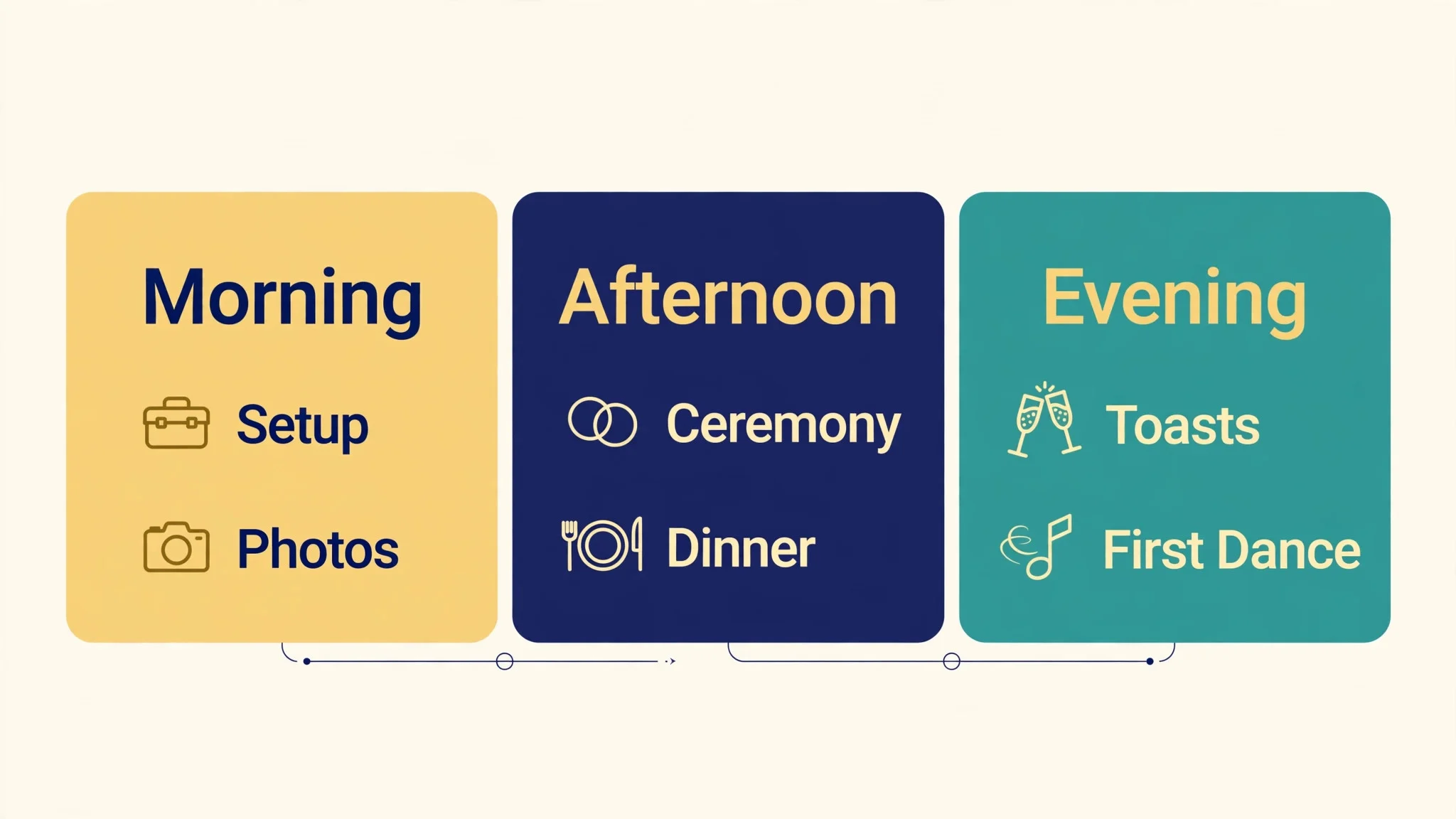
A run of show needs four things, and only four. It needs the time of every moment, the name of the person who owns that moment, the place it happens and the thing that must be ready before it starts. In the best wedding day-of coordination tools, a timeline that lists times without owners will fail at the first delay, because nobody knows who fixes it.
The second need is a version for each vendor. The caterer does not need the hair schedule, and the DJ does not need the florist delivery time. A timeline that shows each vendor only their own moments is easier to follow and harder to misread. Timeline Genius does this natively, while a spreadsheet forces the coordinator to build a fresh version for each vendor by hand.
The third need is a printed copy. Phones die, signal drops and venues have dead spots, so the coordinator should carry two printed copies and give one to the venue manager.

When Should the Timeline Go to Vendors?
The timeline should go to vendors two weeks before the wedding, and again three days before, and that second send matters more than the first. The first send lets vendors spot clashes, like a photographer booked for portraits at the same hour as the family photos. The second send locks the plan, because vendors who get a final version three days out will read it, while vendors who got one version a month ago will work from memory.
In the best wedding day-of coordination tools, the three day send should include the final guest count, the seating plan, the vendor meal count and the load in times. A caterer who learns the final count on the morning of the wedding cannot fix it, and a photographer who learns the portrait list at the ceremony cannot shoot it well.
A vendor who asks for a change after the final send should get one, because a good change late beats a bad plan kept for pride.
Frequently Asked Questions
Which tool is best for a day of coordinator?
Timeline Genius is the best pick for a coordinator whose main job is the day itself, because it builds the sharpest run of show with vendor views and live updates. Aisle Planner is the better pick for a coordinator who also sells planning packages and needs contracts and invoices. A coordinator who runs few weddings should start with Timeline Genius, while a studio should start with Aisle Planner. Among the best wedding day-of coordination tools, the choice comes down to whether the day or the business needs the tool more.
Does Aisle Planner include a seating chart?
Yes, Aisle Planner includes layouts and seating on its project plans, which start at 69.99 dollars a month for up to 15 active projects. The Sales Essentials plan at 49.99 dollars a month covers sales tools only and does not include project management. A coordinator who needs seating should buy a project plan, not the sales tier.
Is Timeline Genius worth it for one wedding?
The five event pack at 194.95 dollars one time suits a coordinator who runs a handful of weddings a year, because it works out cheaper than a monthly plan that runs all year. A coordinator who runs one wedding ever should use the 14 day trial or a free planner instead. A coordinator who runs weddings monthly should take the unlimited plan.
Can guests ask questions on WhatsApp?
Yes, Alfie answers guest questions on WhatsApp, shares RSVP links and sends broadcasts to the whole guest list. It is built for planners in Europe, the UK and Switzerland, and its home is textalfie.com. Pricing is not published, so ask directly. Alfie does not plan weddings or book suppliers, so the timeline still needs its own tool.
Is The Knot really free for couples?
Yes, the core Knot app is free, with a checklist, budget tracker, guest list, RSVP tracking, seating chart, registry and website at no cost. The only paid extra is a custom domain at 19.99 dollars a year. The app earns money from vendors and registry sales, so couples should use a separate wedding email address to keep promotional mail in one place.
What should I print for the wedding day?
Print two copies of the final timeline, one for the coordinator and one for the venue manager, plus the seating chart and the vendor contact list. A printed timeline survives a dead phone and a venue with no signal. Update the printouts whenever the timeline changes, and hand the fresh copy to anyone whose job moved.
The Final Word on the Day
Aisle Planner takes the studio spot, because a coordinator who runs many weddings needs contracts, invoices and timelines in one account. Timeline Genius takes the timeline spot, because no other tool builds a run of show that vendors actually read. Social Tables takes the room spot, with diagrams that end arguments about where tables go. Alfie takes the guest spot, answering questions on WhatsApp while the coordinator runs the room.
Treat the choice as a test, not a price page. Build one real wedding in Timeline Genius and one in Aisle Planner, send the timeline to two vendors, and keep the tool that gets fewer questions back. The best wedding day-of coordination tools are the ones vendors open without being chased, because a timeline that vendors read is a day that runs on time.