


The best online rsvp management tools for most weddings are RSVPify and Joy, because one gives the host total control over the reply form and the other gives guests the easiest reply. RSVPify suits a host who needs custom questions, seating and check in, while Joy suits a host who wants the website, the registry and the replies in one free account. The right pick depends on whether control or ease matters more to your guests.
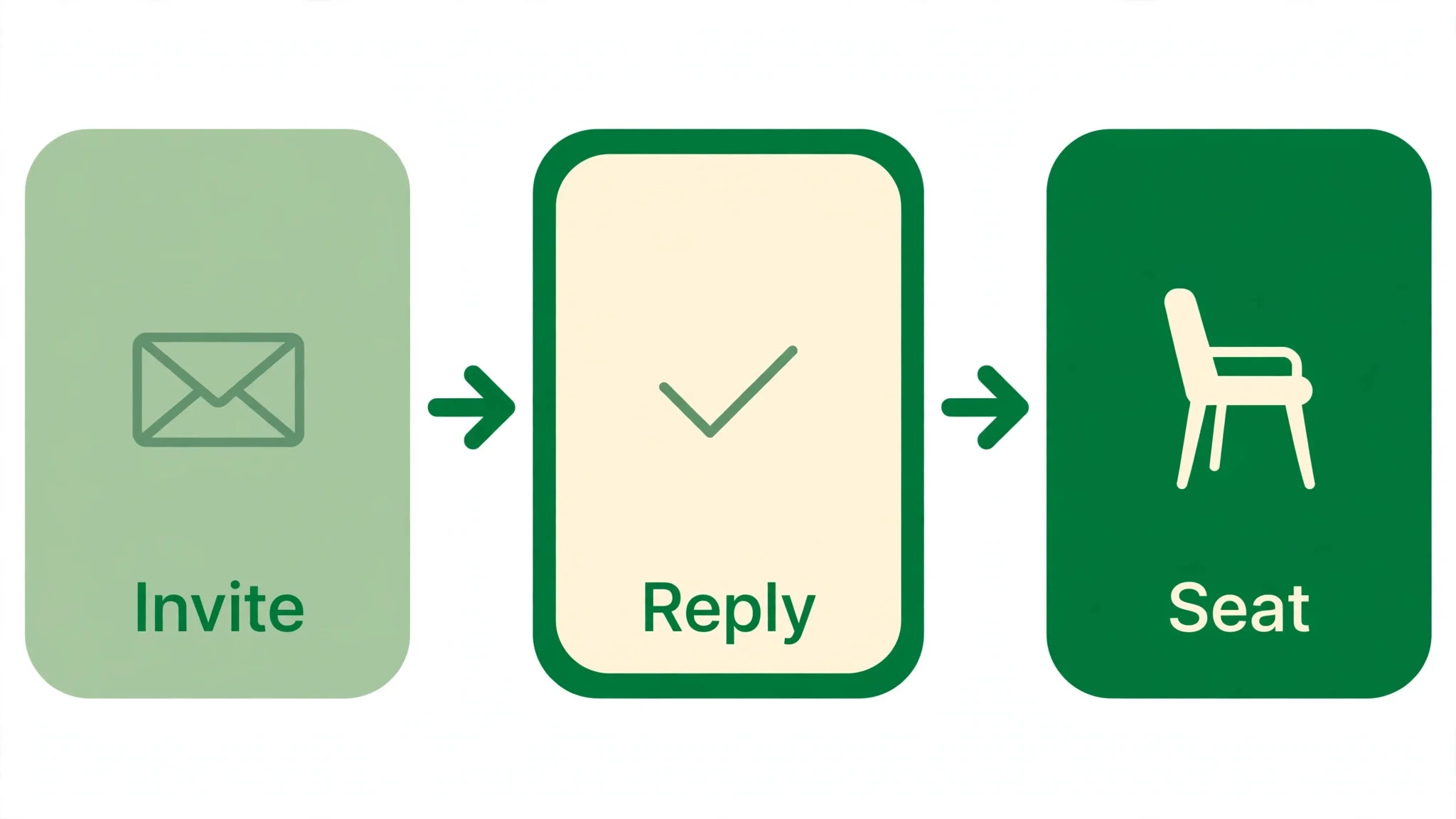
An RSVP list goes wrong in a quiet way. The invitations go out, a third of guests never reply, and the host spends the last two weeks texting cousins one by one. The caterer needs a final count, the venue needs a seating plan, and the host is still guessing. A good RSVP tool does not just collect yes and no answers. It chases the silent guests, records meal choices and plus ones, and hands the host a count that can be trusted.
The tools below split into two kinds. Some are pure RSVP systems built for events of every size, with forms, seating and check in. Others are wedding platforms where the RSVP lives beside the website and the registry. A host with 200 guests and a seating chart needs the first kind. A couple planning their own wedding from a phone may be happier with the second.
In this article
- The 8 Tools at a Glance
- Best Pick by Job
- Which RSVP Tool Gets the Most Replies Back?
- How to Choose the Best Online RSVP Management Tools
- The 8 Tools in Detail
- RSVPify vs Joy
- How Do You Chase Guests Who Never Reply?
- What Happens When a Guest Changes Their Mind?
- Frequently Asked Questions
- Picking Your RSVP Tool
The 8 Tools at a Glance
| Tool | Main job | Best for | Starting price |
|---|---|---|---|
| RSVPify | RSVP forms and registration | Hosts who need control | Free plan, personal plans from 10 dollars a month |
| Joy | Wedding website and RSVPs | Couples who want one free account | Free, custom domain about 19.99 dollars a year |
| Zola | Planning plus registry | Couples who put the registry first | Free, seating chart 14.99 dollars one time |
| The Knot | Free planning for couples | Couples on a tight budget | Free, custom domain 19.99 dollars a year |
| Alfie | WhatsApp guest host | Guest questions and replies | Pricing not published |
| Greenvelope | Designed digital invitations | Formal invitations with replies | Single mailing from 19 dollars for up to 20 guests |
| Paperless Post | Digital stationery and invites | Beautiful cards with RSVPs | Free designs for first 50 sends, premium cards from about 46 dollars for 100 guests |
| Evite | Casual invitations and RSVPs | Large casual guest lists | Free designs, Premium from 17.99 dollars per event |
Best Pick by Job
| Job type | First pick | Second tool | Why this pair works |
|---|---|---|---|
| Most control over replies | RSVPify | Joy | RSVPify leads on forms, Joy leads on ease |
| Free wedding website and RSVPs | Joy | Zola | Joy leads on the guest site, Zola leads on the registry |
| Formal paper style invitations | Greenvelope | Paperless Post | Greenvelope leads on flat pricing, Paperless Post leads on design range |
| Big casual party list | Evite | RSVPify | Evite leads on free scale, RSVPify leads on tracking |
| Guest questions by message | Alfie | Joy | Alfie answers on WhatsApp, Joy holds the website |
The best online rsvp management tools earn their place by the reply rate, not by the design gallery. A beautiful invitation that guests cannot answer in under a minute is a failure, because guests who struggle will simply not reply. A plain form that takes thirty seconds will beat it every time. Judge each tool by how fast a guest can say yes, and by how clearly the host can see who has not answered yet.
Which RSVP Tool Gets the Most Replies Back?
The reply rate depends on friction, and friction lives in small places. A guest who must create an account before replying will often close the page and forget. A guest who must download an app will do the same. A guest who opens a link, finds their name and taps yes will reply on the spot. The tool that asks the least of the guest wins the most replies, and that rule holds for every age group.
Joy does well here, because guests can reply without an account in the right setup, and the RSVP form covers meals, hotel rooms and per event attendance. RSVPify does well in a different way, because the host can build a form that asks only what matters, with no extra steps, and guests can reply from any browser without installing anything. Both tools keep the reply under a minute when they are set up well.
The best online rsvp management tools also chase the guests who never reply. RSVPify sends targeted reminders to non responders, and Joy sends RSVP reminders through its messaging tools. Paperless Post and Greenvelope send reminders inside the invitation mailing, which keeps the nudge in the same thread as the invite. Evite sends automatic reminders too, though its free designs carry ads that some guests find off putting. A tool without reminders leaves the host doing the chasing by hand, and that is where most RSVP lists fall apart.
The test is simple. Send the invitation to five friends, watch how long each reply takes, and count how many need help. A tool that gets five replies in five minutes passes. A tool that gets two replies and three confused texts fails, no matter how good the design looks.
How to Choose the Best Online RSVP Management Tools
Start with the guest count and the guest age range. A wedding with 200 guests needs a tool that handles meal choices, plus ones and per event replies without breaking. A party with 30 friends needs almost nothing, and a free tool will do. Older guests need the simplest reply of all, because a form that confuses a grandparent will cost you replies that no reminder can recover.
Next, check what the reply must capture. A wedding needs meal choices, dietary notes, plus ones and attendance at each event, from the rehearsal dinner to the farewell brunch. A corporate event needs company names and session choices. A birthday needs only a yes or no. RSVPify handles the complex forms best, with unlimited custom questions on every plan including free. Joy handles wedding replies best, with per event RSVPs built in.
Then check the seating and check in needs. A seated dinner needs a seating chart that reads the RSVP list directly, and RSVPify includes seating on its Starter plan and above. A wedding with a door list needs check in on the day, which RSVPify offers on Plus and Joy does not offer at all. Finally, check the price at your real guest count, because a tool that is free for 50 guests can cost real money at 200, and the price page should be read before the invitations go out.
The 8 Tools in Detail
The order below starts with the dedicated RSVP systems, then the wedding platforms, then the guest host, then the invitation tools that carry RSVPs inside the card.
1. RSVPify
RSVPify is the control pick for hosts who run serious events, and its form builder is the reason. It offers online registration, ticketing, seating charts, check in apps, badge printing and deep custom question logic, with guests able to reply without an account and hosts able to protect the event with a password. A host who needs to know meal choices, plus ones and session picks will find no form it cannot build.
The pricing has two families. Personal plans cover weddings and parties, with a free tier for up to 100 guests, Gold at 10 dollars a month and Platinum at 15 dollars a month. Business plans are priced by registrations per month, with Starter at 39 dollars a month billed monthly or 24 dollars a month billed yearly, Plus at 125 dollars a month or 89 dollars billed yearly, and Professional at 409 dollars a month or 299 dollars billed yearly. Ticketed events cost no monthly fee and carry a per ticket service fee instead.
RSVPify suits a host who needs the reply form to do real work. It fits a wedding with 200 guests and a seating chart, a gala with check in at the door, and a planner who runs events every month. The trade is the learning curve, because a tool this deep takes an evening to set up well. A host with 30 friends and one question should use a free tool instead.
Build the form with a real guest list, test it as a guest would, and check the seating chart before you send the first invitation.
2. Joy
Joy is the free wedding website pick, and its guest experience is the reason. The platform gives couples a wedding website, a guest app, a guest list, online RSVPs, a registry and planning tools at no cost, with unlimited guests and RSVPs. Guests can reply per event, choose meals and hotel rooms, and see their own schedule, while the couple edits guest details directly in the platform.
The core platform is free. Paid extras include a custom domain at about 19.99 dollars a year through GoDaddy, a seating chart unlock per event, premium stationery and text messaging from 49 dollars as a one time purchase. The planning tools are thinner than a studio, with no seating chart in the free tier and only a basic budget tool, so a couple who needs a full planner should pair Joy with another tool.
Joy suits a couple who wants the website and the replies in one free place. It fits a wedding with several events, a couple whose guests use phones more than email, and a host who wants a live photo slideshow at the reception fed by guest photos. The trade is the guest account, because the default setup asks guests to create a Joy account before replying, though a guest entry mode removes that step with extra setup.
Set up the website early, enable guest entry mode, test an RSVP as a guest would, and confirm the seating unlock before the final count lands.
3. Zola
Zola is the registry first planner, and its design is the reason. The free app packs a website, registry, guest list, budget and checklist into one clean account, with a registry that blends physical gifts, cash funds and experience gifts. Couples who care about the registry tend to live in Zola from the first month, and the RSVP tools sit beside the registry rather than apart from it.
The core tools are free. The seating chart is free for up to 15 guests in the iOS app, then costs 14.99 dollars as a one time purchase, and a custom domain starts at 17.99 dollars a year. Cash funds carry no fee when guests pay through Venmo, PayPal or Cash App, though card gifts add a processing fee. Premium SMS costs extra, which matters for a host who plans to text reminders.
Zola suits a couple who puts the registry first and wants RSVPs in the same account. It fits a pair who wants a beautiful website beside the registry, a wedding with a modest guest list, and a host who values design over seating depth. The trade is the seating chart, because a 150 guest wedding will need the paid unlock, and the full seating features run in the iOS app.
Measure the guest count against the free seating limit, buy the unlock early if needed, and export the RSVP list weekly so the final count is never a surprise.
4. The Knot
The Knot is the free planner that most American couples already know, and its scale is the reason. The free app combines a checklist sorted by wedding date, a budget tracker, a guest list with RSVP tracking, a seating chart, a registry and a wedding website, with the largest vendor directory in the United States. A couple can plan the whole wedding from a phone without paying for the core tools.
The core tools are free, and the only paid extra is a custom domain at 19.99 dollars a year. The trade is the marketing, because the app earns money from vendors and registry sales, so couples report plenty of promotional email after signing up. The vendor directory is large, though, and a couple who needs a photographer or a florist at short notice will find options fast.
The Knot suits a couple who wants one free app for everything. It fits a wedding planned over eleven months, a pair who needs vendor research, and a host who values the largest directory. The trade is the RSVP depth, because the reply form is simpler than RSVPify and the reminders are lighter. A host with complex meal choices should check the form before committing.
Use a separate wedding email address to keep the marketing mail in one place, set the wedding date early so the checklist sorts correctly, and export the guest list before the final week.
5. Alfie
A host belongs with the people in the room, not on the phone, and Alfie keeps it that way. As the guest host pick in this list, it works on WhatsApp, which is where guests already are, and it answers their questions without pulling the host away from the party. A guest who wants the address, the dress code or the dinner time gets an answer in seconds.
One message from Alfie can reach every guest at once, because it answers guest questions, shares RSVP links and sends broadcasts to the whole guest list. It plans no weddings and books no suppliers, which keeps its job clear. Planners in Europe, the UK and Switzerland run it from textalfie.com, and no price is published, so a planner should ask directly rather than guess at a figure.
It fits a host whose guests live on WhatsApp and ask the same questions again and again, a planner working in Europe, the UK or Switzerland, a venue team that wants guests informed without extra staff, and a couple whose older guests prefer a message to a website. The trade is scope, because it is a guest host and not a planner, so the RSVP list and the seating still need their own tools. Pair it with Joy or RSVPify and the guest side runs quietly.
Open textalfie.com, read how the guest host works, and test it with a small guest list before you offer it to a full wedding.
6. Greenvelope
Greenvelope is the formal invitation pick, and its flat pricing is the reason. It sends designed digital invitations by email or text, with an animated envelope, RSVP tracking, custom questions, reminders and delivery reports in every mailing. A host who wants the invitation to feel like stationery, not a web form, will like what guests see when they open it.
The pricing is a flat one time fee per mailing set by guest count. A mailing for up to 20 guests costs 19 dollars, up to 40 guests costs 39 dollars, up to 60 costs 59 dollars and up to 100 guests costs 99 dollars, with every feature included at every tier. A trial send to up to 10 guests needs no card, though trial mode cannot create a shareable link or use messaging. Annual memberships start at 125 dollars a year for hosts who send often.
Greenvelope suits a host who wants a designed invitation with organised replies. It fits a formal wedding, a milestone dinner and a host who values an ad free guest experience. The trade is the per mailing cost, because a host who sends several events a year will pay each time, while a subscription tool would cover them all. A host with one big event will find the flat price easy to predict.
Pick a design, send the trial to ten guests, and check the RSVP report before you pay for the full mailing.
7. Paperless Post
Paperless Post is the design pick, and its stationery range is the reason. It offers Cards with envelopes, liners, stamps and backdrops from designers, plus Flyers for casual textable invites, all with RSVP tracking, guest surveys and a shareable link. A host who wants the invitation to be part of the event will find designs here that no other tool in this list can match.
The pricing runs on Coins, which are prepaid credits bought in packs from 25 coins for 12 dollars up to 1000 coins for 140 dollars. Free designs send at no charge to the first 50 guests, with each guest after that costing one Coin. A premium card costs about 25 dollars for 50 guests and about 46 dollars for 100 guests, while a fully dressed card runs about 57 dollars for 50 guests and about 96 dollars for 100. Paperless Pro costs 250 dollars a year for up to 250 annual guests.
Paperless Post suits a host who cares about the look of the invitation. It fits a wedding with designer stationery, a formal dinner and a host who wants guest surveys in the reply. The trade is the coin math, because the total depends on the design, the extras and the guest count, so the price is never one simple number. A host who hates mental arithmetic should check the calculator before choosing a design.
Pick the design first, read the Coins per guest on that design, and price the full guest list before you send anything.
8. Evite
Evite is the scale pick for casual parties, and its free tier is the reason. Free designs send to up to 750 guests at no cost, with RSVP tracking, a maybe option, automatic reminders and messaging built in. A host with a large casual list will struggle to find a cheaper way to reach that many people, because most tools charge by the guest or by the event.
The free tier shows ads to guests, and removing them costs money. Premium packages are priced per event by guest count, with Silver at 17.99 dollars for up to 12 guests, Gold at 36.99 dollars for up to 30, Platinum at 68.99 dollars for up to 75 and Diamond at 99.99 dollars for up to 750. Evite Pro costs 249.99 dollars a year and covers unlimited premium invitations with up to 2500 guests each.
Evite suits a host with a big casual list and no budget. It fits a birthday with 200 guests, a reunion, a school event and a host who needs replies fast. The trade is the wedding fit, because the designs and the ads feel casual, and a formal wedding will look better on Greenvelope or Paperless Post. The RSVP tools are solid, but the presentation is not formal.
Send a free design to a small test group first, check how the ads look to guests, and buy Premium only if the ads bother you.
RSVPify vs Joy
Price is the first difference, and it is clear. Joy is free for the website, the RSVPs, the registry and the guest app, with paid extras only for a domain, seating and texting. RSVPify is free for up to 100 guests, then costs 10 dollars a month for Gold or 15 dollars a month for Platinum on personal plans, with business plans rising far higher. A couple planning one wedding pays nothing on Joy and a little on RSVPify, while a planner running monthly events pays far more on RSVPify.
Features are the second difference. RSVPify wins on the form, with unlimited custom questions, conditional logic, seating charts, check in and ticketing. Joy wins on the guest site, with a prettier website, a guest app, a live photo slideshow and a registry that costs guests nothing on cash funds. A host who needs to ask ten questions will feel the RSVPify advantage in the first hour. A couple who wants guests to enjoy the site will feel the Joy advantage on day one.
The best online rsvp management tools are judged by the event in front of you, and these two answer different events. Pick RSVPify when the reply form must do heavy work. Pick Joy when the wedding website matters as much as the replies. A host who needs both can use Joy for the website and RSVPify for the form, though running two tools means keeping two guest lists in step.
How Do You Chase Guests Who Never Reply?
A third of guests will not reply to the first invitation, and that is normal, not rude. People mean to reply, then the message sinks below newer ones, and the wedding is months away. The fix is a reminder schedule, not a single plea. Send a reminder two weeks after the invitations, another one week before the deadline, and a final one the day the deadline passes.
The reminder should be short and carry the link again, because a guest who lost the first invitation cannot reply to a reminder without it. A tool that sends reminders inside the invitation thread works best, because the guest sees the original invite beside the nudge. RSVPify sends targeted reminders to non responders, Joy sends RSVP reminders through its messaging tools, and Greenvelope sends reminders inside the mailing.
The best online rsvp management tools make the chase automatic, but the host still owns the last mile. A guest who ignores three reminders needs a personal text, not a fourth automated one. The host should list the silent guests one week before the deadline, divide the list among the wedding party, and ask each person to text five guests. A personal message from a friend gets a reply that no system can match.

What Happens When a Guest Changes Their Mind?
Guests change their minds, and a good RSVP tool expects it. A guest who said yes in March may need to cancel in May, a plus one may appear or disappear, and a meal choice may change after a diagnosis. The host needs a reply that can be edited, not a reply carved in stone. RSVPify lets guests update their responses, Joy lets the couple edit guest details directly, and Paperless Post lets guests change their reply through the invitation link.
The host should set a clear rule and print it on the invitation. Replies can change until the deadline, and after the deadline only by a direct message to the host. A deadline that moves every time a guest asks is not a deadline, and the caterer cannot plan around it. The final count should be locked one week before the wedding, with a small buffer for the guests who always arrive unannounced.
The seating chart is where a changed reply hurts most. A guest who cancels after the chart is printed leaves an empty chair at a table of friends, and a guest who appears late needs a seat that does not exist. The host should build the seating chart after the deadline, not before, and keep two spare places at a table near the door for the surprises. A chart built early will be wrong, and a chart built late will be right.
Frequently Asked Questions
Which RSVP tool is best for a wedding?
RSVPify is the best pick for a wedding with complex replies, because it handles custom questions, seating and check in in one place. Joy is the better pick for a couple who wants a free website, registry and RSVPs together. A host who needs both can use Joy for the site and RSVPify for the form, though two tools mean two lists to keep in step.
Is RSVPify free?
Yes, RSVPify has a free plan for one event at a time, with up to 100 registrations a month and up to 100 invited guests per event. Personal plans start at 10 dollars a month for Gold and 15 dollars a month for Platinum, with more guests and seating included. Business plans start higher, so a wedding host should buy a personal plan, not a business one.
Can guests RSVP without creating an account?
Yes, on RSVPify guests can reply from a browser without an account, and on Joy a guest entry mode lets guests reply without creating a Joy account. Paperless Post guests reply through the invitation link, and Evite guests reply from the invitation page. A host should test the reply as a guest would, because the default setup on some tools still asks for an account.
How do I remind guests who have not replied?
Send a reminder two weeks after the invitations, another one week before the deadline, and a final one the day the deadline passes. RSVPify sends targeted reminders to non responders, and Joy and Greenvelope send reminders inside the invitation. A guest who ignores three reminders needs a personal text from a friend, not a fourth automated message.
What is the cheapest way to invite 100 guests?
Evite is the cheapest for a large casual list, because free designs send to up to 750 guests at no cost, though guests see ads. Greenvelope costs 99 dollars one time for a 100 guest mailing with every feature included. Paperless Post costs about 46 dollars for a premium card to 100 guests, or nothing for a free design to the first 50. The best online rsvp management tools are priced by the guest count, so always price your real list before you choose.
Can I use Alfie for RSVPs?
Yes, Alfie shares RSVP links with guests on WhatsApp and sends broadcasts to the whole guest list, so it works well beside an RSVP tool. It answers guest questions on WhatsApp and is built for planners in Europe, the UK and Switzerland, and its home is textalfie.com. Alfie does not run the RSVP list itself, so pair it with RSVPify or Joy for the form and the count.
Picking Your RSVP Tool
RSVPify takes the control spot, because no other tool in this list builds a reply form that flexible. Joy takes the free wedding spot, with a website, registry and RSVPs that cost nothing. Greenvelope takes the formal invitation spot, with flat pricing and an ad free guest experience. Paperless Post takes the design spot, with stationery that guests keep. Evite takes the scale spot, reaching 750 guests for free.
The decision is a test, not a price page. Send five invitations from RSVPify and five from Joy, watch how fast the replies come back, and keep the tool that gets the most replies with the least help. The best online rsvp management tools are the ones guests can answer in thirty seconds, because a reply that takes a minute is a reply that never arrives.