

An IT team that cannot say what it owns is a team that buys licences it does not need and loses laptops it cannot find, and the waste adds up fast. The top 10 asset management software in this guide track hardware and software from purchase to disposal, with records an auditor can trust. ServiceNow leads this ranking on the combined score, with Ivanti Neurons close behind for enterprises that automate discovery.
We judged each tool on real IT work rather than a feature list. That meant a network discovery scan, a licence audit, and a laptop lifecycle trace from purchase to disposal. We tracked how complete the discovery was, how clear the licence report read, and how much help a busy IT team needed along the way.
ServiceNow earns the top spot on enterprise depth, Ivanti on automation, and every tool after them on a strength of its own. Some are full platforms built for large estates. Others are lighter tools that suit a small team with a modest fleet. The right pick depends on your estate size, your budget, and how much of the asset job you want the tool to run.
ServiceNow tops the combined score, yet a small IT team that wants a free start should let the best pick by job table near the end carry equal weight. A tool that ranks seventh overall can still be the right answer for a team of three, while the overall winner can be too much for a team running a first inventory.
In this article
- The 10 Tools at a Glance
- Why the Top 10 Asset Management Software Pay for Themselves
- How We Put Each Asset Management Software Through Its Paces
- The 10 Tools in Detail
- Discovery Depth Compared Across the Ten Tools
- Five Asset Mistakes That Cost IT Teams Money
- How to Plan Hardware Refresh Cycles With Real Data
- A Four-Week Asset Audit Plan for an IT Team
- Best Pick by Job
- Frequently Asked Questions
- ServiceNow Leads, and Your Next Audit Is the Real Test
The 10 Tools at a Glance
The table below puts one row per tool, with the price shape, the natural fit, and the strength that put ServiceNow first. The top 10 asset management software are not always the most expensive, and the table shows why. ServiceNow leads on enterprise depth, while Snipe-IT wins for teams that want free open-source control.
| Tool | Starting price | Best for | Standout strength |
|---|---|---|---|
| ServiceNow | Pricing on the vendor site | Enterprises unifying IT assets | IT asset management inside a full ITSM platform |
| Ivanti Neurons | Pricing on the vendor site | Enterprises automating asset discovery | Discovery and automation across the estate |
| Lansweeper | Pricing on the vendor site | IT teams mapping every device | Deep network discovery with rich reporting |
| ManageEngine AssetExplorer | Pricing on the vendor site | Teams tracking licences beside hardware | Software licence tracking with hardware inventory |
| Asset Panda | Pricing on the vendor site | Teams wanting flexible custom fields | Customisable tracking with a strong mobile app |
| Freshservice | Pricing on the vendor site | IT teams linking assets to tickets | Asset records inside a friendly ITSM suite |
| Snipe-IT | Free plan; paid plans on the vendor site | Teams wanting free open-source control | Free asset tracking with full audit trails |
| EZOfficeInventory | Pricing on the vendor site | Teams managing assets and repairs | Asset tracking with maintenance workflows |
| UpKeep | Pricing on the vendor site | Teams running maintenance from mobile | Mobile-first maintenance with asset records |
| AssetTiger | Free plan; paid plans on the vendor site | Small teams starting free | Free tracking for smaller inventories |
Narrow the table to ServiceNow and Ivanti Neurons, then read those two reviews to see which asset routine fits your team. A tool that scores High on discovery depth only helps if your network allows scanning, and a tool that scores High on reporting only helps if the audit reads the reports. Fit to your inventory routine matters more than a long feature list.

Why the Top 10 Asset Management Software Pay for Themselves
The top 10 asset management software pay for themselves in the same place, which is the licences and devices that stop going to waste. A company paying for a hundred licences it uses fifty of loses real money every month, and across a year of renewals that gap is worth far more than the tool costs. A system that shows real usage hands that money back, and the saving repeats with every renewal.
The second reason is fewer wasted purchases. Most IT losses are not dramatic. A department orders new laptops because nobody knows the old ones are sitting in a cupboard, and the budget pays twice. A tool that shows the real inventory catches these gaps, because each purchase is checked against what the team already owns.
Speed of response is the third reason. When an auditor asks for the laptop list, a team with a live record answers in minutes. A team working from a spreadsheet has to hunt through sheets, and the auditor is already doubting the answer.
The fourth reason is evidence for the security review. A tool that records every device, every patch, and every disposal gives a team real numbers for the compliance check. Guessing where the devices are is very different from showing a report that proves it, and that proof is what passes the review.
The final reason is calmer IT teams. People do better work when a device search takes seconds rather than an afternoon. A clear record with a discovery scan beats a long hunt through cupboards, and the tools in this ranking all help a team keep the inventory short and honest.
How We Put Each Asset Management Software Through Its Paces
We tested the top 10 asset management software against the same five measures, using a network discovery scan, a licence audit, and a laptop lifecycle trace. Each tool ran the same workload for two weeks, so ServiceNow and the rest compare like with like.
- Discovery completeness, judged by how many devices the tool found that the spreadsheet missed.
- Licence accuracy, measured by how closely the tool licence count matched the vendor records.
- Lifecycle tracking, scored on whether a laptop could be traced from purchase to disposal.
- Report clarity, timed from request to a report a manager could read without help.
- Daily usability, judged by how long the weekly inventory work took and how often the team needed to ask for help.
Each measure carried equal weight except discovery completeness, which counted double, because an asset tool that misses devices is not doing its job. Scores run out of 100, and the order below follows the combined total, led by ServiceNow on enterprise depth. Where two tools tied, we broke the tie on licence accuracy, since a tool that counts licences right protects the team from wasted renewals.
We also checked the free tiers, because small teams run on tight budgets. The best tools in this ranking let a team test real inventory work before paying, while the weakest hide the useful reports behind a sales call.
The 10 Tools in Detail
Each review below follows the same pattern, and every tool is judged on the same ground as the top 10 asset management software. We note what each tool does best, where it falls short, and the team it suits best, with discovery completeness carrying the most weight.
1. ServiceNow
ServiceNow manages hardware and software assets inside a full IT service platform. A large enterprise can tie assets to incidents, changes, and procurement in one system. The it asset management inside a full itsm platform is the reason ServiceNow keeps its place in this ranking.
The trade-off is cost and implementation effort. ServiceNow is an enterprise commitment, and a mid-size team may find the rollout heavy. For a buyer weighing ServiceNow against the rest, the it asset management inside a full itsm platform is the detail to test first.
In the trial, trace one laptop from purchase to disposal in the demo. Check whether the lifecycle view answers the audit questions.
The it asset management inside a full itsm platform shows up most clearly after a month of real use, when the first-week novelty fades and the routine settles. A IT manager who sticks with ServiceNow for a full cycle will know by then whether the fit is real.
Our verdict. The most complete enterprise asset platform here, and the best all-rounder for large IT teams.
2. Ivanti Neurons
Ivanti Neurons discovers devices across the network and automates patching and compliance checks. The automation saves IT teams hours of manual tracking. The discovery and automation across the estate is the reason Ivanti Neurons keeps its place in this ranking.
The trade-off is the enterprise scope, which needs proper planning. A small team may use only a fraction of the platform. For a buyer weighing Ivanti Neurons against the rest, the discovery and automation across the estate is the detail to test first.
In the trial, run a discovery scan and review the automation rules. Judge whether the rules match your patching routine.
The discovery and automation across the estate shows up most clearly after a month of real use, when the first-week novelty fades and the routine settles. A IT manager who sticks with Ivanti Neurons for a full cycle will know by then whether the fit is real.
Our verdict. The strongest automation here, ideal for enterprises with large fleets.
3. Lansweeper
Lansweeper discovers every device on the network, from printers to servers, and builds a detailed inventory. The reporting answers audit questions fast. The deep network discovery with rich reporting is the reason Lansweeper keeps its place in this ranking.
The trade-off is the learning curve of the reporting engine. A new user should budget time to learn the queries before the first audit. For a buyer weighing Lansweeper against the rest, the deep network discovery with rich reporting is the detail to test first.
In the trial, scan one subnet and export the inventory report. Check whether the report covers the devices you expected.
The deep network discovery with rich reporting shows up most clearly after a month of real use, when the first-week novelty fades and the routine settles. A IT manager who sticks with Lansweeper for a full cycle will know by then whether the fit is real.
Our verdict. The deepest discovery here, ideal for IT teams that need a full inventory.
4. ManageEngine AssetExplorer
ManageEngine AssetExplorer tracks software licences beside the hardware they run on. An IT manager can see licence use and renewal dates in one console. The software licence tracking with hardware inventory is the reason ManageEngine AssetExplorer keeps its place in this ranking.
The trade-off is the setup effort for accurate licence data. A team with messy records should clean them before importing. For a buyer weighing ManageEngine AssetExplorer against the rest, the software licence tracking with hardware inventory is the detail to test first.
In the trial, import your licence list and match it to installed software. Count the licences the tool flags as unused.
The software licence tracking with hardware inventory shows up most clearly after a month of real use, when the first-week novelty fades and the routine settles. A IT manager who sticks with ManageEngine AssetExplorer for a full cycle will know by then whether the fit is real.
Our verdict. The clearest licence tracking here, ideal for teams cutting software waste.
5. Asset Panda
Asset Panda lets a team shape asset records around its own fields and scan items from a phone. The flexibility suits teams with unusual equipment. The customisable tracking with a strong mobile app is the reason Asset Panda keeps its place in this ranking.
The trade-off is the configuration time before the first audit. A team wanting a ready-made setup should plan a setup week. For a buyer weighing Asset Panda against the rest, the customisable tracking with a strong mobile app is the detail to test first.
In the trial, build a custom record for your most unusual asset and scan ten items. Time the audit against your current method.
The customisable tracking with a strong mobile app shows up most clearly after a month of real use, when the first-week novelty fades and the routine settles. A IT manager who sticks with Asset Panda for a full cycle will know by then whether the fit is real.
Our verdict. The most adaptable tracking here, ideal for teams with varied equipment.
6. Freshservice
Freshservice links asset records to support tickets, so an agent sees the device history when a user reports a fault. The interface stays friendly for small IT teams. The asset records inside a friendly itsm suite is the reason Freshservice keeps its place in this ranking.
The trade-off is the ITSM focus, which means pure asset features are lighter than specialists. A team needing deep discovery may add a second tool. For a buyer weighing Freshservice against the rest, the asset records inside a friendly itsm suite is the detail to test first.
In the trial, open a ticket for a known laptop and read its asset history. Check whether the history shortens the fix.
The asset records inside a friendly itsm suite shows up most clearly after a month of real use, when the first-week novelty fades and the routine settles. A IT manager who sticks with Freshservice for a full cycle will know by then whether the fit is real.
Our verdict. The friendliest ticket-linked assets here, ideal for small IT teams.
7. Snipe-IT
Snipe-IT gives a team free, open-source asset tracking with check-in, check-out, and audit trails. The data stays under your control on your own server. The free asset tracking with full audit trails is the reason Snipe-IT keeps its place in this ranking.
The trade-off is the self-hosting work. A team without server skills will need the hosted version or a different tool. For a buyer weighing Snipe-IT against the rest, the free asset tracking with full audit trails is the detail to test first.
In the trial, add a hundred assets and run an audit. Verify the audit trail shows who held each item and when.
The free asset tracking with full audit trails shows up most clearly after a month of real use, when the first-week novelty fades and the routine settles. A IT manager who sticks with Snipe-IT for a full cycle will know by then whether the fit is real.
Our verdict. The best free control here, ideal for teams with IT skills.
8. EZOfficeInventory
EZOfficeInventory tracks assets and their maintenance in one place. A team can log a repair, assign it, and keep the full history with the asset. The asset tracking with maintenance workflows is the reason EZOfficeInventory keeps its place in this ranking.
The trade-off is the price for larger fleets. A team with thousands of items should price the whole estate first. For a buyer weighing EZOfficeInventory against the rest, the asset tracking with maintenance workflows is the detail to test first.
In the trial, log a repair and follow it through to completion. Check whether the asset history tells the full story.
The asset tracking with maintenance workflows shows up most clearly after a month of real use, when the first-week novelty fades and the routine settles. A IT manager who sticks with EZOfficeInventory for a full cycle will know by then whether the fit is real.
Our verdict. The best tracking plus repair mix here, ideal for operations teams.
9. UpKeep
UpKeep puts work orders and asset records on a phone, so technicians update jobs from the field. The mobile app suits teams that work away from desks. The mobile-first maintenance with asset records is the reason UpKeep keeps its place in this ranking.
The trade-off is the maintenance focus, which can crowd out pure inventory work. A team that only counts assets may find extra menus. For a buyer weighing UpKeep against the rest, the mobile-first maintenance with asset records is the detail to test first.
In the trial, raise a work order from a phone and close it on site. Check whether the asset record updated without office work.
The mobile-first maintenance with asset records shows up most clearly after a month of real use, when the first-week novelty fades and the routine settles. A IT manager who sticks with UpKeep for a full cycle will know by then whether the fit is real.
Our verdict. The best mobile maintenance here, ideal for field-based teams.
10. AssetTiger
AssetTiger offers free tracking for smaller inventories, with barcode scanning and simple reports. A small team can start without a purchase order. The free tracking for smaller inventories is the reason AssetTiger keeps its place in this ranking.
The trade-off is the free-tier ceiling and simpler analytics. A growing team will need the paid tier as the fleet expands. For a buyer weighing AssetTiger against the rest, the free tracking for smaller inventories is the detail to test first.
In the trial, add your fleet and run a location report. If it answers the audit, the free tier covers you for now.
The free tracking for smaller inventories shows up most clearly after a month of real use, when the first-week novelty fades and the routine settles. A IT manager who sticks with AssetTiger for a full cycle will know by then whether the fit is real.
Our verdict. The easiest free start here, ideal for small teams with modest fleets.
Discovery Depth Compared Across the Ten Tools
Discovery depth is the first gap in this ranking, and it decides how much of your estate you can actually see. Lansweeper and Ivanti find printers, servers, and forgotten devices that a spreadsheet never knew about, while the lighter tools only track what someone typed in. Run a scan on one subnet and compare the result with your records to see the gap.
Agent versus agentless scanning is the second choice, because an agent on every machine finds more detail while an agentless scan finds more machines. Pick the method that fits your security rules, and check whether the tool supports both. A tool that only scans one way will miss the devices that need the other.
Cloud assets are the third factor, and they decide whether the inventory stays honest in a hybrid estate. A tool that tracks laptops but ignores cloud servers leaves half the estate uncounted. Check whether the tool covers the cloud services you actually use before committing.
Five Asset Mistakes That Cost IT Teams Money
The first mistake is renewing licences nobody uses. A licence audit that shows fifty unused seats is a saving waiting to happen, and a team that never checks pays for the waste every year. Audit the licences quarterly, and cut the seats that nobody opened.
The second mistake is skipping the disposal record. A laptop that leaves the building without a disposal entry stays on the books forever, and the audit counts it as missing. Log every disposal with a date and a method, and keep the record for the full audit cycle.
The third mistake is ignoring the warranty. A device repaired for free under warranty costs nothing, while the same repair a month later costs the team real money. Log the warranty beside every asset, and check it before approving any repair.
How to Plan Hardware Refresh Cycles With Real Data
A refresh plan built from age data beats a refresh plan built from complaints, because the oldest machines fail first whether anyone reports them or not. Pull the age report, sort by purchase date, and replace the oldest quarter each year. The budget stays steady, and the failures drop.
Repair history is the second signal, because a machine repaired three times in a year costs more than a replacement. Set a repair limit per device, and replace anything that passes it. The rule removes the argument, and the fleet gets younger every year.
User numbers are the third factor, because a growing team needs more devices than a steady one. Match the fleet size to the next year headcount, not the current one, and order early enough to beat the supplier lead time.
A Four-Week Asset Audit Plan for an IT Team
Week one is the discovery, and it should be honest about the gaps. Scan the network, compare the result with the records, and list the unknown devices. A scan built from the network beats a count built from memory every time.
Week two is the licence audit. Match installed software to the licence list, flag the unused seats, and list the software with no licence at all. A licence audit that finds waste pays for the tool in a single quarter.
Weeks three and four are the report and the refresh plan. Build the audit report, show the age and the gaps, and write the purchase list from the data. A plan that follows the numbers earns the budget, and the next audit starts from a clean record.
Best Pick by Job
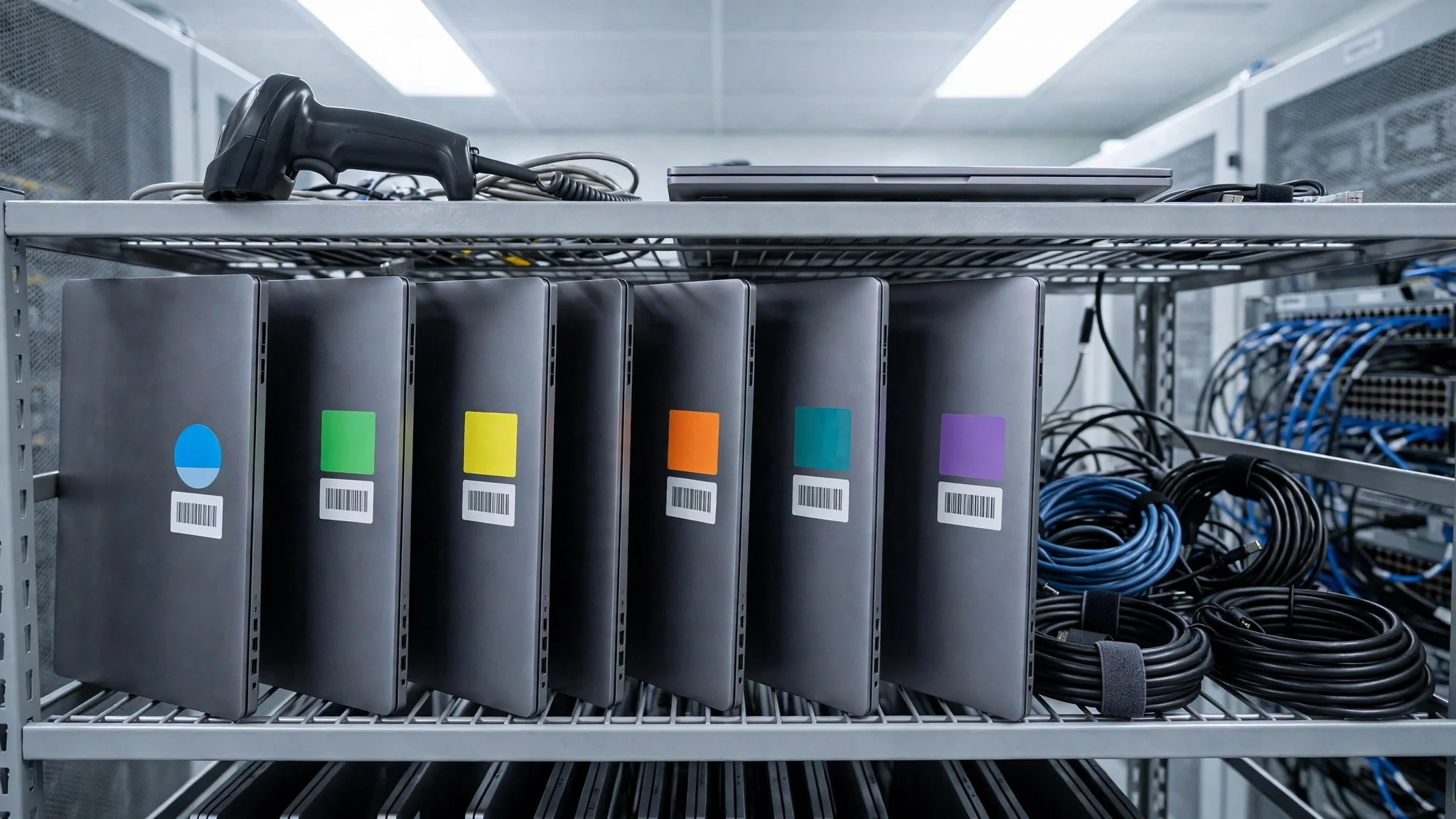
No single asset tool fits every IT team, so each common asset situation below is matched to the tool that scored highest for that job. The top 10 asset management software for a small team look different from the right pick for an enterprise estate, and the table below makes that split clear.
| Job | Best pick | Why it wins |
|---|---|---|
| Enterprises unifying IT assets | ServiceNow | IT asset management inside a full ITSM platform |
| Enterprises automating asset discovery | Ivanti Neurons | Discovery and automation across the estate |
| IT teams mapping every device | Lansweeper | Deep network discovery with rich reporting |
| Teams tracking licences beside hardware | ManageEngine AssetExplorer | Software licence tracking with hardware inventory |
| Teams wanting flexible custom fields | Asset Panda | Customisable tracking with a strong mobile app |
| IT teams linking assets to tickets | Freshservice | Asset records inside a friendly ITSM suite |
| Teams wanting free open-source control | Snipe-IT | Free asset tracking with full audit trails |
| Teams managing assets and repairs | EZOfficeInventory | Asset tracking with maintenance workflows |
| Teams running maintenance from mobile | UpKeep | Mobile-first maintenance with asset records |
| Small teams starting free | AssetTiger | Free tracking for smaller inventories |
If your situation does not match a row exactly, take the closest one and read that review first, starting with ServiceNow when it fits. The gap between neighbouring tools is smaller than the gap between a team that audits quarterly and one that never counts, so habit matters more than a few points on a scorecard.
Frequently Asked Questions
IT teams ask the same questions before every asset tool change, so we answered the most common ones here.
How much does asset software cost for a small team?
A small team can start free with Snipe-IT or AssetTiger, then move to a paid plan once the fleet grows past the free limit. The right budget is the one that survives the full year, because the audit runs every quarter. Open the vendor pricing page and confirm the full yearly total for your estate before you commit.
Can one tool handle hardware and software assets together?
It can handle both, and most teams prefer one system for the whole job. Hardware needs a record and a lifecycle, while software needs licence counts and renewal dates, and the leaders cover both well. Some teams still pair a tracker with a separate licence tool, which works fine when the data handover is clear.
How long does it take to set up asset tracking?
A focused team sets up a basic inventory in two to four weeks if the device list is ready. The delay usually comes from messy records and missing serial numbers, not from the tool. Clean the spreadsheet first, import it, and scan the network only when the records are ready.
Do these tools work for a team of three?
They work, but the setup effort varies, and some tools suit an enterprise far better than a small team. A team of three should pick a tool with a free tier and simple scanning, because those are the features that decide daily use. Start with the fleet you have, because that is the inventory that pays for the tool.
What happens to our records if we switch tools later?
Every tool in this ranking exports asset records to common formats, so a switch is possible but never painless. Discovery rules and custom fields do not transfer cleanly, and the team must rebuild them in the new tool. Trial ServiceNow properly now instead of staying with a tracker that no longer fits the way the team works.
ServiceNow Leads, and Your Next Audit Is the Real Test
An IT team can settle this in a trial by timing days to a first full inventory, counting the devices found in the first month, and measuring the licences saved in the first quarter. The top 10 asset management software prove themselves on the days to a first audit, the share of devices that scan cleanly, and the waste found in a single quarter, and a four week trial with your real estate will show all three. ServiceNow wins our ranking on the combined score, but the right tool for your team is the one your team audits with every quarter without being asked.
Run the trial on your real network with your real licences and your real audit deadline, and judge the tool on the discovery result rather than the demo. If the scan finds the forgotten devices and the licence report shows the waste, the system is working. If the records confuse the team and the counts drift, the tool is fighting you rather than helping you. Pick the tool that makes inventory feel easy, protect the quarterly habit, and let the recovered licences pay for the subscription many times over.