

A garden fails on timing, not on effort. The watering happens on the wrong day, the seeds go in a week late, and the sick plant gets treated after the damage is done. The best ai tools for gardening are the ones that fix the timing, with schedules, reminders and diagnoses that arrive before the plant suffers, not after.
Twelve tools made the list, and they split into three kinds. Care apps schedule watering and diagnose problems. Identifiers name the plant from a photo. Planners lay out the beds and the season. The prices below were checked against vendor pages and November 2026 roundups, and where sources disagreed the draft says so rather than picking the friendlier number.
In this article
Watering on Time Beats Watering More
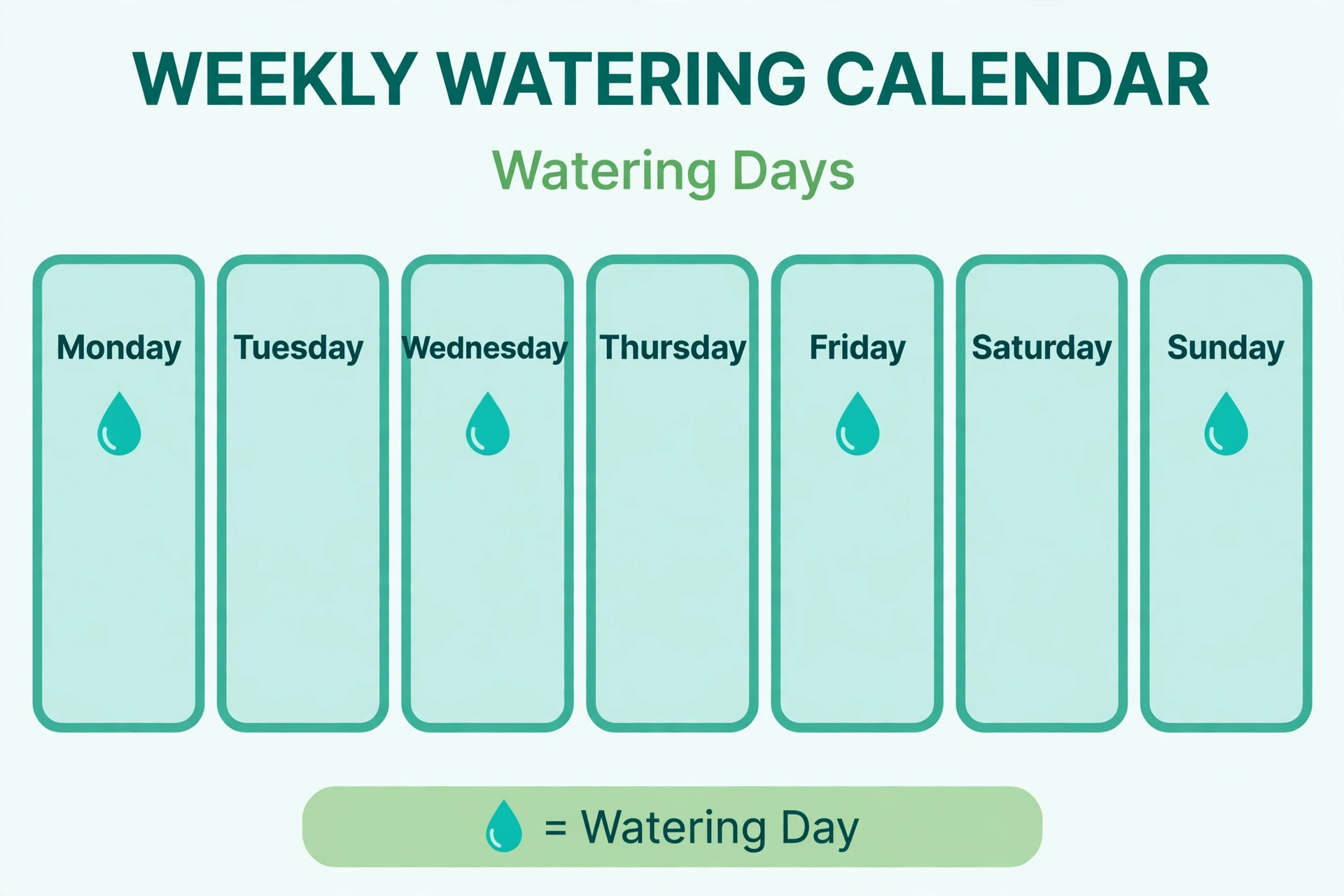
Most houseplants die from water on the wrong day, not from too little care. A plant watered daily drowns, and a plant watered monthly dries out, and the owner who means well does both in the same month. The care apps in this list remove the guessing, by building a schedule for each plant and adjusting it for the season, the weather and the light.
The best ai tools for gardening turn care into a checklist. Planta builds the schedule, Greg charges only for the watering intelligence, and Blossom keeps the routine simple for a small collection. The plant does not care which app you use, it cares that the water arrives on the right day.
The light meter deserves a mention, because a plant in the wrong light will never thrive no matter how well it is watered. Point the phone at the spot, read the light, and match the plant to the place rather than the place to the plant.
How the Best AI Tools for Gardening Were Compared
Each of the best ai tools for gardening was judged on five things that decide whether a plant stays alive. Schedule quality is first, because a reminder on the wrong day is worse than no reminder. Identification is second, because a wrong name leads to wrong care. Planning is third, because a vegetable garden needs layout and frost dates. Price is fourth, measured as the cost of one year, because most garden apps bill annually. Ease is fifth, because an app that needs a manual will not be opened.
The tools in this guide all work in real gardens, and every tool here has a free plan or a free trial except the ones that say otherwise. The comparison below names the limit of each tool plainly, because a tool bought for the wrong job wastes more than its subscription. It wastes the plant it was bought to save.
The prices in this guide were checked in November 2026, and the in-app prices vary by store and region, especially on Planta, Blossom and Greg. Check the price in your own app store before subscribing, because a roundup figure may be a US listing rather than your local price.
The 12 Tools at a Glance
The table below lines up the twelve tools by entry price and free access, so the shortlist takes a minute to build.
| Tool | Price | Free plan | Best for |
|---|---|---|---|
| Planta | Premium $35.99 a year | Free plan | Care schedules that keep plants alive |
| PictureThis | Pro $39.99 a year | Free plan with limits | Identifies 400,000-plus species |
| GrowVeg | $35 a year | 7-day free trial, no card needed | To-scale beds and frost dates |
| PlantNet | Free | Free, no paid tier | Free plant identification |
| iNaturalist | Free | Free, no paid tier | Identify and record wildlife |
| LeafSnap | Paid plans on the vendor site | Free plan | Photo identification plus care |
| Blossom | Premium $5.99 a month | Free plan with limits | Plant care with reminders |
| Greg | SUPER Greg $29.99 a year | Free plan | Free identification, paid watering |
| Seed to Spoon | Premium $4.99 a month | Free plan | Garden planner for beginners |
| Planter | Paid plans from $24.99 a year | Free plan, 1 garden | Simple planner for small gardens |
| Gardenize | Paid plans on the vendor site | Free plan | Garden journal and planner |
| Agrobase | Free | Free plan with in-app purchases | Weeds, pests and diseases identified |
Read the price column against the billing period, because most garden apps bill annually and the monthly figure is only a division.
The 12 Tools in Detail
1. Planta
Best for Care schedules that keep plants alive. Price Premium $35.99 a year. Free plan Free plan.
Dead houseplants usually die from the same cause, water on the wrong day. Planta removes the guessing. It builds a schedule for each plant you own, adjusts it for the season, the weather and the light in your home, and nudges you when it is time to water, feed, repot or prune. Point the phone at a spot and the light meter reads it, and a sick plant gets a photo diagnosis with treatment steps attached.
Premium runs $35.99 a year, or from $7.99 a month, with the exact offer shown in-app and varying by store. The free tier covers the basics with limits. Most of what makes Planta useful sits behind Premium, and the free version reminds you of that often. On the US App Store it holds a 4.8 rating from about 114,000 reviews, the best-reviewed care app in this list.
Buy it when the collection is large and the watering is the problem, because a checklist beats a memory. Skip it when the only job is naming a plant, because a free identifier does that for nothing.
Watch out. The subscription offers change in-app, so check the price in your own store before subscribing.
2. PictureThis
Best for Identifies 400,000-plus species. Price Pro $39.99 a year. Free plan Free plan with limits.
Point the phone at a plant and PictureThis tells you what it is, usually in seconds. The catalogue claims more than 400,000 species, the largest in this list, and the identification is fast and usually right for common garden and house plants. Sick plants get a diagnosis too, and the care tips, reminders and light meter ride along, so one app covers naming and nursing.
Pro costs $39.99 a year in the US App Store, with a Family Plan near $49.99 a year and a seven-day trial that renews on its own unless you cancel at least a day before it ends. The free version is thin and steers hard toward Pro, so treat it as a trial rather than a usable plan.
Buy it when naming the plant is the main job, because no other catalogue here is as large. Skip it when the garden needs planning, because this app identifies plants rather than laying out beds.
Watch out. Cancel the trial a day early, because it converts to the annual plan automatically.
3. GrowVeg
Best for To-scale beds and frost dates. Price $35 a year. Free plan 7-day free trial, no card needed.
Vegetable gardening is a layout problem before it is a growing problem, and GrowVeg is built for the layout. Draw the beds to scale, drop the crops in, and the planner returns planting lists, automatic spacing, local frost dates and email reminders for sowing and planting out. Rotation warnings flag the mistakes that cost a beginner the first harvest, and the planner runs on web, desktop and mobile.
The price is $35 a year after a seven-day trial that never asks for a card. There is no monthly option and no free tier past the trial. GrowVeg plans rather than nurses, so it will not remind you to water a houseplant, and it shines brightest on a vegetable garden with many beds.
Buy it when vegetables are the crop and the layout is the puzzle, because to-scale beds and rotation warnings are the features. Skip it when the plants live indoors, because a care app serves that job better.
Watch out. Seven days is a short trial, so run it during a real planting week.
4. PlantNet
Best for Free plant identification. Price Free. Free plan Free, no paid tier.
PlantNet asks nothing and charges nothing, which makes it the honest free option in this list. Photograph a plant and it suggests matches from its database, while a community of users verifies identifications and sharpens the results over time. The project doubles as citizen science, because the observations feed botanical research.
It costs nothing and there is no paid tier at all. The trade is scope, because PlantNet names plants and does little else, with no watering reminders, no care schedules and no bed planning. A gardener who needs reminders will need a second app alongside it.
Buy it when a plant needs naming and the budget is zero, because this is the only fully free identifier here. Skip it when the garden needs schedules or planning, because those jobs belong to a different app.
Watch out. A suggestion is not a certainty, so confirm the plant before eating it or treating it.
5. iNaturalist
Best for Identify and record wildlife. Price Free. Free plan Free, no paid tier.
A garden holds more than plants, and iNaturalist records all of it. Photograph the plant in the border or the insect on the leaf, and the app identifies it and logs the observation in a global database that scientists actually use. The community confirms identifications, and the record builds into a picture of what lives in your garden across the seasons.
It costs nothing and there is no paid tier. The trade is purpose, because iNaturalist records and identifies rather than caring, so it will never remind you to water anything. It also ranges wider than gardening, covering animals, fungi and insects, which delights a naturalist and distracts a gardener who only wants plant care.
Buy it when the question is what lives in the garden, because the community identification is fast and the record is useful. Skip it when the need is a watering schedule, because that is not what this app does.
Watch out. The observation is only as good as the photo, so shoot the leaf, the flower and the whole plant.
6. LeafSnap
Best for Photo identification plus care. Price Paid plans on the vendor site. Free plan Free plan.
LeafSnap sits in the middle ground, naming plants from a photo and then adding care notes, watering reminders and a growth journal on top. The species database is large, the interface is clean, and identification takes seconds. It suits a gardener who wants the name plus a little care, without paying for the deepest features of either specialist.
No public price could be verified for this list, so the vendor site and the app store carry the current figure, and a free plan covers the basics with limits. The compromise is depth, because LeafSnap does neither identification nor care as thoroughly as the leaders, so a gardener who wants the best of either will prefer PictureThis or Planta.
Buy it when identification plus basic care in one app is enough, without paying for the deepest features. Skip it when the catalogue size or the schedule depth matters most, because the specialists lead there.
Watch out. Subscription prices vary by region, so check the figure in your own app store.
7. Blossom
Best for Plant care with reminders. Price Premium $5.99 a month. Free plan Free plan with limits.
Blossom keeps the routine simple. Photograph a plant to name it, set the watering schedule, and get a reminder when something needs attention, with a journal to track growth along the way. The setup is quick and the interface is friendly, which suits a beginner with a small indoor collection who wants a routine rather than a research project.
Premium costs $5.99 a month, with annual plans listed from $59.99 to $79.99 a year. The free plan is thin, with most features behind the subscription. Against Planta it costs more per year for a similar set of features, so the value comes down to whether you prefer this interface.
Buy it when a simple routine for a small indoor collection is the goal, because the setup is the fastest here. Skip it when the collection is large, because the per-plant features are thinner than Planta.
Watch out. The annual price differs across listings, so confirm it in your own app store before subscribing.
8. Greg
Best for Free identification, paid watering. Price SUPER Greg $29.99 a year. Free plan Free plan.
Greg splits the bill the other way round from most apps here. Naming a plant costs nothing, and the paid tier covers the watering intelligence, precision watering, smart reminders, an indoor light gauge and seasonal updates. That split suits a gardener who is happy to identify for free and will only pay for the watering smarts.
SUPER Greg is $29.99 a year on the US listing, with a seven-day trial, and the free tier is generous on identification. Diagnosis runs through the community rather than an automated photo check, so a sick plant may wait for a human answer instead of getting an instant one.
Buy it when identification should be free and only watering is worth paying for, because that is the deal on offer. Skip it when a sick plant needs an instant automated diagnosis, because the community route is slower.
Watch out. Some store listings show unclear price points, so confirm the yearly figure before subscribing.
9. Seed to Spoon
Best for Garden planner for beginners. Price Premium $4.99 a month. Free plan Free plan.
A first vegetable garden is mostly questions, what to plant, when to plant it, and what grows well beside it. Seed to Spoon answers all three, with planting guides, companion advice and a planner that runs the whole season. It works on iOS, Android and web, and the free download covers the basics, which makes it a teaching tool as much as a planner.
Premium is $4.99 a month or $46.99 a year on the App Store, and the free plan covers the planner with limits. The advice stays basic by design, because the app is built for beginners, and a gardener with years of experience will outgrow it quickly.
Buy it when the garden is your first, because the guidance is the feature. Skip it when you already know what to plant and when, because a pure planner like GrowVeg will serve you better.
Watch out. Companion planting advice changes by region, so check the recommendations against local guidance.
10. Planter
Best for Simple planner for small gardens. Price Paid plans from $24.99 a year. Free plan Free plan, 1 garden.
Planter does the core planning job without clutter. To-scale beds, planting reminders and a clean interface, on iOS, Android and web, with a free plan that covers one garden with no time limit. A balcony or a small plot fits inside the free tier, and the paid plan adds more gardens, a lifetime option at $99.99 and extra features.
Paid plans start from $24.99 a year, with the lifetime option at $99.99. The trade is depth, because Planter is simpler than GrowVeg, with less on rotation and frost dates, and a gardener with a large vegetable plot will outgrow it.
Buy it when the garden is small and the planner should stay simple, because Planter does the core job cleanly. Skip it when the plot is large and rotation matters, because GrowVeg handles that better.
Watch out. The free plan covers one garden, so a second plot needs the paid tier.
11. Gardenize
Best for Garden journal and planner. Price Paid plans on the vendor site. Free plan Free plan.
A garden is a multi-year project, and Gardenize treats it that way. It journals what you planted, where and when, with photos, notes and reminders, so next year you can see what worked, what failed and what to plant again. The planner covers beds and tasks alongside the journal, which makes the record the feature rather than an afterthought.
No public price could be verified for this list, so the vendor site carries the current figure, and a free plan covers the core journal features. The trade is emphasis, because Gardenize records first and plans second, so a gardener who needs to-scale beds and rotation warnings will prefer GrowVeg.
Buy it when the record matters as much as the plan, because the journal is the feature. Skip it when precise bed planning is the need, because a dedicated planner does that better.
Watch out. A journal only helps when it is current, so record plantings on the day you plant them.
12. Agrobase
Best for Weeds, pests and diseases identified. Price Free. Free plan Free plan with in-app purchases.
Spots on the leaves could be a fungus, a deficiency or sunburn, and the treatment for each is different. Agrobase is the reference for that moment, with a database of weeds, pests and diseases that helps a gardener name the trouble before treating it. Match the damage against the catalogue and get the treatment options, chemical and organic side by side.
The app is free to download with in-app purchases for the deeper database. The trade is scope, because Agrobase diagnoses problems rather than planning beds or scheduling water, so it pairs with a planner instead of replacing one.
Buy it when diagnosis is the gap, because the pest and disease catalogue is the deepest here. Skip it when the job is planning or care schedules, because those need a different app.
Watch out. A wrong identification leads to a wrong treatment, so confirm the match with a second source before spraying anything.
When the App Gets It Wrong
The best ai tools for gardening all make mistakes, and the mistakes matter when the advice is followed blindly. An identification is a suggestion, not a certainty, and a plant misidentified as edible or as safe to treat can cause real harm. Confirm any plant before eating it or treating it, because the app cannot taste the difference.
The second mistake is the schedule. A watering reminder built for a sunny windowsill will drown a plant in a dark corner, because the light, the pot size and the season all change the need. Use the schedule as a starting point, check the soil with a finger, and adjust the reminder to the plant rather than the other way round.
The third mistake is the diagnosis. An automated photo check can mistake a deficiency for a fungus, and the wrong treatment can kill the plant faster than the disease. A community diagnosis, like Greg, is slower but more careful, and a severe problem still deserves a local expert.
The fourth mistake is the subscription that renews silently. PictureThis trials convert automatically unless cancelled a day before they end, and the in-app prices vary by store. Set a reminder when the trial starts, and check the price in your own store before subscribing.
Indoors, Outdoors or Both
Houseplants and vegetable gardens need different tools, and the mistake is buying one for the other. A houseplant owner needs a care schedule, a light meter and a diagnosis, so Planta, Greg or Blossom wins. A vegetable grower needs beds, frost dates and rotation warnings, so GrowVeg, Planter or Seed to Spoon wins. A gardener with both needs two apps, because no single tool does both jobs well.
The practical rule is simple. Count the plants, then count the beds. Many plants and no beds means a care app. Many beds and few plants means a planner. Both means a care app plus a planner, and the pair costs less than a dead garden.
The vegetable grower deserves a planner, not a care app, because beds, frost dates and rotation warnings are a different job from watering a houseplant. A gardener with both needs two apps, and the pair costs less than a dead garden.
Best Pick by Job
The right pick depends on the garden, so match the job to the tool rather than buying the biggest name.
| Job | Pick | Why |
|---|---|---|
| Indoor plant care | Planta | Schedules, $35.99 a year |
| Plant identification | PictureThis | 400,000-plus species |
| Vegetable bed planning | GrowVeg | To-scale beds, $35 a year |
| Free identification | PlantNet | Free, no paid tier |
| Wildlife recording | iNaturalist | Free, community verified |
| Identification plus care | LeafSnap | Middle ground, free plan |
| Simple indoor routine | Blossom | Fastest setup, $5.99 a month |
| Free ID, paid watering | Greg | SUPER Greg $29.99 a year |
| First vegetable garden | Seed to Spoon | Guidance for beginners |
| Small garden planner | Planter | One garden free |
| Garden journal | Gardenize | Record over years |
| Pest and disease ID | Agrobase | Free diagnosis database |
When two tools tie, pick the one with the free plan that covers your garden size, because a balcony and a vegetable plot need different tools.
The best ai tools for gardening fix the timing, and the pick that fits your garden is the right one. Planta leads for indoor care, PictureThis for identification, and GrowVeg for vegetable beds.
A Simple First Season
The best ai tools for gardening repay a patient first season, and the patience starts with one plant. Week one is the identification, photograph every plant you own in PlantNet or PictureThis and learn the names, because care without a name is guesswork. Week two is the schedule, load the plants into Planta or Greg and let the reminders take over the watering.
Week three is the plan, draw the vegetable beds in GrowVeg or Planter and check the frost dates before a seed goes in the ground. Week four is the journal, record what was planted where in Gardenize, because next year the record is worth more than the memory.
A gardener who follows that season will have named plants, a watering routine, a planned bed and a record, which is more than most gardens get in a year. The apps do the remembering so the gardener can do the growing.
Keep the journal current, because a record written on the day of planting is accurate and a record written a month later is a guess. The journal is the tool that pays in the second year.
Free Apps That Cover the Basics
The best ai tools for gardening include free options that cover the basics without a subscription. PlantNet is entirely free with no paid tier, iNaturalist is free and records wildlife as well as plants, and Planta, Greg and PictureThis all offer free plans. A gardener who never pays can still name plants, record observations and keep a basic schedule.
Frequently Asked Questions
Which gardening app is best for beginners?
Planta for indoor plants, because the schedules and reminders do the thinking, and Seed to Spoon for a first vegetable garden, because the guidance covers what to plant and when. Both have free plans, so a beginner can start without paying.
Are plant identification apps accurate?
Usually, for common plants, and less so for rare ones. PictureThis, with more than 400,000 species, is the most accurate here, and PlantNet is the best free option. Confirm any plant before eating it or treating it, because an identification is a suggestion, not a certainty.
Do I need to pay for a gardening app?
No, not necessarily. PlantNet and iNaturalist are entirely free, and Planta, Greg and PictureThis all offer free plans. Pay when the free limits bite, for schedules, for full identification, or for planning, and not before.
What is the difference between Planta and PictureThis?
Planta is a care app that schedules watering and diagnoses problems, built for keeping plants alive. PictureThis is an identifier with the largest catalogue, built for naming plants. A gardener with many indoor plants buys Planta, and a gardener who keeps finding unknown plants buys PictureThis.
Can an app really diagnose a sick plant?
Partly. The apps can suggest likely causes from a photo, and the better ones guide treatment step by step. A community diagnosis, like Greg, is slower but more careful, and a severe problem still deserves a local expert. Treat the app diagnosis as a first opinion, not a final one.
What is the best free gardening app?
PlantNet, because it is entirely free with no paid tier and no in-app purchases, and it names plants well. iNaturalist is the second choice, because it is free and records wildlife alongside plants. A gardener who needs schedules as well should try Planta free before paying.
Can a gardening app replace experience?
No, and the best ones do not try. An app remembers the schedule, names the plant and warns about rotation, and the experience still comes from seasons in the garden. The app is a memory aid, and the gardener is the judgement.
The Bottom Line
The best ai tools for gardening fix the timing, and the gardener who starts free will find the paid tier only when a limit bites. Name the plants, learn the watering rhythm, and let the season decide the subscription.