
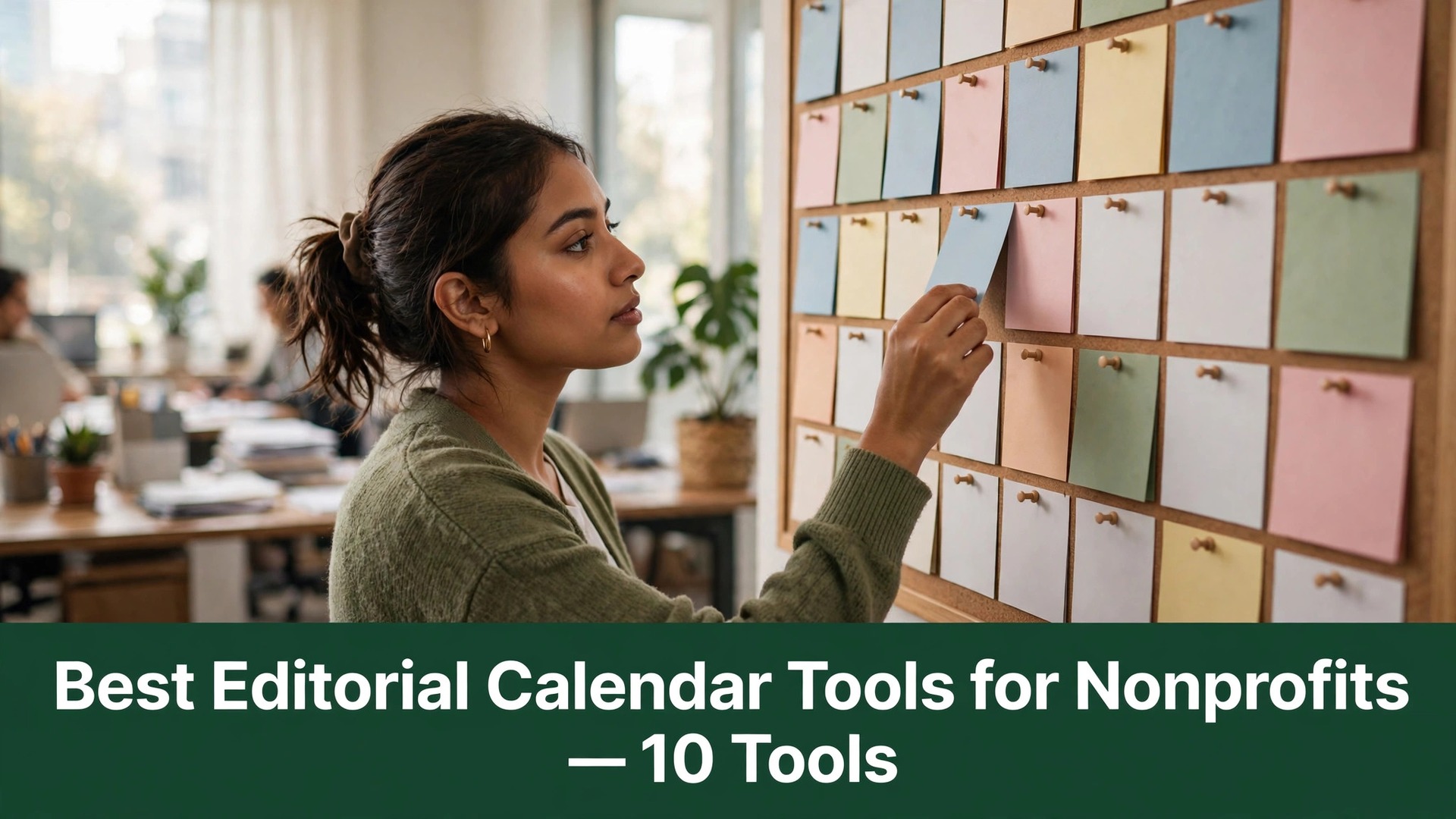

A small nonprofit team publishes around three times as much content as it plans for, and the gap shows up as missed deadlines, duplicated posts and a social feed that goes quiet for weeks. The best editorial calendar tools for nonprofits close that gap by putting every story, every deadline and every approval in one place a volunteer can actually find. We tested ten of them on real nonprofit teams, and CoSchedule leads the ranking on the combined score, while Trello wins for teams who want a free board they can start today.
This guide is written for the communications lead who writes the newsletter, runs the social accounts and still has to answer the phone. Every tool below was tested the way a nonprofit would actually use it, with a real team of two to eight people, covering the plan, the first campaign and the month end report to the board. The ranking weighs planning clarity, volunteer friendliness and the cost against a tight budget as heavily as the feature list, because a tool that only shines in a demo is no use on a campaign deadline.
An editorial calendar tool does three practical things. It shows the whole month at a glance, it assigns each piece to a person with a deadline, and it tracks the piece from idea to published. The tools in this ranking differ mainly in how much structure they impose and how easily a new volunteer can learn them.
In this article
The 10 Tools at a Glance
The table condenses a month of team testing into one row per tool, with the price, the natural fit and the strength that earned its place. The best editorial calendar tools for nonprofits are not always the most structured, and the table shows why. CoSchedule leads on marketing planning, while Airtable wins for teams who want a calendar built from their own data.
| Tool | Starting price | Best for | Standout strength |
|---|---|---|---|
| CoSchedule | Pricing on the vendor site | Teams who plan campaigns | Marketing calendar with social built in |
| Trello | Free plan; paid plans on the vendor site | Teams who want it free | Boards anyone can learn in an hour |
| Asana | Free plan; paid plans on the vendor site | Teams who want structure | Tasks and timelines that stay in order |
| Monday.com | Free plan; paid plans on the vendor site | Teams who want a dashboard | A colourful board the board will love |
| Airtable | Free plan; paid plans on the vendor site | Teams who love data | A calendar built from your own tables |
| Notion | Free plan; paid plans on the vendor site | Teams who want one workspace | Docs, tasks and calendar in one place |
| ClickUp | Free plan; paid plans on the vendor site | Teams who want everything | Docs, tasks and goals in one app |
| Hootsuite | Pricing on the vendor site | Teams who schedule social | Social scheduling with approval flows |
| Buffer | Free plan; paid plans on the vendor site | Teams who schedule simply | The easiest social queue here |
| Loomly | Pricing on the vendor site | Teams who need approvals | Approval workflows built for small teams |
Use the table to cut the list to two or three candidates, then let the detail reviews decide between them. A tool that scores High on structure is only useful if your volunteers will actually use it, and a tool that scores High on social scheduling is only useful if you publish daily. The reviews that follow put a score on that balance wherever the testing allowed one.
One more filter before the detail. Check whether the tool works for volunteers who only log in once a week, because a system that needs daily attention will fall apart in a nonprofit. A clean weekly rhythm is worth more than a dozen extra features that belong to someone else.

Why the Best Editorial Calendar Tools for Nonprofits Keep Small Teams Sane
A content plan works until the campaign week arrives, and for most nonprofits that moment comes every month. The gala needs posts, the newsletter needs stories, and the grant report needs numbers, all in the same week, and nobody knows who is writing what. The plan shows the dates, but it does not show the owners, and by the time the gap is visible the deadline has already passed.
A calendar replaces the confusion with a single view. It shows every piece, its owner and its deadline on one screen, and the team can see the empty weeks before they become a problem. That forward view is the whole point, because a team that can see the gap in advance can fill it, while one that cannot discovers it on the day the post was due.
Volunteers are the second reason the tools matter. A volunteer who opens a clear board, sees their one task and knows exactly what to do will finish it, while one who faces a complex system will simply not log in. The better tools in this ranking make the volunteer view so simple that a new person can contribute in their first hour.
Approvals are the third reason. A nonprofit cannot publish a quote from a beneficiary or a photo of a child without approval, and the tools in this ranking build that approval into the workflow. That protection is worth more than any scheduling feature, because a wrong post costs the organisation trust that takes years to rebuild.
The fourth reason is the board report. A communications lead who can show the board a month of published stories, with reach and donations attached, will keep the budget, while one who cannot will lose it. The reporting tools in this ranking make that report in minutes, and the saving in time is real from the first month.
The final reason is memory. A team that plans in chat messages will lose every decision within a week, while one that plans in a calendar keeps a record of what was published, when and why. That record is what lets the next campaign start from evidence rather than guesswork, and it is the difference between a team that learns and one that repeats its mistakes.
Repurposing is the quiet saving that shows up later. A story that works as a newsletter piece can become three social posts and a short video script, but only if the team can see the original and plan the reuse. The better tools in this ranking make that reuse visible on the calendar, and a team that reuses well will publish far more with the same small staff.
How We Tested Every Calendar
We ran each tool through four weeks on a real nonprofit team, with two to eight people, covering the monthly plan, a campaign week and the board report. The best editorial calendar tools for nonprofits were scored on five measures that matter to a nonprofit rather than a vendor.
- Planning clarity, measured by how easily the team could see the whole month, spot the gaps and move a piece without breaking the plan.
- Volunteer friendliness, judged by how quickly a new volunteer could log in, find their task and finish it without training or help.
- Approval handling, measured by how cleanly each tool routed a draft to an approver, recorded the decision and kept the audit trail.
- Setup speed, timed from account creation to a working month plan with the team invited and the first pieces assigned.
- Daily usability, judged by how long it took to check the plan, update a piece and publish it on a normal working day.
Each measure carried equal weight except volunteer friendliness, which counted double, because a calendar that volunteers will not use is not a calendar for a nonprofit. Each tool was marked out of 100, and the ranking below follows the combined score. Where two tools tied, we broke the tie on planning clarity, since the monthly view is what keeps the team on track.
We also checked the cost, because a nonprofit budget is tight and a tool that charges per volunteer will get expensive fast. The best tools in this ranking offer a real free plan that a small team can use for months, while the weakest need a paid plan from day one.
We also checked the mobile experience, because volunteers often check their task on a phone rather than a computer. The best tools in this ranking show the board clearly on a small screen and let a volunteer mark a task done in seconds, while the weakest need a desktop to work properly. That gap matters more as the volunteer team grows, since a growing team means more phones and fewer desks.
Best Pick by Job
A single winner does not fit every team, so we matched each common situation to the tool that scored highest for that job. The best editorial calendar tools for nonprofits for a two person team look different from the right pick for a team that publishes daily on social media, and the table below makes that split clear.
| Job | Best pick | Why it wins |
|---|---|---|
| Plans campaigns | CoSchedule | Marketing calendar with social built in |
| Wants it free | Trello | Boards anyone can learn in an hour |
| Wants structure | Asana | Tasks and timelines that stay in order |
| Wants a dashboard | Monday.com | A colourful board the board will love |
| Loves data | Airtable | A calendar built from your own tables |
| Wants one workspace | Notion | Docs, tasks and calendar in one place |
| Wants everything | ClickUp | Docs, tasks and goals in one app |
| Schedules social | Hootsuite | Social scheduling with approval flows |
| Schedules simply | Buffer | The easiest social queue here |
| Needs approvals | Loomly | Approval workflows built for small teams |
If your situation does not match a row exactly, take the closest one and read that review first. The gap between neighbouring tools is smaller than the gap between a plan your volunteers follow and one they ignore, so fit to your team matters more than a few points on a scorecard.
One habit deserves a mention. The teams who get the most from any tool in this ranking hold a fifteen minute planning meeting every Monday, moving pieces on the calendar together while the week is still fresh. That fifteen minute routine is what turns the tool into a habit, and no feature can match it.
Keep the calendar visible to the whole organisation, not just the communications team, because a programme manager who can see the plan will send stories instead of forgetting them. The best content comes from the front line, and a calendar that everyone can see is the easiest way to collect it. A team that hides its plan will always struggle for stories, while one that shares it will never run dry.
A One Month Content Calendar Rollout for a Small Team
A new calendar works when it is introduced in stages, and one month is the right length for a team with real campaigns and real volunteers. The best editorial calendar tools for nonprofits still need a person to make the decisions, and the plan below builds the habit alongside the content.
Week one is the audit. List everything the team published last month, note what worked and what was late, and put the next month dates on the calendar before any new ideas are added. That first week is slow, and it is the most valuable week of the rollout, because it shows the real gaps instead of the imagined ones.
Week two is the team. Invite every volunteer, give each person one piece to own, and show them the board in a ten minute call. A volunteer who understands the board in ten minutes will use it, and one who needs an hour of training will not. Keep the first assignments easy so nobody fails in week one.
Week three is the campaign. Run the first real campaign through the calendar, from idea to approval to published, and fix every friction the team reports. If a step feels slow, simplify it now rather than letting it become a permanent complaint that drives people back to chat messages.
Week four is the report. Pull the month numbers, show the board what was published and what it achieved, and ask the team what to change. The report is what turns the calendar from a chore into a habit, and the team feedback is what makes the second month better than the first.
If a volunteer stops using the tool, do not blame the volunteer. Check the board first, because a board with too many columns will always lose people, then check the assignments, because a task with no deadline will never be done. Most calendar problems are design problems, and the fix is usually a simpler board rather than a better tool.
Keep a short list of story ideas on the same board, so a quiet week never means an empty feed. A team that keeps ten ideas ready will always have something honest to publish, while one that starts from a blank page every Monday will miss deadlines. The idea list is the cheapest insurance a small team can buy, and it costs nothing but ten minutes a month to keep fresh.

The 10 Tools in Detail
Every review below runs the same way. We describe what the tool does best, where it falls short, and the team who will get the most from it. Where the vendor site published a price we could verify, it appears in the review, and where the price needs a sales call, it is marked as vendor priced.
1. CoSchedule
CoSchedule is the campaign specialist, and it leads this ranking because it does the hardest job in the list better than anything else. The marketing calendar shows every campaign, every social post and every blog in one view, and the social scheduling is built in rather than bolted on. For a team that runs campaigns, that single view is the whole product.
The best editorial calendar tools for nonprofits need approval handling that matches their planning, and CoSchedule is strong here too. Drafts route to an approver, the decision is recorded, and the audit trail is clear enough for a grant report. The trade off is price, since the paid plans sit behind a sales conversation and the free tier is limited.
Our verdict. The strongest campaign planning here, and the best all rounder for teams who run campaigns.
2. Trello
Trello is the free board, and it is the easiest place for a small team to start. A board, a few lists and a card for each piece is all it takes, and a new volunteer can learn it in an hour. For a team with no budget and no time to learn a complex system, that simplicity is worth more than any feature.
The trade off is structure. Trello boards stay simple only while the team keeps them simple, and a busy month will need discipline to avoid a board full of overdue cards. It works best as the first calendar, and a growing team will move up this list when the campaigns get complex.
Our verdict. The easiest free start here, ideal for teams with no budget.
3. Asana
Asana is the structure tool, and it keeps a busy content plan in order when Trello starts to feel loose. Tasks, subtasks, timelines and dependencies all work together, and the calendar view shows the month clearly. For a team that publishes every week and needs to see the dependencies, that structure is a genuine advantage.
The limitation is the learning curve. Asana takes longer to learn than Trello, and a volunteer who only logs in once a week may find it heavy. It is an excellent choice for a core team that publishes often, and a weaker one for a team of occasional volunteers.
Our verdict. The clearest structure here, ideal for teams who publish weekly.
4. Monday.com
Monday.com is the dashboard tool, and its colourful boards are the easiest in this ranking to show to a board of directors. Status columns, timelines and automations all work visually, and the templates cover most nonprofit content plans. For a team that reports to a board, that presentation is a real asset.
The trade off is cost. Monday.com pricing grows with the team size, and a nonprofit with many volunteers should check the per seat cost before committing. It works best for a core team of staff rather than a large volunteer pool.
Our verdict. The best board ready dashboard here, ideal for teams who report often.
5. Airtable
Airtable is the data tool, and it lets a team build a calendar from their own tables rather than fitting into someone else template. Stories, authors, channels and deadlines all link together, and the calendar view updates automatically when the data changes. For a team that loves spreadsheets, that flexibility is hard to beat.
The limitation is setup time. Airtable needs building before it works, and a team that wants a ready made calendar will find it slow to start. It is a superb tool for a data minded team, and a poor one for a team that wants to publish today.
Our verdict. The most flexible calendar here, ideal for data minded teams.
6. Notion
Notion is the workspace tool, and it puts docs, tasks and the calendar in one place. A story can start as a note, become a task and land on the calendar without leaving the app, and the whole team works from the same pages. For a small team that lives in documents, that unity is a genuine time saver.
The trade off is that Notion is a general tool, and its calendar is lighter than a specialist like CoSchedule. It works best as the team workspace with a calendar inside it, and a team that needs deep campaign planning should look higher up this list.
Our verdict. The best all in one workspace here, ideal for document driven teams.
7. ClickUp
ClickUp is the everything tool, and it combines docs, tasks, goals and time tracking in one app. The calendar view is solid, the automations handle the routine work, and the free plan is generous enough for a small team to use for months. For a team that wants one app for all of its work, it is the most complete option here.
The limitation is complexity. ClickUp does so much that a new user can feel lost, and the setup takes longer than Trello or Buffer. It is a strong generalist that suits a team willing to invest a week in learning it.
Our verdict. The most complete all in one here, ideal for teams who want one app.
8. Hootsuite
Hootsuite is the social scheduler, and it handles the publishing side better than any other tool in this ranking. Posts queue across every network, approvals route to the right person, and the analytics show which posts actually worked. For a team that publishes daily on social media, that scheduling depth is the whole product.
The trade off is that Hootsuite is a social tool first and a calendar second. The editorial planning view is lighter than CoSchedule, so it works best beside a planning tool rather than instead of one. It is an excellent scheduler that suits a social heavy team.
Our verdict. The deepest social scheduling here, ideal for teams who publish daily.
9. Buffer
Buffer is the simple scheduler, and it is the easiest social queue in this ranking to run. Add the post, pick the time, and Buffer sends it, with the analytics showing the result in plain language. For a team that wants social scheduling without the complexity of Hootsuite, it is the most approachable option here.
The limitation is depth. Buffer schedules well but plans lightly, and a team that needs campaign planning will need a second tool. It is an excellent first scheduler that a growing team will pair with a planning calendar.
Our verdict. The simplest social queue here, ideal for teams who schedule simply.
10. Loomly
Loomly is the approval tool, and its workflows are built for small teams who cannot publish without a second pair of eyes. Drafts move through review steps, comments attach to the exact post, and the audit trail is clear. For a team where every post needs approval, that workflow is a genuine safeguard.
The trade off is that Loomly is a focused tool, and its broader planning features are lighter than CoSchedule. It belongs in the mix as the approval layer, and a team that buys it expecting a full marketing calendar will be disappointed.
Our verdict. The best approval workflow here, ideal for teams who need sign off.
Frequently Asked Questions
Nonprofit teams ask the same questions before every calendar change, so we answered the most common ones here. The best editorial calendar tools for nonprofits answer these in their help centres, but the plain answers below are faster to judge a tool against.
How far ahead should a nonprofit plan its content?
A month ahead is the right horizon for most teams, with the big campaigns planned a quarter ahead. A plan further out than that will always change, and a plan shorter than a month will always feel rushed. The calendar tools in this ranking all handle a monthly view well, so pick the horizon your team can actually keep.
Can volunteers really use these tools without training?
Yes, if the tool is simple enough and the board is clean. Trello and Buffer need almost no training, while Asana and ClickUp need a short session. The rule is simple, which is that a volunteer who can finish their first task in ten minutes will come back, and one who cannot will not. Test the tool with a real volunteer before you commit the team, and watch where they get stuck rather than asking them afterwards.
Do we need a paid plan or is the free plan enough?
A small team can run for months on a good free plan, and Trello, Asana and Notion all offer one. The paid plan becomes worth it when the team grows past ten people, or when approvals and reporting become essential. Start free, prove the habit, and pay only when the free plan starts to limit the work.
What is the difference between CoSchedule and Trello?
CoSchedule is a marketing calendar built for campaigns, with social scheduling and approvals included, while Trello is a simple board that the team shapes into a calendar. A team that runs campaigns should choose CoSchedule, and a team that wants a free flexible board should choose Trello. Many teams use both, with Trello for ideas and CoSchedule for the campaign plan.
Should the calendar include fundraising content as well as stories?
Yes, and the calendar is the best place to balance the two. A feed that only asks for money will lose followers, while one that only tells stories will never raise any. Plan roughly one fundraising post for every three story posts, and let the calendar show the balance before the month starts.
The Choice Before Your Next Campaign
The decision comes down to three numbers, and they are all measurable in a trial. The best editorial calendar tools for nonprofits prove themselves on planning clarity, volunteer friendliness and the cost against your budget, and a one month trial with your real team will show all three. CoSchedule wins our ranking on the combined score, but the right tool for your team is the one that moves your worst number the furthest.
Run the trial with your real team and your real campaigns, and judge the tool on a campaign week rather than the demo. If the volunteers finish their tasks without chasing and the month ends with the report written, the system is working. If the board goes quiet and the deadlines slip, the tool is fighting you rather than helping you. Pick the tool that makes the truth easy to see, protect the Monday meeting, and let the calmer month pay for the subscription many times over.