


A student fills a notebook in lectures, and the notes sit in a bag until exam week, when they are unreadable, unsearchable and missing the one lecture that mattered. The student rewrites them from memory, which takes a weekend, and the revision never happens properly. The best note-taking apps for students exist for that exact failure, because notes that cannot be found are notes that were never taken, and the exam is won by the student whose notes become revision, not by the one with the fullest notebook.
The problem is not effort. It is the system. A note that is typed, tagged, linked and searchable can be found in seconds, turned into a flashcard, and revised on the bus, while a paper note that lives in one place can only be revised at a desk. A tool that makes the note findable and revisable turns the lecture into an asset, and the asset is what the exam tests.
This guide compares the best note-taking apps for students on price, fit and day-to-day use, and it ends with a clear pick for each job.
In this article
- Why a Student’s Notes Never Become Revision
- How We Judged the Best Note-Taking Apps for Students
- The 15 Tools at a Glance
- Best Pick by Job
- The 15 Tools in Detail
- Turn Lecture Notes into Revision in Five Steps
- What Note-Taking Apps Cost a Student Each Year
- Five Mistakes That Waste a Student’s Revision Time
- Frequently Asked Questions
- Our Pick, Stated Plainly (Notion)
Why a Student’s Notes Never Become Revision
Before comparing prices, run through this checklist for best note-taking apps for students, which covers the six things that decide whether the tool earns its keep.
- Search that finds a word in seconds, because a note that cannot be found is a note that was never taken.
- Handwriting support if the student writes by hand, because typing does not suit every learner.
- Sync across phone, tablet and laptop, so the note taken in class is on the laptop at home.
- Flashcards or linked notes, because revision needs more than a page of text.
- A free plan that is actually usable, because a student should not pay for notes before the tool proves itself.
- Export that works, so the notes are never trapped in a tool that disappears.
How We Judged the Best Note-Taking Apps for Students
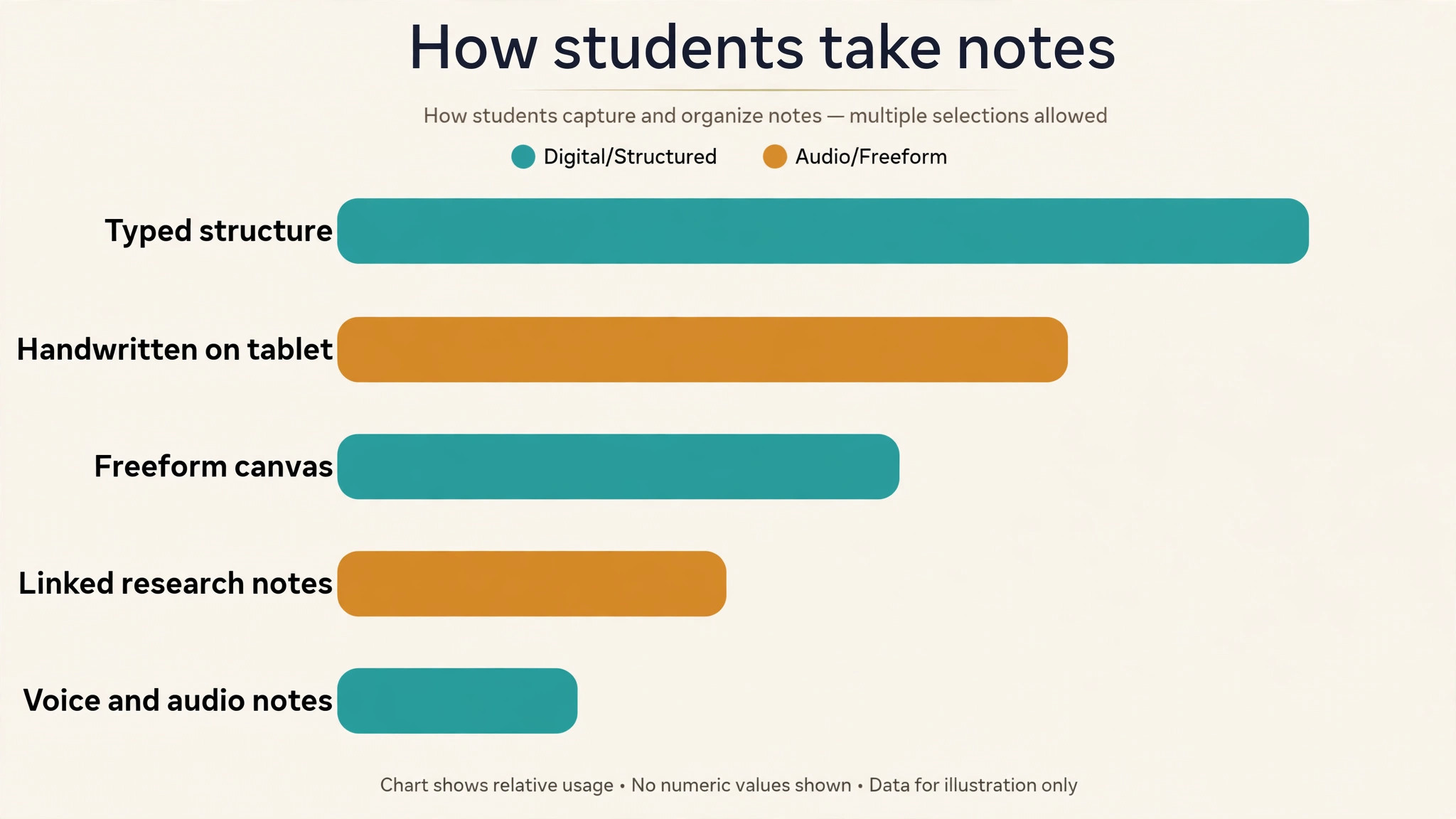
We judged each tool on the exam, which is whether the notes become revision. A tool scored well when it made notes searchable, when it synced across devices, and when it helped the student revise, whether through flashcards, linked notes or audio. A tool lost points when it stored notes beautifully but offered no way to revise them, because a note that is never revised is a note that was wasted.
- Search speed, because a note found in seconds is a note that gets revised.
- Sync across devices, so the note taken in class is available at home.
- Revision support, whether flashcards, linked notes or audio playback.
- Handwriting support, because many students learn by writing by hand.
- Free plan value, so a student can start without paying.
The 15 Tools at a Glance
Here is how the best note-taking apps for students compare on price, fit and standout strength, so the shortlist is visible in one place.
| Tool | Starting price | Best for | Standout strength |
|---|---|---|---|
| Notion | Free, Plus from $10 a month | students who want notes, tasks and study plans in one place | Notion combines notes, databases, tasks and calendars in one workspace, with a free plan for students and Plus from 10 dollars a month. It suits a student who wants the study plan, the notes and the deadlines in the same place, and its templates cover revision, reading lists and project tracking. |
| OneNote | Free | students who want free notes on every device | OneNote is Microsoft’s free note-taking app, with notebooks, sections, handwriting, audio recording and sync across Windows, Mac, iOS and Android. It suits a student who wants a free tool that works everywhere and never asks for payment. |
| Evernote | Free for 50 notes, from $14.99 a month | students who want web clipping and search | Evernote is the classic note app with web clipping, search and sync, with a free plan limited to 50 notes and one notebook, and paid plans from 14.99 dollars a month. It suits a student who clips research from the web and wants to find it later. |
| GoodNotes | Free, $11.99 a year | students who handwrite notes on a tablet | GoodNotes is a handwriting app for iPad and other tablets, with a free plan for three notebooks and a full version at 11.99 dollars a year. It suits a student who writes by hand and wants the notes searchable, organised and backed up. |
| Notability | From $11.99 a year | students who record lectures while they write | Notability combines handwriting with audio recording, so a student can tap a note and hear what the lecturer said at that moment, from 11.99 dollars a year. It suits a student who learns by listening and writing at the same time. |
| Obsidian | Free, Sync from $4 a month | students who build a linked knowledge base | Obsidian is a free note app that links notes into a knowledge graph, with local files the student owns and Sync from 4 dollars a month for backup across devices. It suits a student who writes research notes and wants to see how ideas connect. |
| Apple Notes | Free | students on Apple devices who want simple notes | Apple Notes is free on every iPhone, iPad and Mac, with handwriting, scanning, checklists and sync through iCloud. It suits a student who uses Apple devices and wants notes that are already there, with no setup and no cost. |
| Google Keep | Free | students who want quick capture and reminders | Google Keep is Google’s free note app for quick capture, with colour-coded notes, checklists, reminders and voice notes. It suits a student who wants to capture an idea fast and find it later, rather than build a study system. |
| Bear | From $2.99 a month | students who want clean writing on Apple devices | Bear is a clean writing app for Apple devices, with markdown, tags and themes from 2.99 dollars a month. It suits a student who writes essays and wants a distraction-free editor with organised tags. |
| Joplin | Free | students who want free notes with sync they control | Joplin is a free, open-source note app with markdown, sync through the student’s own cloud, and end-to-end encryption. It suits a student who wants free notes without a subscription and who cares about owning their data. |
| Simplenote | Free | students who want the simplest free notes | Simplenote is a free note app with plain text, tags and sync across every device, and no paid plan at all. It suits a student who wants the simplest possible notes, with nothing to learn and nothing to pay. |
| Craft | Free, from $8 a month | students who want beautiful structured documents | Craft is a document app with beautiful formatting, blocks and sharing, with a free plan and a Plus plan from 8 dollars a month. It suits a student who writes essays and group documents and wants them to look good. |
| RemNote | Free | students who want notes that become flashcards | RemNote combines note-taking with spaced repetition flashcards, with a free plan for the core features. It suits a student who revises with flashcards and wants the notes to become the revision material. |
| Zoho Notebook | Free | students who want free notes with audio and sketches | Zoho Notebook is a free note app with text, audio, sketches and checklists, and it syncs across devices at no cost. It suits a student who wants a free tool with more than plain text, including voice notes and drawings. |
| Nebo | Pricing on the vendor site | students who handwrite and want it converted to text | Nebo is a handwriting app that converts handwritten notes to typed text, and its pricing is shown on the vendor site. It suits a student who writes by hand but wants searchable typed notes without retyping them. |
Best Pick by Job
Our pick among the best note-taking apps for students is Notion, and the table below matches the right tool to the job at hand, because the best tool depends on what the reader is actually doing.
| Job | Best pick | Why |
|---|---|---|
| Student who types and plans | Notion | Notes, tasks and plans free |
| Student who handwrites on iPad | GoodNotes | Handwriting search for $11.99 a year |
| Student who revises with flashcards | RemNote | Notes that become flashcards, free |
| Student who wants free notes everywhere | OneNote | Free on every device |
| Best overall for most students | Notion | Free workspace that grows with the degree |
The 15 Tools in Detail
The best note-taking apps for students below are listed with the price, the fit and the reason to skip each one, so the decision is visible tool by tool.
1. Notion
Notion is built for students who want notes, tasks and study plans in one place. It is free, plus from $10 a month.
Notion combines notes, databases, tasks and calendars in one workspace, with a free plan for students and Plus from 10 dollars a month. It suits a student who wants the study plan, the notes and the deadlines in the same place, and its templates cover revision, reading lists and project tracking.
Its flexibility is the point, because a student can build a study system that fits their degree rather than fitting the tool’s shape.
Skip it when the student wants handwriting, because Notion is a typing tool first.
In the trial, check Notion against the checklist above, and confirm the free plan plan covers the job before paying.
2. OneNote
OneNote is built for students who want free notes on every device. It is free.
OneNote is Microsoft’s free note-taking app, with notebooks, sections, handwriting, audio recording and sync across Windows, Mac, iOS and Android. It suits a student who wants a free tool that works everywhere and never asks for payment.
Its free price and its handwriting support make it the most generous free tool here.
Skip it when the student wants linked research notes, because OneNote is a notebook rather than a knowledge graph.
In the trial, check OneNote against the checklist above, and confirm the free plan plan covers the job before paying.
3. Evernote
Evernote is built for students who want web clipping and search. It is free for 50 notes, from $14.99 a month.
Evernote is the classic note app with web clipping, search and sync, with a free plan limited to 50 notes and one notebook, and paid plans from 14.99 dollars a month. It suits a student who clips research from the web and wants to find it later.
Its web clipper and search are the features, because a student who researches online needs to find a clipped article months later.
Skip it when the budget is zero, because the free plan is limited to 50 notes.
In the trial, check Evernote against the checklist above, and confirm the free plan plan covers the job before paying.
4. GoodNotes
GoodNotes is built for students who handwrite notes on a tablet. It is free, $11.99 a year.
GoodNotes is a handwriting app for iPad and other tablets, with a free plan for three notebooks and a full version at 11.99 dollars a year. It suits a student who writes by hand and wants the notes searchable, organised and backed up.
Its handwriting search is the feature, because a student can find a word in a handwritten page months later.
Skip it when the student uses Android or Windows, because GoodNotes is strongest on iPad.
In the trial, check GoodNotes against the checklist above, and confirm the free plan plan covers the job before paying.
5. Notability
Notability is built for students who record lectures while they write. It starts from $11.99 a year.
Notability combines handwriting with audio recording, so a student can tap a note and hear what the lecturer said at that moment, from 11.99 dollars a year. It suits a student who learns by listening and writing at the same time.
Its audio sync is the point, because a note linked to the exact moment in the lecture is worth more than a page of writing alone.
Skip it when the student types rather than writes, because Notability is built for handwriting.
In the trial, check Notability against the checklist above, and confirm the $11.99 a year plan covers the job before paying.
6. Obsidian
Obsidian is built for students who build a linked knowledge base. It is free, sync from $4 a month.
Obsidian is a free note app that links notes into a knowledge graph, with local files the student owns and Sync from 4 dollars a month for backup across devices. It suits a student who writes research notes and wants to see how ideas connect.
Its linking is the feature, because a student who links concepts across courses builds understanding that a flat notebook cannot show.
Skip it when the student wants a simple app, because Obsidian takes setup and learning.
In the trial, check Obsidian against the checklist above, and confirm the free plan plan covers the job before paying.
7. Apple Notes
Apple Notes is built for students on Apple devices who want simple notes. It is free.
Apple Notes is free on every iPhone, iPad and Mac, with handwriting, scanning, checklists and sync through iCloud. It suits a student who uses Apple devices and wants notes that are already there, with no setup and no cost.
Its zero setup is the point, because a student can open it and start writing in seconds.
Skip it when the student uses Windows or Android, because Apple Notes is an Apple-only tool.
In the trial, check Apple Notes against the checklist above, and confirm the free plan plan covers the job before paying.
8. Google Keep
Google Keep is built for students who want quick capture and reminders. It is free.
Google Keep is Google’s free note app for quick capture, with colour-coded notes, checklists, reminders and voice notes. It suits a student who wants to capture an idea fast and find it later, rather than build a study system.
Its speed is the feature, because a note captured in three seconds is a note that exists, while one that takes a minute is often lost.
Skip it when the student needs long structured notes, because Keep is built for short captures.
In the trial, check Google Keep against the checklist above, and confirm the free plan plan covers the job before paying.
9. Bear
Bear is built for students who want clean writing on Apple devices. It starts from $2.99 a month.
Bear is a clean writing app for Apple devices, with markdown, tags and themes from 2.99 dollars a month. It suits a student who writes essays and wants a distraction-free editor with organised tags.
Its clean design is the point, because a student who writes for hours needs an editor that stays out of the way.
Skip it when the student does not use Apple devices, because Bear is Apple-only.
In the trial, check Bear against the checklist above, and confirm the $2.99 a month plan covers the job before paying.
10. Joplin
Joplin is built for students who want free notes with sync they control. It is free.
Joplin is a free, open-source note app with markdown, sync through the student’s own cloud, and end-to-end encryption. It suits a student who wants free notes without a subscription and who cares about owning their data.
Its free price and open-source model make it the most private free tool here.
Skip it when the student wants handwriting, because Joplin is a typing tool.
In the trial, check Joplin against the checklist above, and confirm the free plan plan covers the job before paying.
11. Simplenote
Simplenote is built for students who want the simplest free notes. It is free.
Simplenote is a free note app with plain text, tags and sync across every device, and no paid plan at all. It suits a student who wants the simplest possible notes, with nothing to learn and nothing to pay.
Its simplicity is the feature, because a student who only needs to write and find notes does not need more.
Skip it when the student needs handwriting or rich formatting, because Simplenote is plain text only.
In the trial, check Simplenote against the checklist above, and confirm the free plan plan covers the job before paying.
12. Craft
Craft is built for students who want beautiful structured documents. It is free, from $8 a month.
Craft is a document app with beautiful formatting, blocks and sharing, with a free plan and a Plus plan from 8 dollars a month. It suits a student who writes essays and group documents and wants them to look good.
Its design is the point, because a student who shares documents with a group wants them to read well.
Skip it when the budget is zero, because the free plan is limited.
In the trial, check Craft against the checklist above, and confirm the free plan plan covers the job before paying.
13. RemNote
RemNote is built for students who want notes that become flashcards. It is free.
RemNote combines note-taking with spaced repetition flashcards, with a free plan for the core features. It suits a student who revises with flashcards and wants the notes to become the revision material.
Its flashcards are the feature, because a note that becomes a flashcard is a note that gets revised, not just stored.
Skip it when the student does not revise with flashcards, because that is the point of the tool.
In the trial, check RemNote against the checklist above, and confirm the free plan plan covers the job before paying.
14. Zoho Notebook
Zoho Notebook is built for students who want free notes with audio and sketches. It is free.
Zoho Notebook is a free note app with text, audio, sketches and checklists, and it syncs across devices at no cost. It suits a student who wants a free tool with more than plain text, including voice notes and drawings.
Its free price with audio and sketch support makes it the most generous free tool for mixed notes.
Skip it when the student needs linked research, because Notebook is a collection of notes rather than a graph.
In the trial, check Zoho Notebook against the checklist above, and confirm the free plan plan covers the job before paying.
15. Nebo
Nebo is built for students who handwrite and want it converted to text. Pricing is on the vendor site.
Nebo is a handwriting app that converts handwritten notes to typed text, and its pricing is shown on the vendor site. It suits a student who writes by hand but wants searchable typed notes without retyping them.
Its handwriting-to-text conversion is the feature, because a student who writes by hand can search their notes as if they had typed them.
Skip it when a published price is needed, because Nebo prices by plan on its site.
In the trial, check Nebo against the checklist above, and confirm the quoted plan covers the job before paying.
Turn Lecture Notes into Revision in Five Steps
The five steps below are the checklist we would follow for best note-taking apps for students, in the order that wastes the least time.
Capture the note in the lecture, not after it. Write or type the note during the lecture, even if it is messy, because a note captured in the moment is a note that exists. A student who plans to write it up later usually never does, and the lecture is lost.
Tag the note the same day. Spend five minutes after the lecture adding a tag for the course and the topic, because a note tagged today is a note found in exam week. A student who tags late finds a pile of untitled notes and no way to sort them.
Link the note to the last one on the topic. Connect the new note to the previous note on the same topic, so the ideas build into a chain rather than sitting alone. A student who links notes sees the course as a story, while one who does not sees a pile of pages.
Turn the key points into flashcards. Take the three most important points from each lecture and turn them into flashcards, because a flashcard is a note that gets revised. A student who makes flashcards as they go revises a little every day, while one who waits until exam week revises nothing.
Review the flashcards every week. Spend twenty minutes each week reviewing the flashcards, and the exam becomes a reminder rather than a relearning. A student who reviews weekly arrives at the exam knowing the material, while one who crams arrives hoping to remember it.
What Note-Taking Apps Cost a Student Each Year
The monthly bill for best note-taking apps for students runs from the cheapest entry point to the top tier, and the right budget depends on volume rather than brand.
The yearly bill for note-taking runs from free on OneNote, Apple Notes, Google Keep, Joplin, Simplenote, RemNote and Zoho Notebook to 11.99 dollars a year for GoodNotes or Notability, 2.99 dollars a month for Bear, 4 dollars a month for Obsidian Sync, 8 dollars a month for Craft, and 10 dollars a month for Notion Plus. Evernote starts at 14.99 dollars a month, which is the most expensive tool here. Most students land on a free tool, because the free plans here are genuinely usable, and the paid ones are for handwriting or sync.
The cost that students forget is the subscription that piles up. A student who pays for Notion Plus, Evernote and GoodNotes at once is spending over 300 dollars a year on notes, while a free combination of OneNote and RemNote covers the same ground for nothing. Pick one paid tool if the free ones cannot do the job, and let the free ones carry the rest. The notes are the asset, not the subscription.
Five Mistakes That Waste a Student’s Revision Time
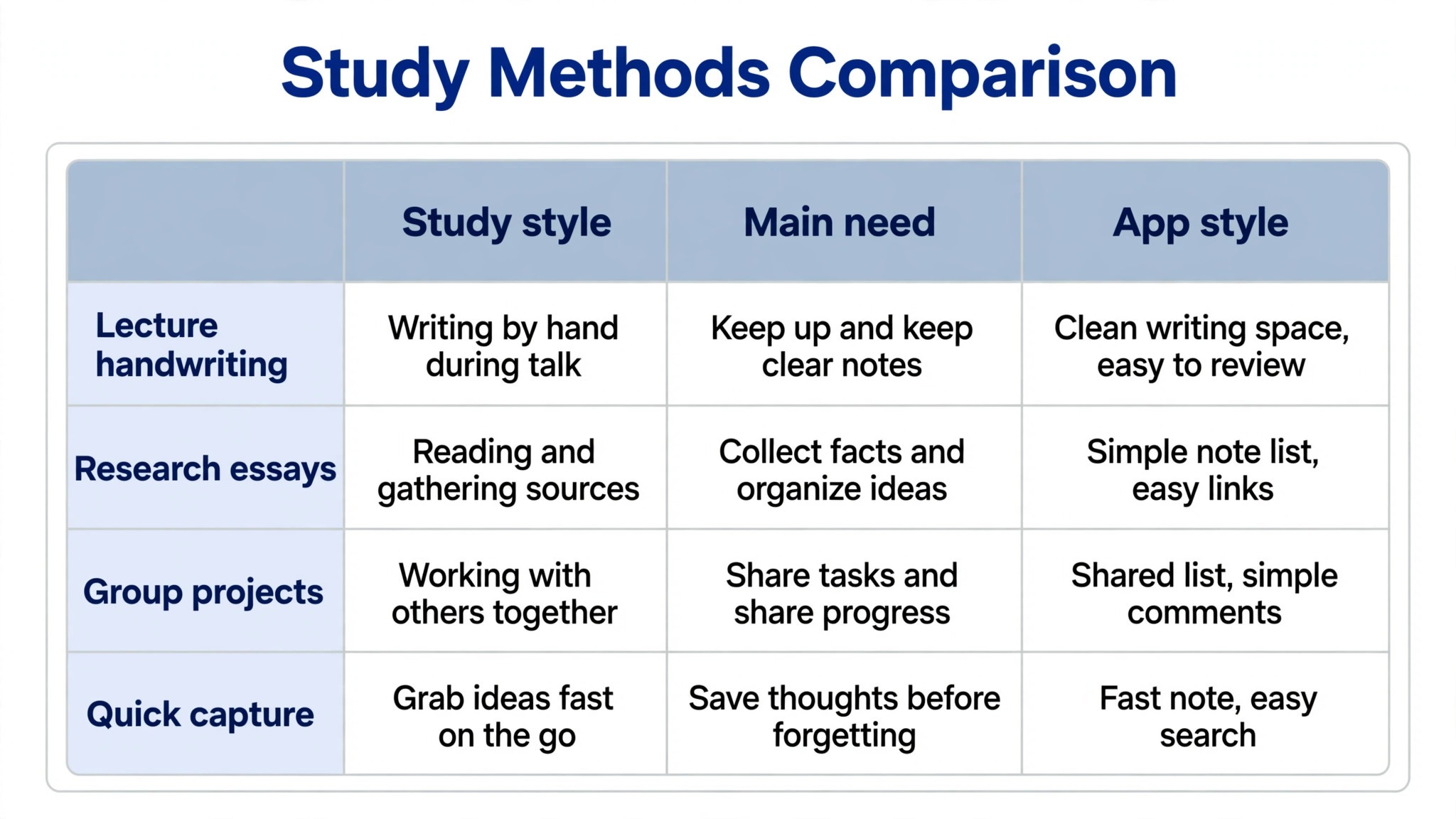
Choosing a tool before knowing how you learn. A student who learns by handwriting and picks a typing-only tool will fight the app every day, while one who types and picks a handwriting app wastes the tablet. Learn how you learn first, then pick the tool that fits.
Never tagging a note. A note without a tag is a note lost in a pile, and a student who does not tag will spend exam week searching rather than revising. Tag the note the same day it is written.
Paying for three note apps at once. A student who subscribes to three tools pays for the same job three times, and the notes end up split across all three. Pick one, and use it for everything.
Waiting until exam week to revise. A note revised in exam week is a note relearned, while one revised weekly is a note remembered. Review a little every week, and the exam becomes a reminder.
Never exporting the notes. A note trapped in a tool that the student stops paying for is a note lost, and the exam does not wait. Export the notes regularly, and keep a copy outside the app.
Frequently Asked Questions
These are the questions readers ask most about best note-taking apps for students, answered with the prices and limits above.
How much do note-taking apps cost a student?
Most note-taking apps are free for students, including OneNote, Apple Notes, Google Keep, Joplin, Simplenote, RemNote and Zoho Notebook. GoodNotes and Notability cost 11.99 dollars a year, Bear costs 2.99 dollars a month, Obsidian Sync costs 4 dollars a month, Craft costs 8 dollars a month, and Notion Plus costs 10 dollars a month. Evernote is the most expensive here, from 14.99 dollars a month, and its free plan is limited to 50 notes.
Which note-taking app is best for students?
Notion is the best pick for most students, because it combines notes, tasks and study plans in one free workspace, with Plus from 10 dollars a month. OneNote is the pick for a student who wants a free tool on every device, while GoodNotes at 11.99 dollars a year is the pick for a student who handwrites on an iPad. A student who revises with flashcards should look at RemNote, which is free.
Is Notion or OneNote better for students?
Notion is better when the student wants notes, tasks and study plans in one place, because its databases and templates cover the whole degree. OneNote is better when the student wants a free tool that works everywhere with handwriting, because it costs nothing and syncs across every device. A student who types and plans should pick Notion, while one who writes by hand and wants zero cost should pick OneNote.
Can a student use a free note-taking app for a whole degree?
Yes, OneNote, Apple Notes, Google Keep, Joplin, Simplenote, RemNote and Zoho Notebook are all free with no time limit, and they cover notes, sync and search for a whole degree. The paid tools add handwriting search, sync or flashcards, which are useful but not essential. A student should start free, and pay only when the free tool cannot do something the degree needs.
Which note-taking app is best for handwriting?
GoodNotes at 11.99 dollars a year is the best pick for handwriting on an iPad, because its handwriting search finds a word in a handwritten page. Notability at 11.99 dollars a year is the pick for a student who also wants audio recording linked to the notes. OneNote is free and supports handwriting on every device, which makes it the best free handwriting tool here.
Do note-taking apps help with exam revision?
Yes, when the notes become revision material. RemNote turns notes into flashcards with spaced repetition, Obsidian links notes so the student sees how ideas connect, and Notability links a note to the exact moment in a lecture recording. A tool that only stores notes does not help revision, while one that turns them into flashcards or links does. The exam is won by the student whose notes become revision, not by the one with the most notes.
Our Pick, Stated Plainly (Notion)
Our pick for most students is Notion, because it is free, it combines notes, tasks and study plans in one place, and it grows with the degree. A student who handwrites on an iPad should pick GoodNotes at 11.99 dollars a year, while one who wants a free tool on every device should pick OneNote. The exception is a student who revises with flashcards, where RemNote free is the honest choice.
Start with the free plan, take notes in the next lecture, and tag them the same day. If the notes are findable a week later and the flashcards are building, the tool has earned its place. If the notes sit in a pile and the revision never happens, the problem is the habit, not the app, and no tool will fix a note that was never tagged.