

The contest for the best video editing software for real estate agents is really a contest between speed and polish. CapCut wants to turn phone clips from a showing into a finished Reel before you drive home, with captions and templates that need no skill at all. Adobe Premiere Pro wants to give a production team total control over colour, sound and motion graphics, and it charges in time as well as money. The other eight tools sit between those two poles, from free desktop editors to template platforms that build a listing video from photos.
This guide puts all ten side by side so you can see where the leader wins, where the runner-up catches it, and which tool fits the way you actually shoot. Listings with video receive far more inquiries than listings without, and most sellers say they are more likely to list with an agent who offers video. The problem is not demand, it is time. An agent who spends four hours editing one listing video will stop making videos, however good the first one looked. The right editor is the one you will open after every showing, not the one with the longest feature list.
We tested each tool against the work an agent actually does, from phone clips at a showing to drone footage over a property. We looked at editing speed, caption quality, template depth, colour tools and the real cost of the plan a working agent needs. Prices below come from vendor pages and pricing guides published in October and November 2026, and any price a vendor does not publish is marked as quoted on request rather than guessed.
In this article
- The 10 Tools at a Glance
- Why the Best Video Editing Software for Real Estate Agents Decides Which Listings Get Seen
- How We Judged Each Editor for Agents
- Best Pick by Job
- The 10 Tools in Detail
- A Repeatable Listing Video Workflow That Takes Under an Hour
- What a Listing Video Actually Costs
- Video Mistakes That Cost Agents Inquiries
- Frequently Asked Questions
- Our Pick for Real Estate Agents, Stated Plainly
The 10 Tools at a Glance
The table below gives the short version of the best video editing software for real estate agents. CapCut leads on speed, Premiere Pro leads on control, and the rest specialise by skill level or starting point. Read the detail section before you pay, because the most powerful editor in this list is the wrong choice for most agents.
| Tool | Starting price | Best for | Standout strength |
|---|---|---|---|
| CapCut | Free, Pro $19.99 per month | Fast phone edits | Auto captions and templates |
| Adobe Premiere Pro | $22.99 per month | Teams on Creative Cloud | Full professional control |
| DaVinci Resolve | Free, Studio $295 one-time | Colour grading drone footage | Best free colour tools |
| Final Cut Pro | $299.99 one-time | Mac agents | Pay once, fast on Apple hardware |
| Descript | $16 per month, annual billing | Talking-head agent videos | Edit video by editing text |
| Animoto | From $8 per month | Simple branded slideshows | Fast photo-to-video templates |
| InVideo | From $25 per month | Template-led listing videos | Large template library |
| Filmora | From $19.99 per month | Beginners on desktop | Gentle learning curve |
| Canva | Pro from $10 per month, annual billing | Social cuts with branding | Brand kit and templates |
| VEED | From $24 per month | Captions and subtitles | Browser-based captioning |
Why the Best Video Editing Software for Real Estate Agents Decides Which Listings Get Seen
Video has become the first thing a buyer watches, and the first thing a seller asks about. A listing with a walkthrough video earns more inquiries, more saves and more showings than the same listing with photos alone, and the gap grows every year as short video dominates every feed. An agent without video is not just missing a format, the agent is missing the room where buyers now decide. The runner-up matters here because most agents should not use it.
Premiere Pro is the industry standard and the right answer for a production team, but it is the wrong tool for an agent who edits between showings. It takes weeks to learn, hours to finish a video, and a subscription that only makes sense if video is a daily job. CapCut does in minutes what most agents actually need, and the free tier covers it. Colour and sound are the third pressure, and they decide whether a video feels expensive or amateur. A living room shot in mixed light needs colour work, and a tour narrated over street noise needs audio cleanup.
DaVinci Resolve has the best free colour tools anywhere, and Descript cleans voice with one click. The tools below are ranked on all three pressures together, not on features alone. The last pressure is format, because one listing video must work in three places at once. The same tour needs a horizontal cut for YouTube, a vertical cut for Reels and a square cut for a feed post, and an editor that exports all three without rebuilding the project saves an hour per listing. Tools that handle vertical first win for agents, because most buyers watch on a phone.
How We Judged Each Editor for Agents
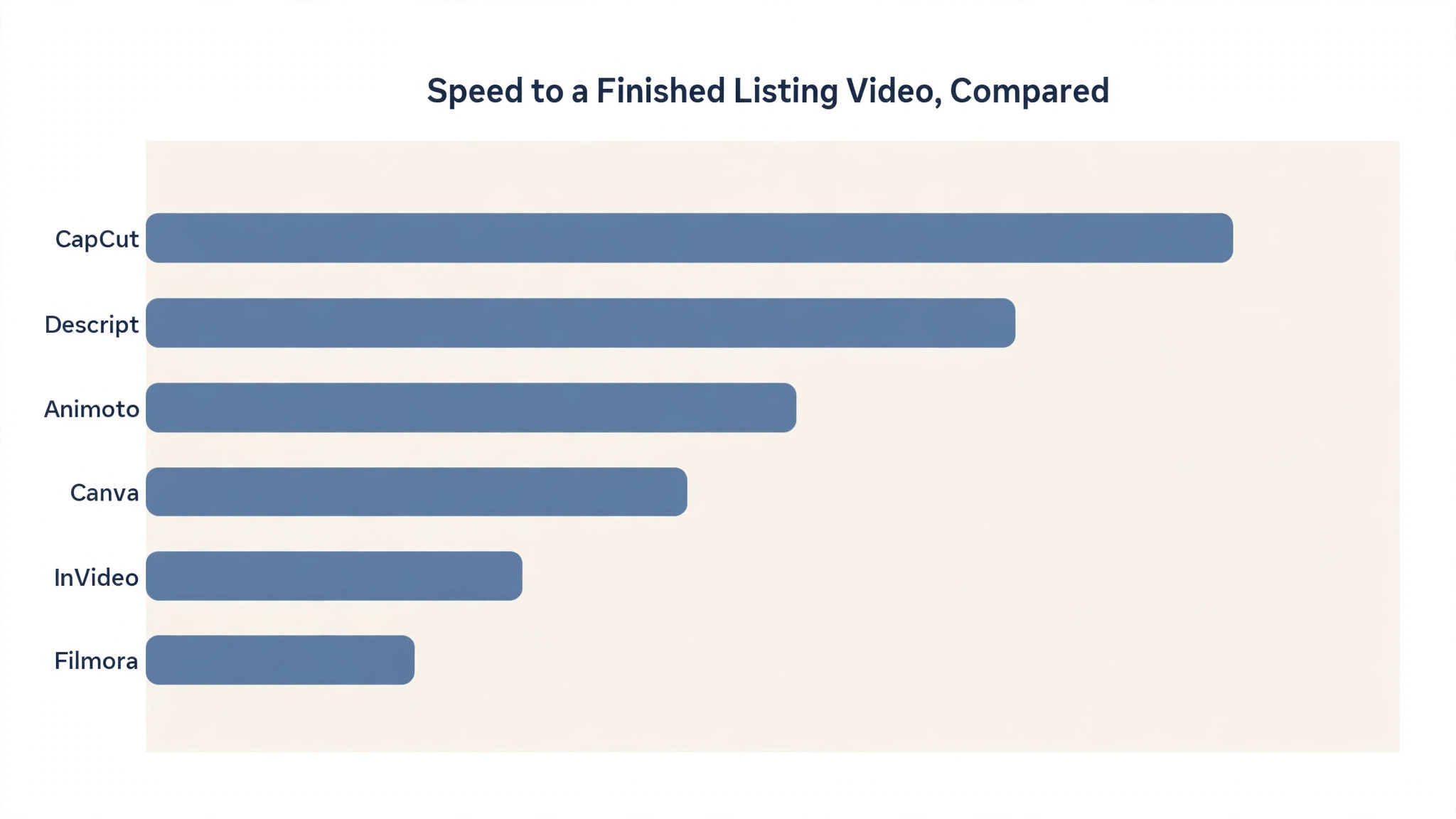
Every tool in this guide faced the same five tests, and the best video editing software for real estate agents earned their places by passing most of them. We weighted time to a finished video highest, because an editor you will not open is worthless however powerful it is. Colour, captions and templates came next, because they decide whether the finished video looks professional. Price was judged on the plan an agent actually needs, not the cheapest headline figure.
- Time to a finished video, from raw clips at a showing to a published file ready to post
- Caption quality, including auto captions, accuracy and how easy they are to style for a brand
- Template depth, from listing-specific layouts to branded lower thirds and end screens
- Colour and audio tools, for fixing mixed light in a living room and noise from the street outside
- Price honesty, meaning the plan that unlocks the useful features, with free tiers judged on what they really include
Best Pick by Job
No single editor wins every job, so the table below matches the best video editing software for real estate agents to the work you do most. Start from how you shoot, not from the ranking. An agent who films on a phone needs CapCut more than Premiere Pro, and an agent with a drone needs DaVinci Resolve more than either of them.
| If you need | Pick | Why it wins |
|---|---|---|
| Editing on a phone after a showing | CapCut | Free editor with captions and templates built for vertical video |
| A production team with full control | Adobe Premiere Pro | Industry-standard editing with colour, audio and motion graphics |
| Colour grading drone and gimbal footage | DaVinci Resolve | Best free colour tools of any editor in this list |
| Mac agents who want to pay once | Final Cut Pro | One-time purchase, fastest editor on Apple hardware |
| Talking-head agent videos | Descript | Transcript editing removes filler words and dead air in minutes |
| Listing videos from photos only | Animoto | Turns a photo set into a branded slideshow in minutes |
The 10 Tools in Detail
1. CapCut
The editor is free, and the Pro plan costs $19.99 per month, or $179.99 billed yearly. CapCut is the fastest way to turn phone clips from a showing into a Reel or a TikTok, with auto captions, beat-matched cuts and vertical export built in. The free tier includes the full editor, 1080p export and captions, while premium templates, effects and most AI features sit behind Pro. It suits agents who film on a phone and want a finished video before they leave the property.
Against Premiere Pro, CapCut wins on speed and price and loses on control. It will not colour grade a difficult interior like DaVinci Resolve, and it will not cut a multi-camera luxury tour like a professional editor. For the daily listing video, though, speed is the feature that matters, and CapCut is the fastest honest route from clips to a published post.
Film in good light and let the captions do the work. Most buyers watch with the sound off, so accurate captions matter more than fancy transitions. Keep the tour under sixty seconds for social feeds, and save the long cut for YouTube. The free tier covers all of this, so pay for Pro only when you need its templates every week.
2. Adobe Premiere Pro
The subscription costs $22.99 per month on the annual plan. Premiere Pro is the industry-standard editor, with multi-camera editing, colour correction, motion graphics templates for branded lower thirds and full audio editing. It suits agencies and teams already on Creative Cloud, and videographers who shoot luxury listings with a crew. For a full production team, there is nothing in this list that matches its depth.
Against CapCut, Premiere Pro wins on control and loses on time. Most agents should not use it, because it is designed for professional editors and professional editing is a different job from selling a house. The software cost is low, but the time cost is prohibitive for an agent doing volume work. Buy it when video is a team job, not a solo one.
If you hire a videographer, let them choose the editor and judge the result, not the tool. A good videographer on Premiere Pro will deliver a luxury tour that no phone editor can match, and the $22.99 subscription is a small part of that cost. Do not buy it yourself unless you plan to edit every day.
3. DaVinci Resolve
The editor is free, and the Studio version costs $295 as a one-time purchase. DaVinci Resolve is the strongest free desktop editor available, with the best colour tools of any product in this list. It suits agents who shoot drone and gimbal footage and need to correct difficult interiors, mixed light and flat skies. The interface assumes you already know what a node is, so the learning curve is steep, but the colour results repay the effort.
Against Final Cut Pro, Resolve wins on price and on colour, and it loses on ease. Final Cut is faster to learn and faster on Apple hardware, while Resolve is free and runs on any desktop. For an agent who films exteriors with a drone, Resolve is the right free choice, and Studio is worth the one-time price once colour work becomes a weekly job.
Learn the colour page before you learn anything else. A single node that balances exposure and warms the shadows will lift a listing video more than any transition pack. Watch one tutorial on colour wheels, practise on a single tour, and reuse the grade as a preset for every listing after that.
4. Final Cut Pro
The purchase costs $299.99 as a one-time payment, with no subscription. Final Cut Pro is Apple professional editor and the best value for agents on a Mac, because a single payment replaces a monthly bill forever. It is the fastest editor on Apple hardware, with magnetic timelines, strong colour tools and a workflow that suits agents who edit regularly. It suits Mac users who want professional depth without a subscription.
Against Premiere Pro, Final Cut wins on price over time and on speed, and it loses on cross-platform work. It runs only on a Mac, so a team with mixed machines cannot share projects. Against DaVinci Resolve, it wins on ease and loses on colour depth. For a solo agent on a Mac who edits every week, it is the most sensible purchase in this list.
Buy it once and stop thinking about subscriptions. The one-time price pays for itself in about thirteen months against Premiere Pro, and after that the editor costs nothing. Build a small library of branded titles and lower thirds once, and every listing video after that starts from a template you already own.
5. Descript
Paid plans start at $16 per month on annual billing for the Hobbyist plan, and a free plan includes 60 media minutes. Descript is built around transcript-driven editing, which suits talking-head agent videos far better than property tours. You edit the words, and the video follows, so filler words and dead air disappear in minutes. It suits agents who film market updates, advice videos and walkthrough narration to camera.
Against CapCut, Descript wins on talking-head editing and loses on phone speed and templates. It is not the tool for cutting property footage, and its learning curve is steeper than a phone editor. For an agent who publishes advice videos every week, transcript editing is the fastest honest way to a clean final cut.
Record with a short script and let Descript remove the pauses. A two-minute market update recorded in one take will edit down to ninety clean seconds, and the captions come free with the transcript. Publish the update weekly, and the channel becomes the reason sellers call you first.
6. Animoto
Paid plans start from $8 per month. Animoto is a template platform that turns a photo set into a simple branded slideshow in fifteen to thirty minutes, with music, text overlays and your logo. It suits agents who have listing photos but no video footage, and who want a presentable video without learning an editor. The templates are clean, the workflow is short, and the result looks professional on a feed.
Against CapCut, Animoto wins on photo-only listings and loses on real footage. It cannot cut a walkthrough, because there is no walkthrough to cut. For a standard listing where you have photos and no time to film, it is the fastest route to a video that earns inquiries.
Use your best twelve photos and let the template set the pace. Too many photos makes the video drag, and too few makes it feel empty. Add the price range and the key features as text overlays, and end with your contact details on a plain branded screen.
7. InVideo
Paid plans start from $25 per month. InVideo is a template-led editor with a large library of listing and promo layouts, plus AI tools that draft a first cut from your clips and text. It suits agents who want more polish than a phone editor and more structure than a blank timeline. The templates cover property tours, open house announcements and agent introductions, so a new video rarely starts from nothing.
Against Animoto, InVideo wins on depth and loses on simplicity. It takes longer to learn, and its best templates sit behind higher tiers. Against CapCut, it wins on desktop structure and loses on phone speed. For an agent who edits on a computer and wants a guided workflow, it is a solid middle ground.
Pick one template style and reuse it for every listing, changing only the photos, the text and the music. A consistent style builds recognition, and buyers start to recognise your videos before they read the name. Save the finished project as a template so the next listing takes half the time.
8. Filmora
Paid plans start from $19.99 per month. Filmora is a desktop editor built for beginners, with a gentle learning curve, drag-and-drop effects and a large library of titles and transitions. It suits agents who want more than a phone editor but do not want the depth of Premiere Pro or Resolve. The interface is friendly, the export is fast, and the result looks polished without a week of tutorials.
Against CapCut, Filmora wins on desktop comfort and loses on phone speed and price. Against Premiere Pro, it wins on ease and loses on professional depth. For an agent who edits at a desk and wants a tool that stays out of the way, Filmora is the easiest desktop editor in this list to live with.
Keep effects minimal and let the property carry the video. A simple cut, a clean title and steady music will sell a house better than a dozen transitions. Filmora tempts you to use every effect, and the best listing videos use almost none of them.
9. Canva
The Pro plan costs from $10 per month on annual billing, and a free plan covers the core design tools. Canva handles the branded side of listing video, from social cuts and story templates to end screens and channel art. Its brand kit keeps colours, fonts and logos consistent, and its video templates are fast to adapt. It suits agents who want every post to look like it came from the same brokerage.
Against CapCut, Canva wins on branding and loses on editing depth. It will not cut a walkthrough or grade colour, and its video tools are lighter than a dedicated editor. Treat it as the branding layer on top of a real editor, and it pays for itself in consistent, recognisable posts.
Build a brand kit once with your colours, fonts and logo, then apply it to every video template. A viewer who sees three of your posts should know they are yours without reading the name. That recognition is worth more than any single effect.
10. VEED
Paid plans start from $24 per month. VEED is a browser-based editor built around captions and subtitles, with accurate auto captions, translation and simple cutting tools that run without installing anything. It suits agents who need clean, styled captions on every video and who work across different computers. The caption accuracy is strong, and the styling options keep subtitles readable on a phone.
Against CapCut, VEED wins on caption depth and loses on price and templates. CapCut captions are free, while VEED charges for its best caption features. For an agent whose audience watches with sound off, the caption quality may justify the price, but most agents will get what they need from a free tool.
Use VEED when captions are the whole job, such as a client testimonial or a market update that must be understood without sound. For everyday listing videos, the free captions in CapCut are enough, and the money is better spent on a microphone or a gimbal.
A Repeatable Listing Video Workflow That Takes Under an Hour
Start with the best video editing software for real estate agents on your phone, not on a desktop. Film the tour in one walkthrough, moving slowly through each room and pausing at the features that sell the house, such as light, storage and outdoor space. Keep the camera steady, shoot horizontal for YouTube and vertical for social, and record a short voice note about each room while you walk. Edit in CapCut first, because the phone edit is the fastest path to a finished video. Add captions, cut the pauses, and export a vertical version for Reels and a horizontal version for YouTube.
Once a week, take the best listing and rebuild it in a desktop editor for a polished version, adding colour work in DaVinci Resolve or branded titles in Canva. The two-tier habit keeps daily videos fast and weekly videos polished. Keep the two-tier habit honest by tracking the time each video takes. A phone edit that takes twenty minutes is a win, while a phone edit that takes an hour means the template needs work. Log the time for a month, and the numbers will tell you whether the desktop tier is earning its place or whether every video should stay on the phone.
- Film one slow walkthrough, pausing at the features that sell the house
- Edit on the phone in CapCut, add captions and export vertical first
- Post the vertical cut the same day, while the listing is fresh
- Rebuild the best listing each week on desktop with colour and branding
- Track which videos earn inquiries and repeat the format that works
What a Listing Video Actually Costs
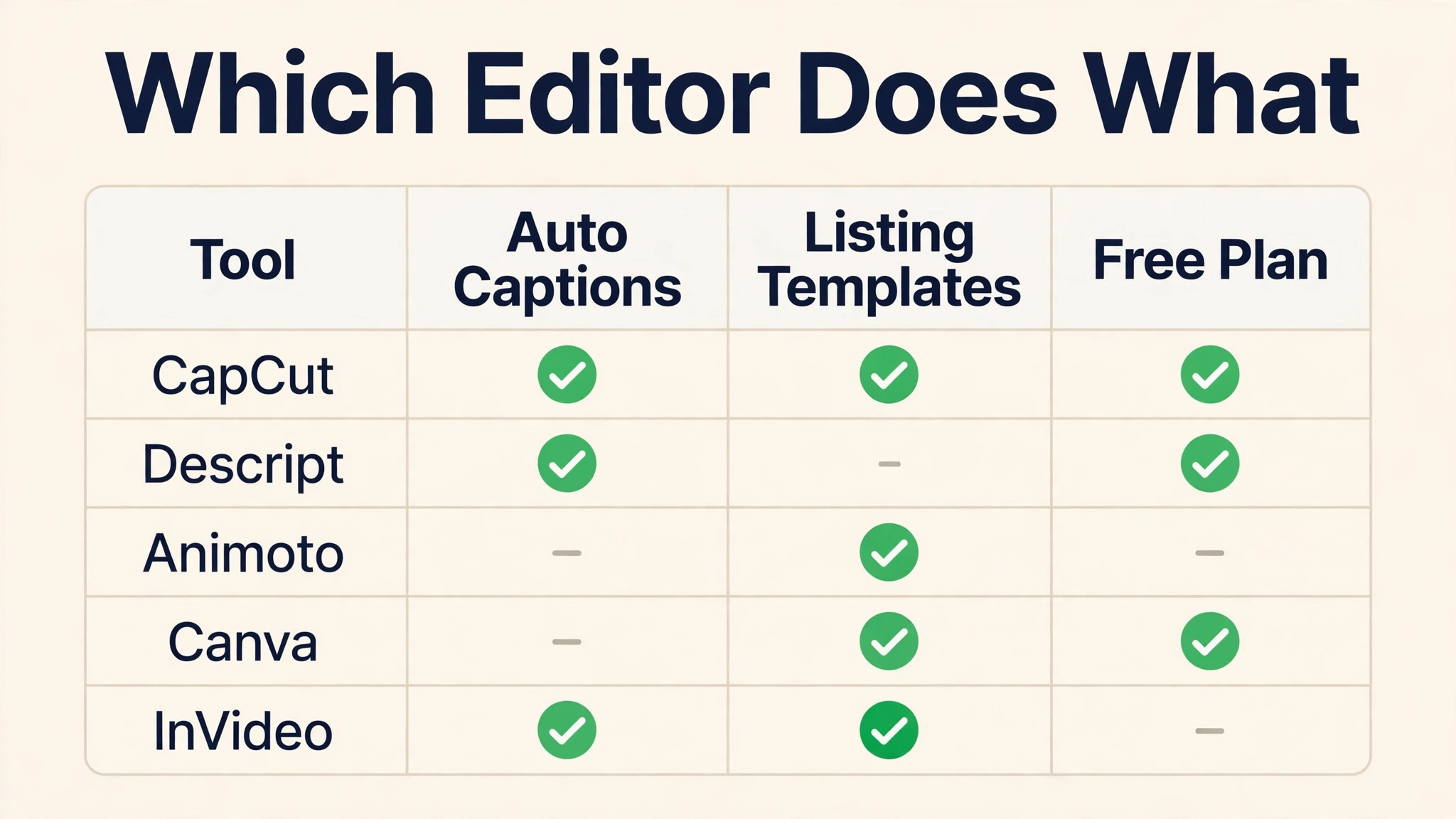
A solo agent can make listing videos for nothing, and most should start there. CapCut is free, DaVinci Resolve is free, and the two together cover phone edits, captions and colour work without a single subscription. The money that matters is not software, it is time, and the free tools are fast enough that time is the only real cost for a standard listing.
The first subscription worth buying is the one that removes a weekly bottleneck. A Canva Pro plan at $10 a month keeps every post branded, while Final Cut Pro at $299.99 once replaces a monthly bill forever for Mac users. A videographer for a luxury listing will cost more than any of these tools, and that is the right place to spend once the listing value justifies it.
| Tool | Monthly cost for one user | What you get for that money |
|---|---|---|
| CapCut | Free | Phone editing, captions and templates |
| DaVinci Resolve | Free | Desktop colour grading and cutting |
| Final Cut Pro | $299.99 once | Professional editing on a Mac |
| Canva Pro | From $10 a month | Branded templates and end screens |
| Descript | $16 a month | Talking-head editing from a transcript |
| Adobe Premiere Pro | $22.99 a month | Full professional control for teams |
Video Mistakes That Cost Agents Inquiries
- Filming a shaky walkthrough with no captions, so buyers on a phone scroll past in two seconds
- Editing for four hours in Premiere Pro when a phone editor would have finished in twenty minutes
- Posting a horizontal video to a vertical feed, so the tour plays as a tiny strip in the middle of the screen
- Using the same generic template for every listing, so no video shows what makes this house different
Frequently Asked Questions
The questions below come from agents who are choosing between the best video editing software for real estate agents for the first time. The short answers favour starting free, filming on a phone and paying only when a tool removes a bottleneck you can name.
What is the best free video editor for real estate agents?
CapCut and DaVinci Resolve are the two free editors that matter. CapCut is the best free choice for phone edits, captions and social cuts, while DaVinci Resolve is the best free choice for desktop colour work and drone footage. Start with CapCut if you film on a phone, and add Resolve when colour grading becomes a weekly job.
Should an agent pay for Premiere Pro?
Only if video is a team job or a daily job. Premiere Pro costs $22.99 a month, but the real cost is the time it takes to learn and to finish each video. A solo agent doing a few listings a week will earn more from CapCut or Final Cut Pro, and should hire a videographer for luxury listings instead of buying the software.
How long should a listing video be?
Sixty seconds or less for social feeds, and two to three minutes for YouTube. Buyers decide quickly, and a short video that shows the best rooms will earn more inquiries than a long video that shows every cupboard. Save the full tour for YouTube, and cut a sixty-second version for Reels and TikTok.
Do I need a drone for listing videos?
No, but drone footage helps for properties with land, views or a striking exterior. A phone walkthrough covers most listings, and a drone adds the establishing shot that makes a luxury listing feel expensive. If you buy one, learn DaVinci Resolve colour grading, because flat drone footage looks worse than a good phone clip.
Can I make a listing video from photos only?
Yes, and Animoto is the fastest tool for it. A photo slideshow with music and text overlays will not match a real walkthrough, but it earns inquiries for standard listings where you have no footage. Use your best twelve photos, keep the pace brisk, and end with your contact details on a branded screen.
What captions should I use on listing videos?
Burned-in captions in a large, clean font, because most buyers watch with the sound off. CapCut generates them free and styles them well, while VEED offers deeper control for a price. Check the captions for errors before you publish, because a wrong room name in the captions looks careless.
Our Pick for Real Estate Agents, Stated Plainly
CapCut is the pick for most agents, because the hardest part of listing video is finishing it, and CapCut finishes fastest. Premiere Pro is the runner-up that most agents should not buy, because its power belongs to a production team rather than a solo agent with showings to run. Buy the leader if you film on a phone and publish every week. Buy the runner-up only when video becomes a team job with a crew and a budget. Whichever you choose, keep the habit small.
One walkthrough, one phone edit and one post per listing will earn more inquiries than a perfect video you never finish. The best video editing software for real estate agents is the one you open after every showing, not the one with the longest feature list.