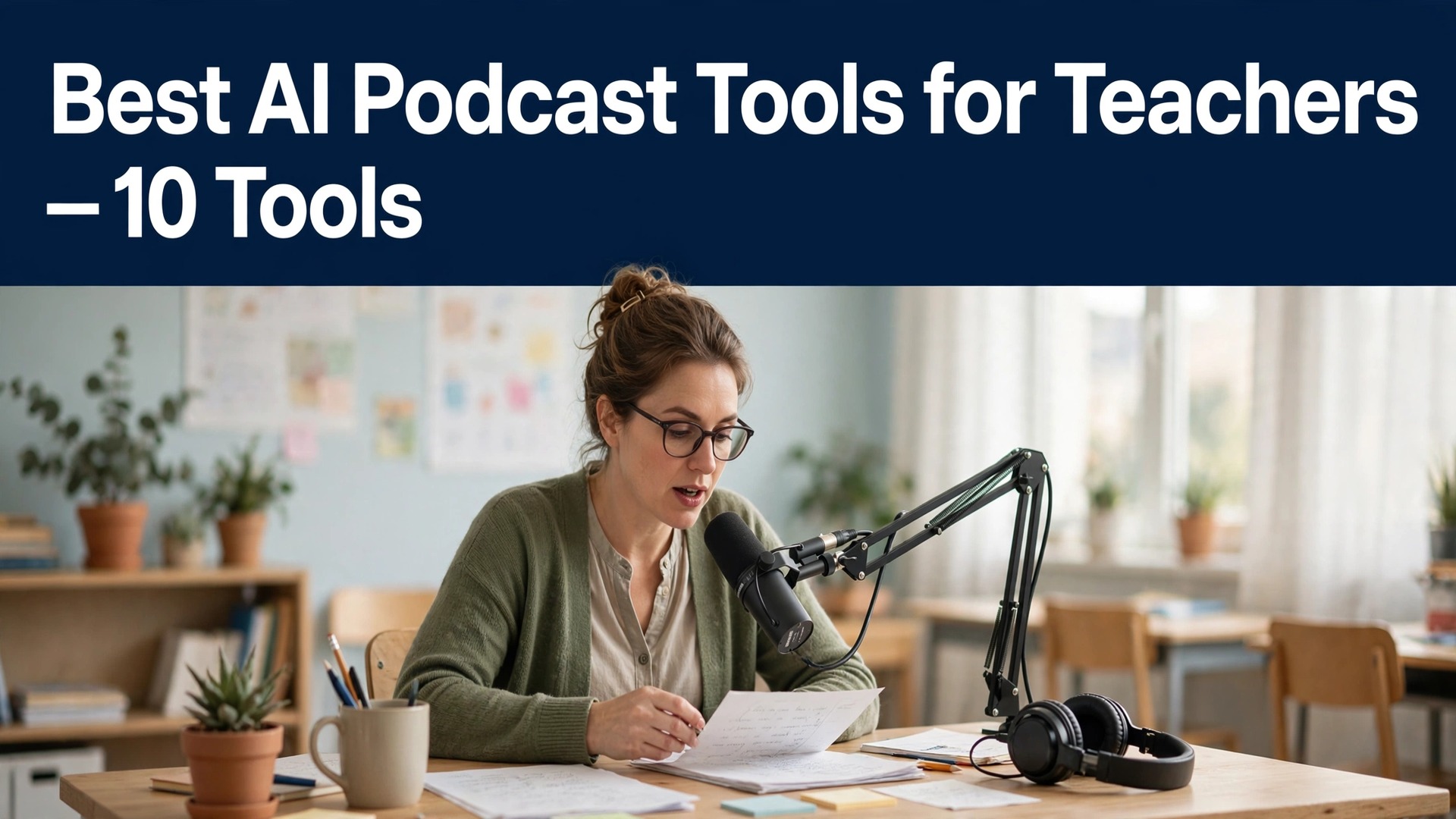
A student who listens to a lesson twice remembers more than one who reads it once, while a student who never opens the handout remembers nothing at all, and that gap is why the best ai podcast tools for teachers matter. Audio reaches the student on the bus, in the kitchen, and on the walk home, where a worksheet never goes.
The other approach is to record a lecture on a phone and upload the raw file, and that fails fast. The audio is rough, the ums stay in, the lesson runs long, and the students stop listening after three minutes. Raw recording works for a meeting and fails for a classroom, which is exactly where most teachers land.
The tools in this guide turn a lesson plan into a finished episode. They clean the audio, remove the filler, add chapters, and turn notes into a conversation students actually finish. This guide compares ten of them, judged on audio quality, ease of use, classroom fit, price, and how natural the result sounds.
Why Teachers Turn Lessons Into Listening
Teachers turn lessons into listening because students live in audio. A student who will not read a ten-page handout will listen to a ten-minute episode on the way to school, and the same material lands differently when it is heard rather than read. Audio is not a replacement for the lesson, and it is the best revision tool a teacher has.
The second problem is the time. A teacher who spends an evening editing audio is a teacher who is not planning tomorrow lesson, and the editing used to take longer than the recording. AI cleanup earns its keep by doing in minutes what used to take an hour, including the filler words and the background hum. That habit is what the best ai podcast tools for teachers are built to support.
The third problem is the voice. A lesson read aloud by a tired teacher sounds tired, while a lesson turned into a conversation between two voices sounds like a discussion. Tools that turn notes into a two-host conversation give the material a shape that a single voice cannot.
The 10 Tools at a Glance
| Tool | Main job | Best for | Starting paid price |
|---|---|---|---|
| NotebookLM | Notes to two-host audio | Teachers starting free | Free with a usage limit |
| Descript | Edit audio by editing text | Teachers who record and edit | Free, from about 16 dollars a month |
| Riverside | Remote recording plus video | Teachers who interview guests | Free, Pro from about 24 dollars a month |
| Podcastle | AI studio plus voice cloning | Teachers who want a studio | Free, from about 12 dollars a month |
| Adobe Podcast | Free audio cleanup | Teachers rescuing rough audio | Free |
| Wondercraft | Guided podcast creation | Teachers who want guidance | Free, from about 29 dollars a month |
| Murf AI | Text to speech plus voices | Teachers who need narration | Free trial, from about 19 dollars a month |
| ElevenLabs | Best voice quality plus cloning | Teachers who want natural voices | Free, from about 5 dollars a month |
| Alitu | Automatic editing plus hosting | Teachers who want it done | From about 38 dollars a month |
| Auphonic | Automatic levelling plus cleanup | Teachers with rough audio | Free for 2 hours a month, from about 13 dollars a month |
The table shows the real shape of this market. The editors cost more than the generators, and they earn it by giving the teacher control over the final episode. The best ai podcast tools for teachers are not the most expensive platforms on this page. They are the ones that fit a classroom budget and a teacher evening.
Free starts exist, and they suit a teacher testing whether audio changes the revision rate. Once the habit holds and the episodes pile up, the paid plans pay for themselves in saved evenings alone. Test with a real lesson before you commit, because a demo lesson never shows the class that matters.
Best Pick by Job
| Job type | First pick | Second tool | Why this pair works |
|---|---|---|---|
| Teachers starting free | NotebookLM | Descript | NotebookLM leads on notes to two-host audio and Descript covers the gap |
| Teachers who record and edit | Descript | Riverside | Descript leads on edit audio by editing text and Riverside covers the gap |
| Teachers who interview guests | Riverside | Podcastle | Riverside leads on remote recording plus video and Podcastle covers the gap |
| Teachers who want a studio | Podcastle | Adobe Podcast | Podcastle leads on ai studio plus voice cloning and Adobe Podcast covers the gap |
| Teachers rescuing rough audio | Adobe Podcast | Wondercraft | Adobe Podcast leads on free audio cleanup and Wondercraft covers the gap |
| Teachers who want guidance | Wondercraft | Murf AI | Wondercraft leads on guided podcast creation and Murf AI covers the gap |
A teacher starting out should start with NotebookLM, because it is free and turns a set of sources into a two-host audio overview in minutes, with no editing needed. It is the best free start in this guide, and the only tool that needs no budget at all. That match is how the best ai podcast tools for teachers earn their place on a real desk.
A teacher who wants to record and edit should start with Descript, because the free plan covers the basics and paid plans start from about $16 a month billed yearly, with editing by text. A teacher who interviews guests remotely should start with Riverside, because it records each voice separately.
How to Judge the Best AI Podcast Tools for Teachers
Start with a real lesson, not a demo. Take a lesson plan your students already know, turn it into an episode, and play it for the class. If the students listen to the end and remember the key point, the tool works. If they stop after three minutes, no feature will save it. The best ai podcast tools for teachers pass this test first, because the students are the only judges that matter.
Then test the editing. Record five minutes with ums, pauses, and a dog barking, and see what the tool does with it. A tool that cleans the audio and removes the filler in one click will save an evening a week, while a tool that needs manual cutting for every slip will not.
Then test the price against your real episode volume. A monthly plan looks cheap for one episode a week and expensive for one a term, while a free plan looks generous until the limit bites mid-term. Work out what your term costs, and buy the plan that covers your busiest week.
The 10 Tools in Detail
Each podcast tool below is reviewed on the same three fronts, all tied to classroom teaching. You will see what it produces best, where it falls short, and how to test it on a lesson plan you teach this term.
1. NotebookLM
NotebookLM, now called Gemini Notebook, is the free pick, and its strength is turning uploaded sources into a conversational audio overview between two AI hosts, with format and length controls. It is free with a usage limit.
The output format is fixed, and there is no voice control or download for commercial use. It suits teachers starting free best, because it needs no budget and no editing to make a first episode.
Test it with this one job. Upload one lesson plan, and play the overview for the class to see whether they listen to the end.
NotebookLM makes most sense for teachers starting free, and the decision comes down to one question. Does the notes to two-host audio matter enough to your week to justify free with a usage limit? Say yes, and the subscription can earn its keep inside the first month, because every hour it hands back on episode production is an hour you can put toward work that actually pays. If the answer is no, stay on the free plan or the lowest paid tier for episode production, and step up only when a limit starts getting in the way.
2. Descript
Descript is the editing pick, and its strength is editing audio by editing the transcript, with Studio Sound, filler-word removal, and an AI co-editor that cleans the episode. Paid plans start from about $16 a month billed yearly.
The learning curve is real, and the video features are wasted on an audio-only show. It suits teachers who record and edit best, especially those who want the episode to sound clean without learning audio engineering.
Test it with this one job. Record five minutes with ums and pauses, and see how many the tool removes in one click.
Buy Descript when the edit audio by editing text is the bottleneck in your week, not when the feature list looks impressive. For teachers who record and edit, the price of free, from about 16 dollars a month is fair if the tool removes a real hour every week, and it is a waste if it only adds another dashboard to check. Run the trial on your own episode production, count the hours it saves, and let that number decide, since a tool that saves no time is a tool you will abandon.
3. Riverside
Riverside is the interview pick, and its strength is recording each guest separately in high quality, with AI chat editing, Magic Audio, and clips for sharing. Pro starts from about $24 a month billed yearly.
It is built for interviews, and an audio-only solo show will waste half the features. It suits teachers who interview guests best, especially those who bring in experts from outside the school.
Test it with this one job. Record a ten-minute interview with a colleague, and check whether the separate tracks save the edit.
The honest test for Riverside is a real week of your own work. Test it with a real lesson plan you teach this term, and see whether the week gets easier or just busier. For teachers who interview guests, the price of free, pro from about 24 dollars a month buys the remote recording plus video, and that is the whole value. If your week does not need episode production done better, save the money and stay on the free plan until the need turns real.
4. Podcastle
Podcastle is the studio pick, and its strength is an AI studio with voice cloning, multi-track editing, and transcript editing, so a teacher can record, clean, and publish in one place. Paid plans start from about $12 a month billed yearly.
The voice cloning needs training data, and the learning curve is steeper than Descript. It suits teachers who want a studio best, especially those who record every week and want one login for the whole job.
Test it with this one job. Clone your voice on a short sample, and check whether the result still sounds like you.
Podcastle earns its place when teachers who want a studio need the ai studio plus voice cloning done properly, and the price of free, from about 12 dollars a month is the cost of doing it well. Doing the job by hand instead costs more in hours than the subscription costs in money, but that trade only tips once episode production volume is real. Begin small on episode production, track the hours, and upgrade when the work outgrows the plan, not a moment sooner.
5. Adobe Podcast
Adobe Podcast is the rescue pick, and its strength is Enhance Speech, which turns a rough phone recording into clean studio audio for free, with Mic Check and transcript editing beside it. It is completely free.
It is a cleanup tool, not an editor, so it cannot build an episode on its own. It suits teachers rescuing rough audio best, because it fixes the recording that would otherwise be unusable.
Test it with this one job. Record a lesson on a phone in a noisy room, and hear what the cleanup does to it.
Adobe Podcast makes most sense for teachers rescuing rough audio, and the decision comes down to one question. Does the free audio cleanup matter enough to your week to justify free? When the answer is yes, month one is usually enough for the fee to pay for itself, since the time saved on episode production goes straight to the work that brings in revenue. When the answer is no, hold off on paying for episode production and use the free tier or the cheapest plan, moving up only once you actually hit a limit.
6. Wondercraft
Wondercraft is the guided pick, and its strength is turning ideas, scripts, or notes into fully-produced episodes with a guided workflow, so a teacher who has never made a podcast can finish one in an afternoon. Pro plans start from about $29 a month.
The price is high for a classroom budget, and the control is lighter than Descript. It suits teachers who want guidance best, especially those making their first episode.
Test it with this one job. Turn one lesson plan into an episode, and see whether the guided steps feel helpful or slow.
Buy Wondercraft when the guided podcast creation is the bottleneck in your week, not when the feature list looks impressive. For teachers who want guidance, the price of free, from about 29 dollars a month is fair if the tool removes a real hour every week, and it is a waste if it only adds another dashboard to check. Test the free trial against real episode production, keep a count of the hours it saves, and trust that count, because a tool with no time saved will not stay in your routine.
7. Murf AI
Murf AI is the narration pick, and its strength is natural text-to-speech voices that can read a lesson aloud, with a free trial and paid plans from about $19 a month. A teacher can turn a written lesson into audio without recording.
The voice is still a voice, not a teacher, and the students can tell the difference. It suits teachers who need narration best, especially those who want audio without a microphone.
Test it with this one job. Turn one page of notes into audio, and play it for the class beside your own voice.
The honest test for Murf AI is a real week of your own work. Put a real lesson plan you teach this term through it, then judge whether the tool lightens the week or only adds another task to it. For teachers who need narration, the price of free trial, from about 19 dollars a month buys the text to speech plus voices, and that is the whole value. When that episode production job is not one your week needs improved, keep the cash and use the free plan until the pressure is genuine.
8. ElevenLabs
ElevenLabs is the voice pick, and its strength is the most natural text-to-speech in this guide, with voice cloning that keeps the teacher voice in the episode. Paid plans start from about $5 a month.
The free tier is small, and the cloning needs a good sample. It suits teachers who want natural voices best, especially those whose students notice the difference between a robot and a teacher.
Test it with this one job. Generate one minute of narration, and ask the class whether it sounds human.
ElevenLabs earns its place when teachers who want natural voices need the best voice quality plus cloning done properly, and the price of free, from about 5 dollars a month is the cost of doing it well. The manual route is still there, and it costs more hours than the monthly fee costs money, yet only once your episode production volume makes the hours add up. Start on a small plan for episode production, watch the hours, and move up when the workload passes what the plan can hold.
9. Alitu
Alitu is the done-for-you pick, and its strength is automatic cleanup, transcription, and AI titles, so a teacher can record and get a finished episode without learning to edit. Plans cost from about $38 a month.
The price is the highest in this guide for what it does, and the video features are absent. It suits teachers who want it done best, especially those who would rather plan the next lesson than edit the last one.
Test it with this one job. Record one lesson and let it finish the episode, then check whether the result needs any fix.
Alitu makes most sense for teachers who want it done, and the decision comes down to one question. Does the automatic editing plus hosting matter enough to your week to justify from about 38 dollars a month? A yes means the tool should cover its own cost in the first month, because the hours it frees from episode production can be spent on the work that earns the money. A no is a sign to keep the free plan or the entry-level tier for episode production for now, and upgrade only when the work genuinely outgrows it.
10. Auphonic
Auphonic is the levelling pick, and its strength is automatic levelling, filler and silence cutting, and transcripts, which make a rough recording sound even. The free plan covers two hours a month, and paid plans start from about $13 a month.
It does not record or edit, so it needs a recorder beside it. It suits teachers with rough audio best, especially those whose recordings come from different rooms and different phones.
Test it with this one job. Run a rough recording through it, and check whether the volume stays even from start to finish.
Buy Auphonic when the automatic levelling plus cleanup is the bottleneck in your week, not when the feature list looks impressive. For teachers with rough audio, the price of free for 2 hours a month, from about 13 dollars a month is fair if the tool removes a real hour every week, and it is a waste if it only adds another dashboard to check. Use the trial for a week of genuine episode production, measure the hours it gives back, and decide from that figure, because a tool that saves nothing is a tool you will stop using.
From Lesson Plan to Episode in One Afternoon
A good afternoon beats a good tool, because the routine is what gets the episode out. The routine below takes a teacher from a lesson plan to a finished episode in one afternoon, and it works with the cheapest tools as well as the most expensive ones. The key step is the student listen, which no tool can do for a teacher who never plays it back.
| Step | Job | Best tool | What good looks like |
|---|---|---|---|
| Step | Job | Best tool | What good looks like |
| 1 | Pick the lesson and the key point | NotebookLM | One lesson with one clear takeaway |
| 2 | Turn the notes into an audio overview | NotebookLM | A conversation students finish |
| 3 | Record a short intro in your own voice | Descript | One intro that sounds like you |
| 4 | Clean the audio and remove fillers | Descript | No ums left in the final cut |
| 5 | Add chapters and a title | Riverside | Chapters that help revision |
| 6 | Share the episode and ask for feedback | Podcastle | Students tell you what helped |
Run the routine on one real lesson before you change anything else. Time the recording, count the edits the tool makes for you, and note where the students stop listening. The afternoon that ships an episode students finish builds the habit. The afternoon that ships a rough recording builds nothing.
What a Classroom Podcast Costs per Term
Most teachers can start for nothing, and that is worth saying plainly. The best ai podcast tools for teachers include NotebookLM free and Adobe Podcast free, and a teacher testing the habit may never need to pay. The paid plans earn their money on editing depth and voice tools, and those two things are worth paying for once the episodes pile up.
| User type | Monthly stack | Monthly cost |
|---|---|---|
| Teacher type | Monthly stack | Monthly cost |
| Testing the habit | NotebookLM free | 0 dollars |
| Recording plus editing | Descript | About 16 dollars |
| Remote interviews | Riverside Pro | About 24 dollars |
| Voice cloning plus studio | Podcastle | About 12 dollars |
| Full clean-up plus hosting | Alitu | About 38 dollars |
A teacher paying for Descript spends about $16 a month billed yearly, which is less than one hour of marking time, and it buys the text editing that saves an evening a week. A teacher paying for Riverside Pro spends about $24 a month billed yearly, which only makes sense when remote guests are a regular part of the show.

How to Get Students to Actually Listen
Keep the episode short, and start with the one thing the students need to remember. A ten-minute episode with one clear point gets finished, while a twenty-minute episode with five points gets abandoned halfway. The students will tell you which one worked, so ask them after the first episode and believe the answer.
Play the episode in class the first time, rather than sending it home and hoping. A class that listens together will talk about it together, and the discussion does more than the audio alone. Once the habit is set, the students will listen on their own, because they know the episode is worth ten minutes.
Where Classroom Podcasts Go Wrong
The first mistake is publishing the raw recording. A lesson with ums, pauses, and background noise will lose the students in three minutes, and they will not come back for the next episode. Clean the audio first, even if the cleaning takes ten minutes, because the students judge the episode by the first minute.
The second mistake is making the episode too long. A twenty-minute episode sounds thorough, and a ten-minute episode gets finished, so the shorter one teaches more. Cut the episode to the key point, and save the rest for the next one. A buyer who checks that first will find the best ai podcast tools for teachers hold up.
The third mistake is never asking the students. A teacher who never plays the episode back for the class will never know whether it helped, and the episodes will drift from what the students actually need. Ask one question after every episode, and let the answers shape the next one.
Your Eight-Step Check Before You Record a Lesson
Run this check before you record a lesson, and keep a copy with your lesson notes.
- Pick one lesson with one clear takeaway.
- Turn the notes into an episode and play it for the class.
- Record five minutes with ums and noise and test the cleanup.
- Check the episode length and cut it to ten minutes.
- Add chapters that help revision.
- Check the cost against your term, not your week.
- Confirm the free plan limit before the term starts.
- Ask the students one question after every episode.
Frequently Asked Questions
Which AI podcast tool is best for a teacher starting out?
NotebookLM is the best pick for a teacher starting out, because it is free and turns a set of sources into a two-host audio overview in minutes. Descript is the best pick when you want to record and edit, with a free plan and paid plans from about $16 a month billed yearly. That answer is what the best ai podcast tools for teachers are judged on here.
Can teachers use AI podcast tools for free?
Yes, for the first term. NotebookLM is free with a usage limit, Adobe Podcast is free for audio cleanup, and Descript has a free plan. The paid plans only matter once the episodes become a weekly habit.
How long should a classroom podcast episode be?
Ten minutes is the length that works for most classes, because students finish a ten-minute episode and remember the key point. A twenty-minute episode sounds thorough and gets abandoned halfway, so cut to the point and save the rest for the next episode.
Is Descript or Riverside better for teacher interviews?
Riverside is the better pick for remote interviews, because it records each guest separately in high quality, with Pro from about $24 a month billed yearly. Descript is the better pick for editing, because you edit the episode by editing the text.
Do students actually listen to teacher podcasts?
They listen when the episode is short, clear, and useful for revision, and they stop when it is long, rough, or generic. Play one episode for the class and ask what helped, because the students will tell you faster than any analytics page.
What is the cheapest way for a teacher to start podcasting?
NotebookLM free plus Adobe Podcast free costs nothing and covers the whole job, from turning notes into audio to cleaning a rough recording. Add Descript when the editing becomes a weekly habit, at about $16 a month billed yearly.
What the Podcast Stack Costs a Teacher, and What It Returns
NotebookLM free is the pick for most teachers, because it costs nothing and turns notes into a conversation students finish. Descript at about $16 a month billed yearly is the pick when recording and editing become a weekly habit, because text editing saves an evening a week. Adobe Podcast free is the pick for rescuing a rough recording, because it costs nothing and works in minutes. The best ai podcast tools for teachers earn their fee when the work gets easier, not when the feature list gets longer.
Whichever tool you choose, keep the student listen. Play the episode for the class, ask one question, and let the answer shape the next one. A podcast earns its fee when the students listen to the end and remember the key point, and that habit comes from the routine, not the software. The stack pays for itself the first time a student revises from an episode instead of never opening the handout.