Email still returns about 36 dollars for every dollar a nonprofit spends on it, a figure that has held up across industry studies for years. That return is why the best email marketing tools for nonprofits matter more than a social post that vanishes in an hour. A donor who opens a monthly update is a donor you can reach again next month without paying for the attention a second time.
Most small nonprofits send to lists between 500 and 5,000 contacts. At that size, the difference between the cheapest and the priciest tool on this list is roughly 600 dollars a year. That gap is real money for a charity, yet it is smaller than the cost of one lost major donor who never heard about the year-end campaign. Price matters, but deliverability and donor features matter more.
This guide compares ten platforms on the things a nonprofit actually pays for. We look at free plans, nonprofit discounts, donor segmentation, automation, event tools and the true cost at 5,000 contacts. Every tool below was checked against its published pricing page, and every price is described as a starting point rather than a promise.
The 10 Tools at a Glance
| Tool | Best for | Starting price | Free plan |
|---|---|---|---|
| Mailchimp | Teams that inherited a list and want the familiar editor | About 13 dollars a month | Yes, up to 250 contacts |
| Constant Contact | Event-heavy nonprofits that mail announcements often | About 12 dollars a month | 30-day trial only |
| Brevo | Large lists with modest send volume | About 9 dollars a month | Yes, 300 emails a day |
| MailerLite | Clean newsletters for small program teams | About 11 dollars a month | Yes, up to 1,000 subscribers |
| HubSpot | Nonprofits that want email next to the donor record | Free tools, paid from about 20 dollars a month | Yes |
| GetResponse | Groups that want webinars next to email | About 19 dollars a month | 30-day trial only |
| Campaign Monitor | Design-led appeals with strong templates | About 9 dollars a month | No, trial available |
| Moosend | Tight budgets that still need automation | About 9 dollars a month | 30-day trial only |
| Sender | Very small lists that want a free start | Free, paid from about 10 dollars a month | Yes |
| AWeber | Long-running lists that value phone support | About 12 dollars a month | Yes, up to 500 subscribers |

Best Pick by Job
| Your job | Pick this tool | Why it fits |
|---|---|---|
| You run a gala and a year-end appeal | Constant Contact | Event pages and RSVP tracking sit inside the same account |
| Your list is big but you mail rarely | Brevo | You pay per email sent, not per contact stored |
| You send a simple monthly newsletter | MailerLite | The editor stays out of the way and the price stays low |
| You need email beside donor records | HubSpot | The free CRM keeps contacts, donations and mail in one place |
| You inherited Mailchimp years ago | Mailchimp | Moving costs more in staff time than the saving is worth |
| You run webinars for supporters | GetResponse | Webinar hosting is built in rather than bolted on |
| You want the prettiest appeal possible | Campaign Monitor | Templates are the strongest on this list |
| Your budget is under 15 dollars a month | Moosend | Automation is included at the entry price |
| You have under 500 subscribers | Sender | The free plan covers the whole list |
| You want a human on the phone | AWeber | Phone and chat support are part of the deal |
Why the Best Email Marketing Tools for Nonprofits Reward Donor Segmentation
A nonprofit list is not one audience. It holds first-time donors, monthly givers, volunteers, event guests and people who signed a petition three years ago and never gave a dollar. Sending the same appeal to all of them wastes the goodwill of the people who matter most, and the best email marketing tools for nonprofits make it easy to treat those groups differently.
Segmentation starts with two fields that every nonprofit already has. The first is giving history, meaning who gave, how much and how recently. The second is engagement, meaning who opened the last four emails and who ignored them. A tool that lets a volunteer filter on both fields without exporting a spreadsheet saves hours every month, and it protects the list from fatigue.
The second test is automation that runs without a staff member watching it. A welcome series for new subscribers, a thank-you sequence after a first gift and a gentle nudge for lapsed donors are three flows that earn their keep for years. The best email marketing tools for nonprofits ship these as templates rather than as blank canvases, so a team of one can set them up in an afternoon.
Deliverability is the third test, and it is the one most buyers skip. A platform with strong sender reputation, easy authentication setup and clear spam guidance keeps appeals out of the promotions tab. Ask any vendor how they handle shared sending domains and what happens when a list triggers a spam complaint. The answer tells you more than a feature page ever will.
Nonprofit discounts are the fourth test. Several vendors cut 15 to 30 percent for registered charities, and a few offer a free plan that genuinely covers a small list. The discount only helps if the underlying price is fair, so compare the discounted figure against the competition rather than against the list price.
A fifth test is how the tool treats volunteers. The best email marketing tools for nonprofits let a volunteer send a campaign without touching the donor database settings, and they keep an audit trail of who sent what. Role-based access sounds like an enterprise feature, yet it is the difference between a smooth handover and a former volunteer still holding the keys to the list. Ask each vendor what a volunteer seat can and cannot do before you sign up.
The 10 Tools in Detail
The ten entries below run in the same order as the comparison table, so a tool that caught your eye for donor email can be found again by its number. Each one states the starting price, the free plan position, the strongest donor feature and the weakness that should make a specific kind of nonprofit walk away. Read the entry that matches your list size first, then check the two entries next to it before you decide.
1. Mailchimp
Mailchimp remains the default choice for nonprofits that already use it, and familiarity is a real feature when volunteers rotate every year. The free plan covers up to 250 contacts and 500 sends a month, which suits a tiny charity testing its first newsletter. Paid plans start at about 13 dollars a month, and verified nonprofits receive a 15 percent discount on paid plans.
The editor is the easiest on this list for a non-designer to learn. Drag-and-drop blocks, a large template library and a straightforward audience dashboard mean a new volunteer can send a decent appeal after one training session. Automation covers welcome emails, abandoned cart style nudges for donation pages and date-based reminders for annual events.
The weakness is the price curve. Costs rise steeply as the list grows, and a list of 5,000 contacts lands near 45 dollars a month on the Essentials tier before the discount. A nonprofit that expects fast list growth should model the cost at 10,000 contacts before committing, because the bill can double while the budget stays flat.
2. Constant Contact
Constant Contact has served nonprofits and associations for longer than most rivals, and its strength is the guided experience rather than raw power. Plans start at about 12 dollars a month, and eligible nonprofits can save up to 30 percent with annual prepayment. There is no permanent free plan, only a 30-day trial.
Event promotion is where this tool earns its keep. Invitations, RSVP tracking, ticket links and reminder sequences live in the same account as the email list, so a gala committee does not need a second tool. The template library leans toward announcements and fundraising appeals, and phone support is available when a volunteer gets stuck an hour before send time.
The trade-off is automation depth. Journeys exist but they are simpler than the branching flows in HubSpot or ActiveCampaign-style tools, and advanced segmentation costs extra on higher tiers. A nonprofit that runs mostly announcements and events will not notice. A team that wants behaviour-triggered donor journeys should look elsewhere.
3. Brevo
Brevo flips the usual pricing logic by charging for emails sent rather than contacts stored. The free plan allows 300 sends a day to unlimited contacts, and the Starter plan costs about 9 dollars a month for 5,000 monthly emails. Registered nonprofits may qualify for a discount on paid plans, and the math favours organisations with big lists and modest send frequency.
That model suits a charity with 20,000 supporters on file that mails twice a month. A per-contact platform would charge for all 20,000 names, while Brevo charges for the 40,000 emails actually sent. SMS is available in the same account, which helps teams that text volunteers about shift changes and event logistics.
The editor is capable rather than delightful, and the template library is smaller than Mailchimp or Constant Contact. Deliverability is strong, and the automation builder handles welcome series and lapsed-donor nudges without fuss. Teams that send daily or run complex branching journeys may find the higher tiers necessary sooner than expected.
4. MailerLite
MailerLite is the quiet pick for nonprofits that want a clean newsletter and nothing else competing for attention. The free plan covers up to 1,000 subscribers and 12,000 sends a month, and paid plans start at about 11 dollars a month. That free tier is generous enough to carry a small charity for a year or more.
The interface is spare and fast, which matters when the person sending the email also runs programs. Drag-and-drop editing, simple groups for each program area and a readable analytics page keep the weekly send under an hour. Automation covers welcome emails and simple sequences, and landing pages are included for donation drives and event signups.
The limits show up at scale. Advanced segmentation, deeper reporting and multi-user permissions sit on higher tiers, and the platform lacks a built-in CRM. A nonprofit that outgrows the simple newsletter will need a second system for donor records, so treat MailerLite as a home for lists under 5,000 rather than a forever platform.
5. HubSpot
HubSpot makes sense when email belongs next to the donor record rather than in a separate silo. The free CRM covers contacts, deals and basic email tools at no cost, and paid Marketing Hub plans start at about 20 dollars a month per seat. That free tier is genuinely useful for a nonprofit that wants one system for donors, volunteers and mail.
The strength is the single record. A donor who gives through a form, opens three emails and attends an event shows up as one person with one history, and staff can segment on giving, attendance and engagement without exporting anything. Automation is the deepest on this list, with branching workflows that respond to donations, form fills and page visits.
The cost is complexity and price growth. HubSpot rewards teams that invest time in setup, and the per-seat pricing climbs as staff numbers grow. A one-person nonprofit may find the platform more than it needs, while a team of five with a real donor database will get value no standalone email tool can match.
6. GetResponse
GetResponse pairs email with webinar hosting, which suits nonprofits that educate supporters as well as ask them for money. Paid plans start at about 19 dollars a month, and a 30-day trial lets a team test the webinar room before paying. There is no permanent free plan, so budget for the monthly cost from the start.
The webinar feature is the reason to shortlist this tool. A charity that runs monthly briefings, volunteer training or donor education sessions can host them inside the same account that sends the invitations and the follow-up mail. Conversion funnels and landing pages are included, and the automation builder handles post-webinar sequences that turn attendees into donors.
The price is higher than the pure email tools, and the interface carries more menus because it does more jobs. A nonprofit that never runs a webinar pays for a feature it will not use. A team that runs even one webinar a month will find the combined cost lower than paying for a separate webinar platform.
7. Campaign Monitor
Campaign Monitor is the design-led option for nonprofits whose appeals live or die on how they look. Paid plans start at about 9 dollars a month, and a trial is available, though there is no free plan. The templates are the most polished on this list, with careful typography and layouts that make a year-end appeal feel like a printed letter.
The builder gives precise control over spacing, imagery and mobile rendering, which matters when half the list opens mail on a phone. Segmentation is solid, covering engagement, giving history and custom fields, and the analytics page shows opens, clicks and unsubscribes in plain language. Integrations cover the common donor databases and event tools.
The weakness is breadth. There is no built-in CRM, no webinar tool and no SMS, so a nonprofit that wants one system for everything will need add-ons. The entry price is low, but the cost rises with list size in the same way as Mailchimp. Choose it when the appeal itself is the product and design quality drives donations.
8. Moosend
Moosend is the budget pick that still includes real automation at the entry price. Plans start at about 9 dollars a month, and a 30-day trial is available. The platform targets small teams that want behaviour-based mail without paying for an enterprise suite, and the price stays low while the list stays under 2,000 contacts.
The automation builder is the standout. Visual workflows cover welcome series, abandoned donation nudges and lapsed-donor reactivation, and the template library is adequate for most appeals. Landing pages and subscription forms are included, and the analytics page tracks the metrics a small team actually reads, meaning opens, clicks and conversions.
Support is thinner than the bigger names, and the template range is narrower. A team that needs phone support or a huge template library should look at Constant Contact or AWeber instead. A team that is comfortable learning from documentation will get automation that costs three times as much elsewhere.
9. Sender
Sender is the free-plan champion for very small nonprofits. The free plan covers up to 2,500 subscribers and 15,000 emails a month, which is more generous than any other entry on this list. Paid plans start at about 10 dollars a month, and the jump to paid is gentle enough that a growing list will not feel punished for succeeding.
The platform covers the basics well. A clean editor, simple automation, pop-up forms and basic segmentation handle the weekly newsletter and the occasional appeal without drama. The interface is light and fast, and a volunteer can learn it in a single session. For a charity with a few hundred supporters, Sender does the whole job for nothing.
The ceiling arrives sooner than with the bigger platforms. Advanced reporting, deeper automation and integrations are limited, and there is no CRM or event module. Treat Sender as a strong starting home with a clear exit plan, and move to Brevo or HubSpot when the list passes 5,000 or when donor segmentation becomes a daily need.
10. AWeber
AWeber has served small organisations since the early days of email marketing, and its reputation rests on support rather than novelty. The free plan covers up to 500 subscribers, and paid plans start at about 12 dollars a month. Phone and chat support are included, which matters when a volunteer needs help an hour before a campaign goes out.
The platform covers the fundamentals with care. A large template library, simple automation, landing pages and an easy list import process make migration painless for a team moving off an older tool. The analytics are plain and readable, and the deliverability record is steady after decades of sending.
The interface feels older than the newest rivals, and the automation builder is simpler than Moosend or HubSpot. A team that wants branching journeys and deep segmentation will outgrow AWeber. A team that wants a dependable tool with a human on the phone will find it hard to beat at this price.
What a 5,000-Contact List Costs Across the Shortlist
| Tool | Cost at 5,000 contacts, per month | What drives the cost |
|---|---|---|
| Brevo | About 19 dollars | Send volume, not list size |
| Sender | About 10 dollars | Paid tier starts low for this list size |
| Moosend | About 9 to 15 dollars | List size on the standard plan |
| MailerLite | About 36 dollars | Per-contact pricing on the Growing Business plan |
| Mailchimp | About 45 dollars | Essentials tier before the 15 percent nonprofit discount |
| Constant Contact | About 50 dollars | Standard plan before the nonprofit discount |
| AWeber | About 25 dollars | List-size tiering with a gentle curve |
| Campaign Monitor | About 29 dollars | List-size tiering on the basic plan |
| GetResponse | About 19 dollars | Flat email marketing tier |
| HubSpot | About 20 dollars per seat | Seat-based pricing, free CRM underneath |
The table above uses published starting figures and typical list-size tiers, so treat each number as a planning estimate and confirm the current price on the vendor site before you budget. The pattern is what matters. Brevo and Sender stay cheap because they charge for sends or start low, while per-contact platforms climb as the list grows. A nonprofit that expects its list to double in two years should price the tool at the future size, not the present one.
Nonprofit discounts change the ranking. Constant Contact offers up to 30 percent off with annual prepayment, Mailchimp offers 15 percent, and Brevo offers a discount for registered charities on request. Apply the discount after the list-size math, not before, because a 30 percent cut on an expensive tier can still cost more than a cheap tier with no discount at all.
The other cost to model is staff time. The best email marketing tools for nonprofits save roughly two hours a week once segments and automations are set up, because the welcome flow, the thank-you flow and the event reminders run themselves. At a modest staff cost of 25 dollars an hour, that is about 2,600 dollars a year in recovered time, which dwarfs the price difference between any two tools on this list. Choose the tool the team will actually use every week, not the one with the lowest sticker price.
Donor Mail Mistakes That Quietly Shrink Your List
The first mistake is mailing the whole list every time. Donors who gave last month do not need the same appeal as people who never gave, and repeated identical mail trains supporters to ignore everything. The best email marketing tools for nonprofits make segmentation easy, yet many teams never open the segment builder after setup day. Build three segments in the first week and use them for every send.
The second mistake is asking for money in every email. A list that only hears appeals learns to delete without reading. Mix in program updates, volunteer stories and impact numbers, and save the direct ask for the moments that deserve it. A donor who reads four useful emails is far more likely to open the fifth one that asks for a gift.
The third mistake is ignoring the unsubscribe rate. A rate above 0.3 percent on a regular send signals that the content or the frequency is wrong, and a spike after a specific campaign points at that campaign. Read the numbers after every send and change one thing at a time, because guessing without data wastes the next campaign too.
The fourth mistake is a donation page that does not match the email. A supporter who clicks a story about a food bank and lands on a generic donation form with no mention of the story will hesitate, and hesitation costs gifts. Link each appeal to a page that continues the same story, and test the whole journey on a phone before you send.
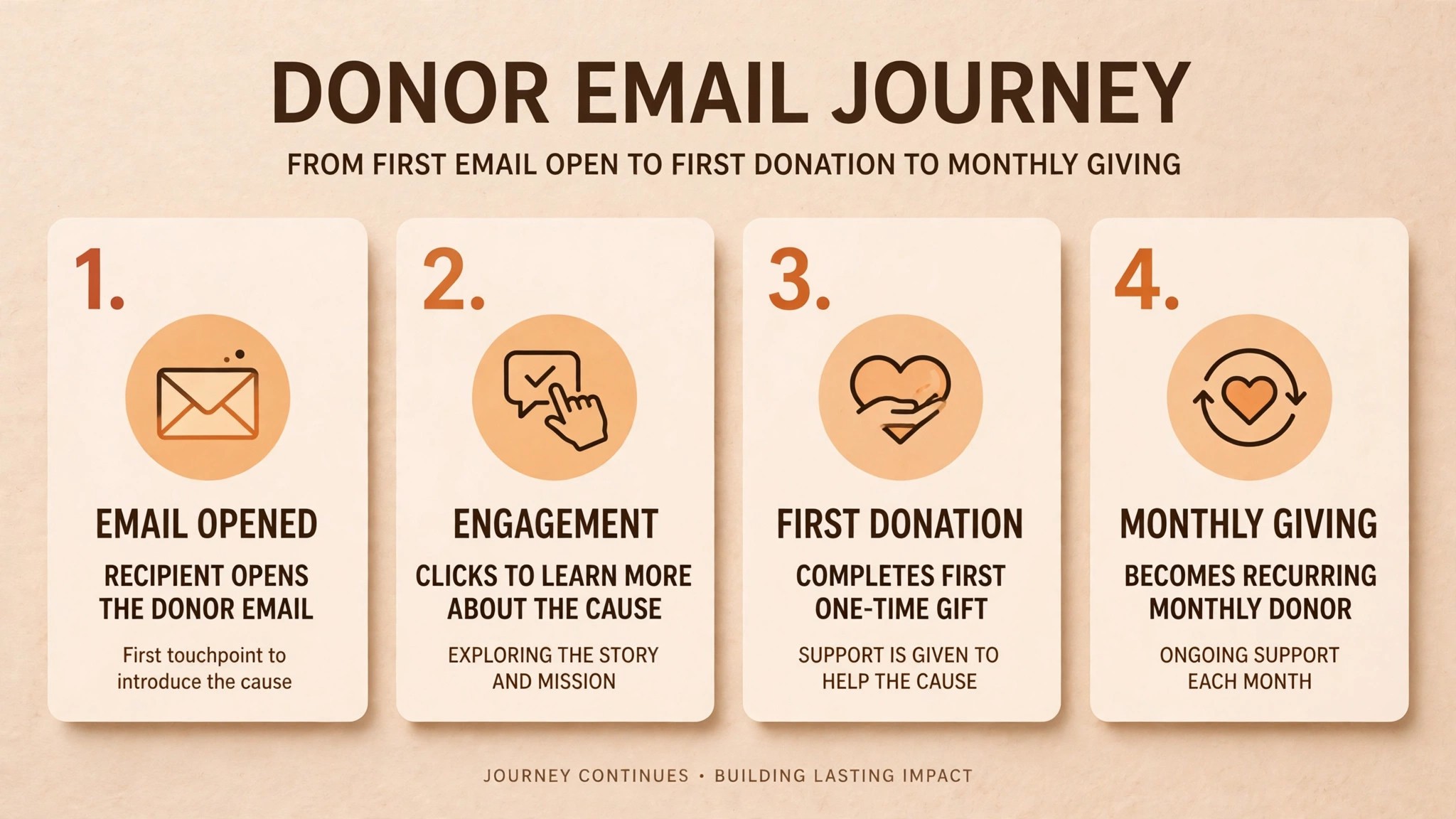
The fifth mistake is treating the email list as a megaphone instead of a record. The best email marketing tools for nonprofits keep engagement history beside each contact, yet many teams never read it. A donor who opened every email for six months and then went quiet is a person to call, not a name to delete. Check the quiet segment every quarter and reach out personally before the relationship cools completely.
Your First 30 Days on a New Platform
A platform switch fails when the team tries to move everything at once. The first month should prove the tool on real mail before the old account is closed, and the best email marketing tools for nonprofits all support a gradual move. Follow the sequence below and keep the old tool live until the new one has sent at least four campaigns.
- Import the list and tag every contact by source, program interest and giving history.
- Set up sender authentication so appeals pass spam checks from the first send.
- Build three segments for donors, volunteers and people who never gave.
- Create a welcome series that introduces new subscribers to the mission in three short emails.
- Send the next newsletter from the new tool to the smallest engaged segment first.
- Compare open and click rates against the old tool before moving the full list.
- Rebuild the two highest-performing automations, the welcome flow and the thank-you flow.
- Cancel the old subscription only after four successful sends and a clean deliverability report.
Frequently Asked Questions
Can a small nonprofit run donor campaigns on Brevo without paying?
Yes, the free plan allows 300 sends a day to unlimited contacts, which covers a weekly newsletter to a list under 2,000. A year-end appeal week with several sends will need the Starter plan at about 9 dollars a month, so budget for one paid month around the big campaigns.
Does Constant Contact really help a charity that runs a gala every year?
Yes, event pages, RSVP tracking and reminder sequences are built into the same account, so the gala committee works from one list instead of juggling a separate event tool. The Standard plan is the one most event-heavy nonprofits choose, and the nonprofit discount applies with annual prepayment.
How does HubSpot keep donor records and email in one place?
The free CRM stores each contact with giving history, event attendance and email engagement on a single record. Mail sent from Marketing Hub writes back to that record automatically, so staff can segment on donations without exporting a spreadsheet or matching names by hand.
Is MailerLite enough for a charity with 4,000 subscribers?
Yes for newsletters and simple appeals, and the Growing Business plan at about 36 dollars a month covers that list size. The limit appears when the team needs deeper donor segmentation or a built-in CRM, at which point HubSpot or Brevo becomes the better home.
What should a nonprofit check before trusting a free email plan?
Check three limits. The daily or monthly send cap, the contact cap and whether automation is included. A free plan that caps sends at 300 a day will fail during a year-end appeal week, and a plan without automation cannot run a welcome series or a lapsed-donor nudge.
Which tool gives the best value when the list passes 10,000 contacts?
Brevo usually wins at that size because it charges per email sent rather than per contact stored. Sender is the runner-up for teams that mail rarely, while HubSpot wins when the donor database itself is the priority and the team can use the free CRM underneath the paid mail tier.
If You Need X, Pick Y
If you need the lowest bill for a big list, pick Brevo and pay for sends rather than names. If you need events and email in one account, pick Constant Contact and let the gala committee work from a single list. If you need a clean newsletter and nothing else, pick MailerLite and keep the weekly send under an hour.
If you need email beside a real donor database, pick HubSpot and accept the setup time in exchange for one record per supporter. If you need webinars next to mail, pick GetResponse and host the monthly briefing inside the same account. If you need the prettiest appeal on the list, pick Campaign Monitor and let the design carry the year-end campaign.
If your budget is under 15 dollars a month and you still want automation, pick Moosend. If your list is under 500 subscribers and you want to pay nothing, pick Sender. If you want a human on the phone when a volunteer gets stuck, pick AWeber. And if you inherited Mailchimp years ago and the team knows it well, stay put, because the cost of retraining volunteers usually exceeds the saving from switching.